
App reviews in Microsoft Teams.
Add the AppReply Alerts app to Microsoft Teams. New Apple App Store and Google Play reviews then arrive as cards in the team or chat you choose.
10-day Pro trial · No credit card
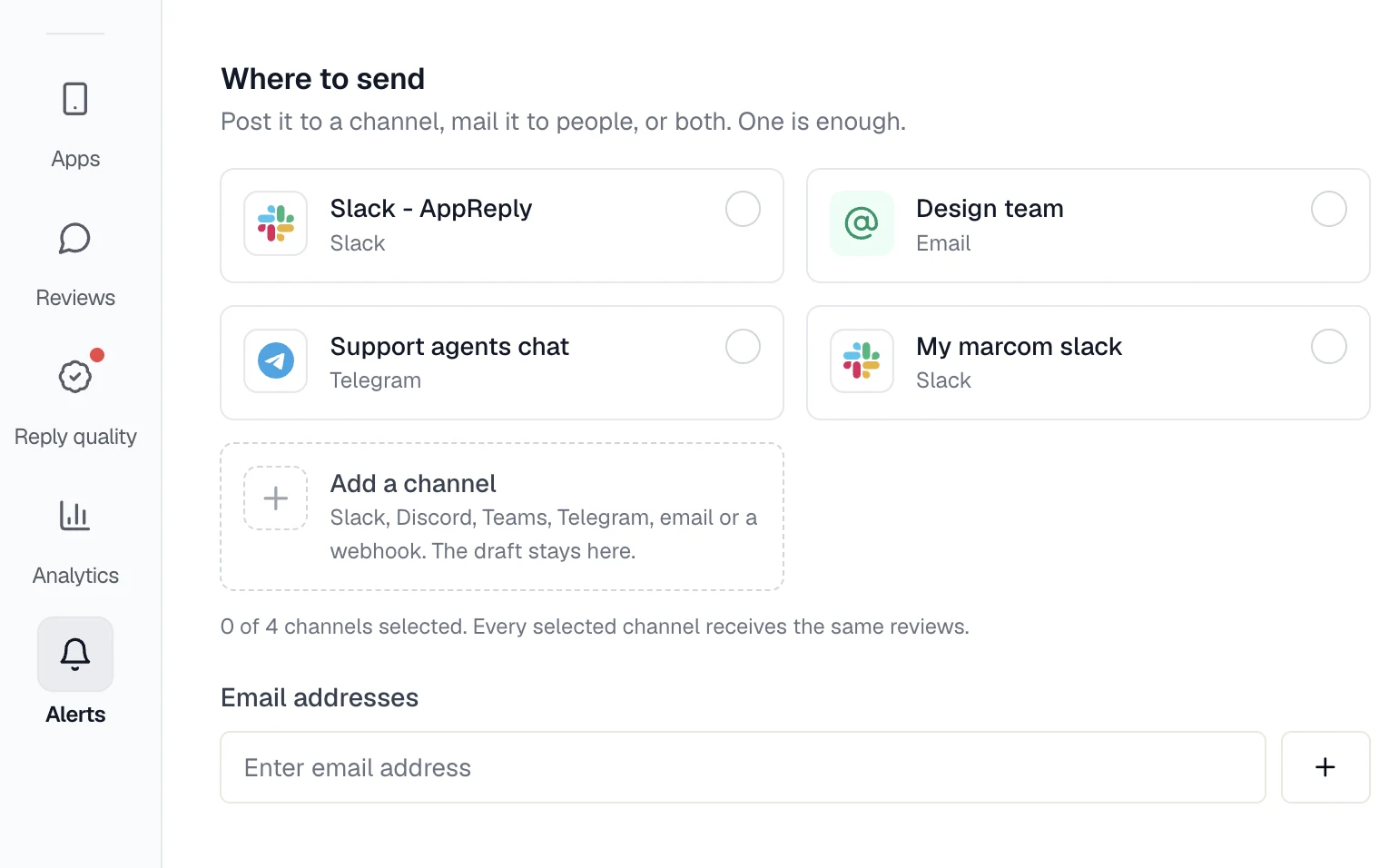
Set up AppReply Alerts in Teams.
A short-lived setup link makes sure only someone signed in to AppReply can connect a chat.
Permissions and data
The app asks for basic identity only, with no Microsoft Graph permissions. It posts alert cards, with no tabs and no commands.
Sign in to AppReply
Stay signed in to AppReply in your browser. The setup link needs it.
Install the app in Teams
In AppReply, open Alerts, then Channels, and click Install next to Microsoft Teams. Add AppReply Alerts to a team, a group chat or your personal chat.
Open the setup link
The app posts a secure link. Open it and choose the organization that should send alerts there. It works once and expires in 15 minutes.
Point a rule at the chat
Run the test send, then pick the new Teams chat as a destination in an alert rule.
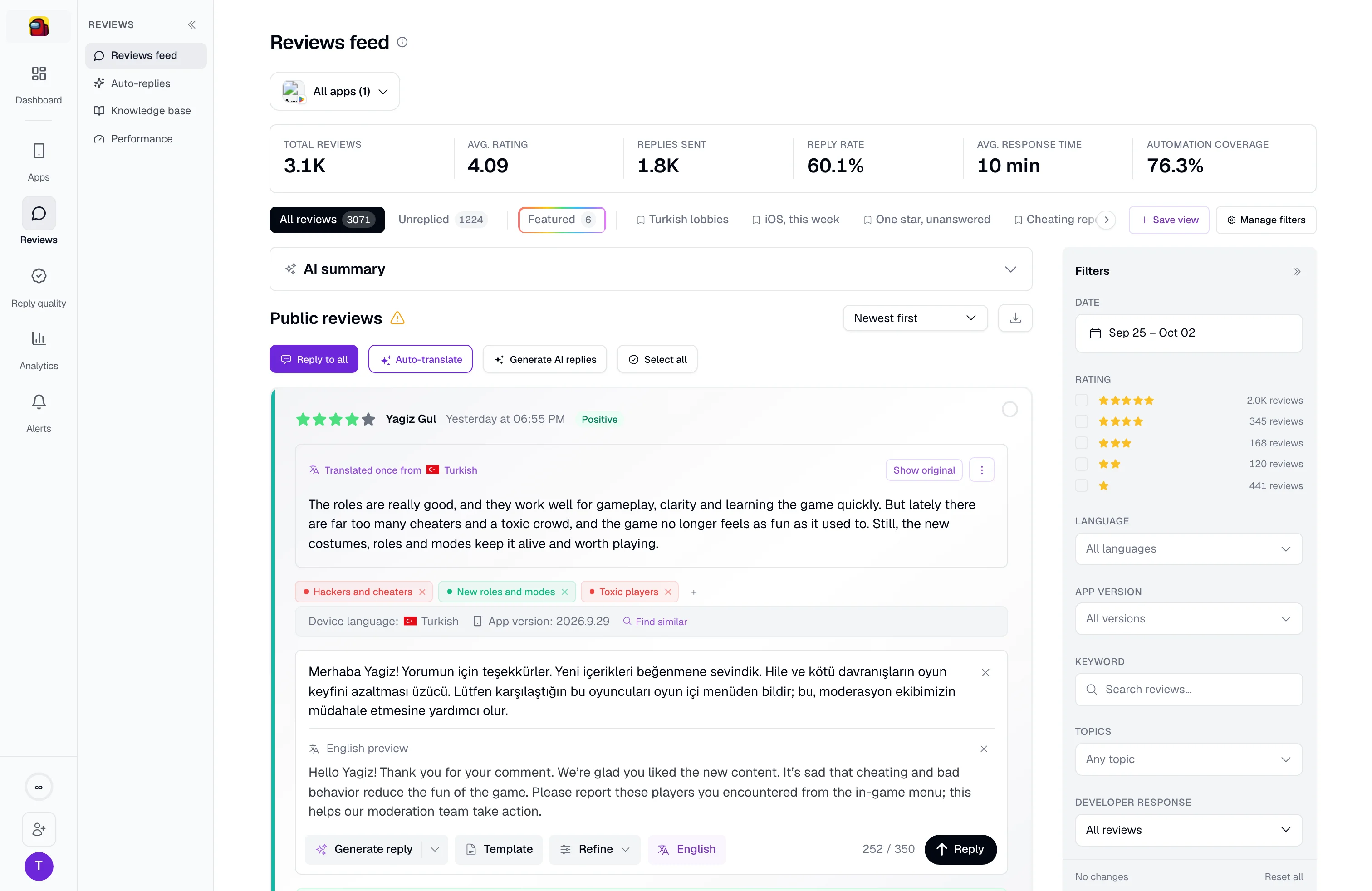
One card per alert, with the reviews inside.
Each alert arrives as an Adaptive Card that lists the matching reviews with the app, store and stars. Two buttons sit below it. View reviews opens them in AppReply, where a draft can be ready to edit and send. Edit alert opens the rule that sent the card.
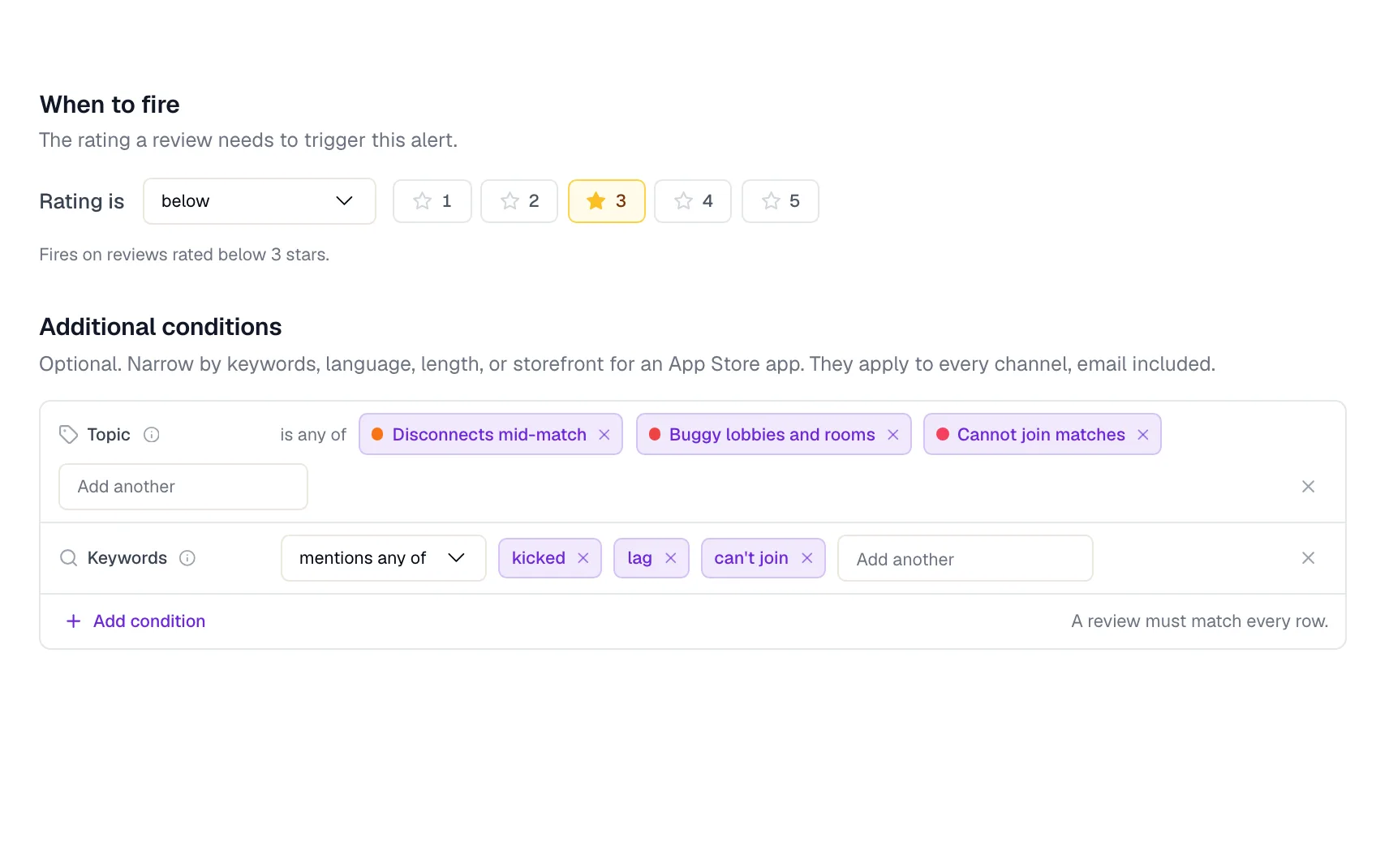
Give each team only the reviews it owns.
Build a rule around the apps, stars, words or languages a team cares about, and pick its Teams chat. With review analytics on, a rule can also follow a topic in your App Store and Google Play apps. New matches arrive together within about 15 minutes, or grouped each hour or in a daily digest at 09:00 UTC. Summaries arrive daily, weekly or monthly and cover apps connected to their store. Rating-change and complaint-spike headlines come from review analytics too, with a link to AppReply.
FAQ
Questions about the Teams app
How do I get App Store reviews in Microsoft Teams?
Install AppReply Alerts in Teams, open the setup link it posts, and choose your organization. Then add that chat to an alert rule. Google Play reviews work the same way.
Is there a Microsoft Teams app for app reviews?
Yes. AppReply Alerts is a Teams app that posts review alerts as cards. Its full name in Teams is AppReply review alerts. Start the install from Alerts, then Channels, in AppReply.
Can review alerts go to a Teams channel?
Yes. Install the app in the team, then open the setup link it posts there. Alerts go to that same place. A group chat or your personal chat works too.
Can my team answer reviews inside Teams?
No. The app only posts cards. View reviews opens AppReply, where your team writes and sends the reply.
What can the Teams app access?
Basic identity, and that is all. It asks for no Microsoft Graph permissions, and it has no tabs or commands.
Why does the setup link expire?
So only a signed-in AppReply member can connect a chat. The link lasts 15 minutes and works once. If it runs out, install the app again to get a new one.
Which AppReply plans include the Teams app?
All of them, at no extra cost. Rating-change and complaint-spike alerts need review analytics, and Teams shows their headline with a link.


Get review cards in Microsoft Teams.
Install AppReply Alerts, connect a chat, and watch the cards come in.
10-day Pro trial · No credit card