
Keep up with reviews, not hires.
AppReply answers matching reviews automatically using your product information and approved replies. Send issues to Zendesk or Intercom, and keep approval for the reviews your team wants to check.
New: Reply Quality checks published replies · Included on Pro
Answering for teams behind apps with 1.7B+ combined downloads








Give the right team the reviews it can act on.
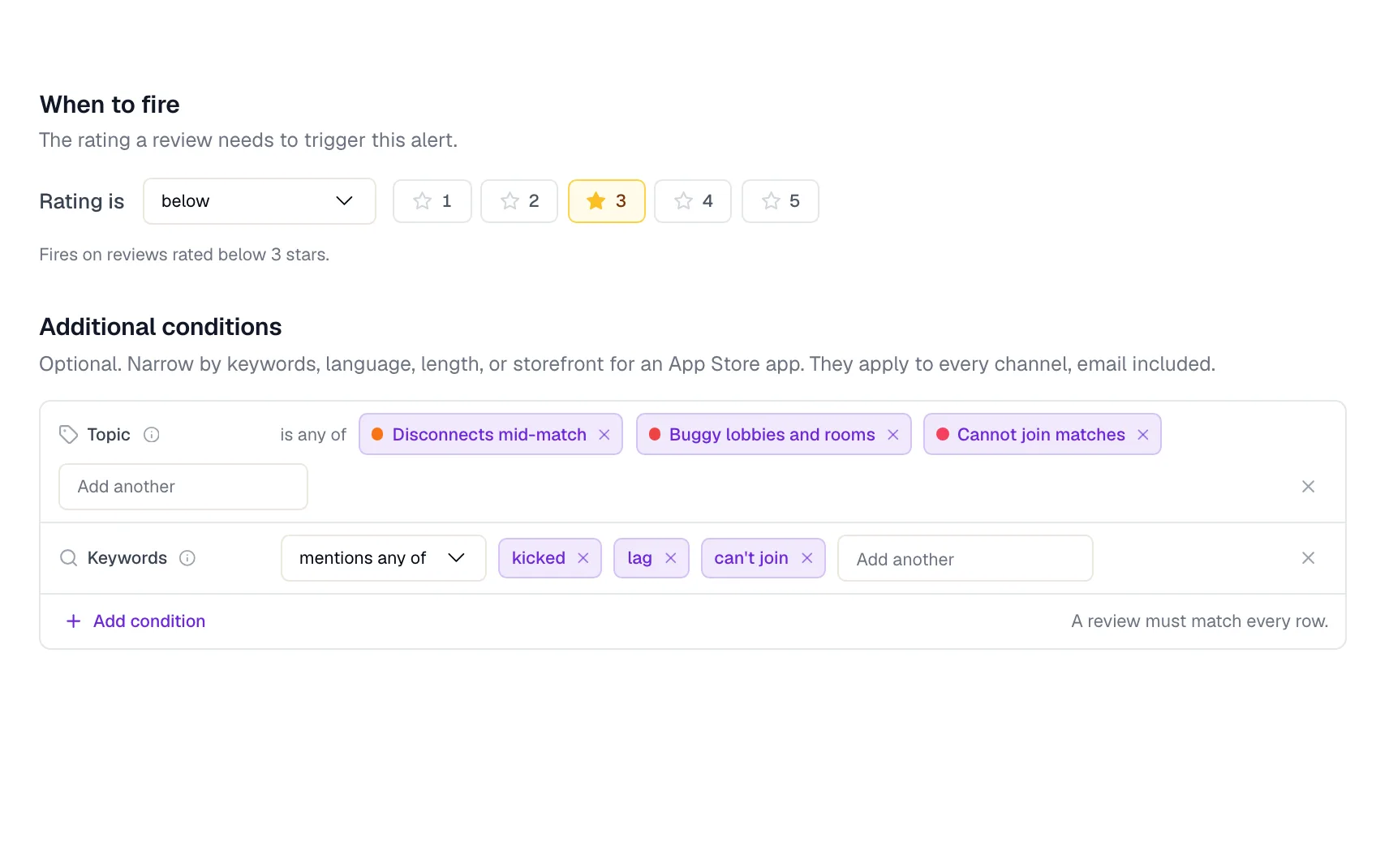
Set rules for the app, rating, topic, keywords, or language, then choose where each one lands: a Slack channel, a Discord server, Telegram, email, or a webhook. When a review needs investigating rather than answering, a ticket rule can open a Zendesk or Intercom ticket, and its status syncs back to the review.
Write the standard once. Every routine reply follows it.
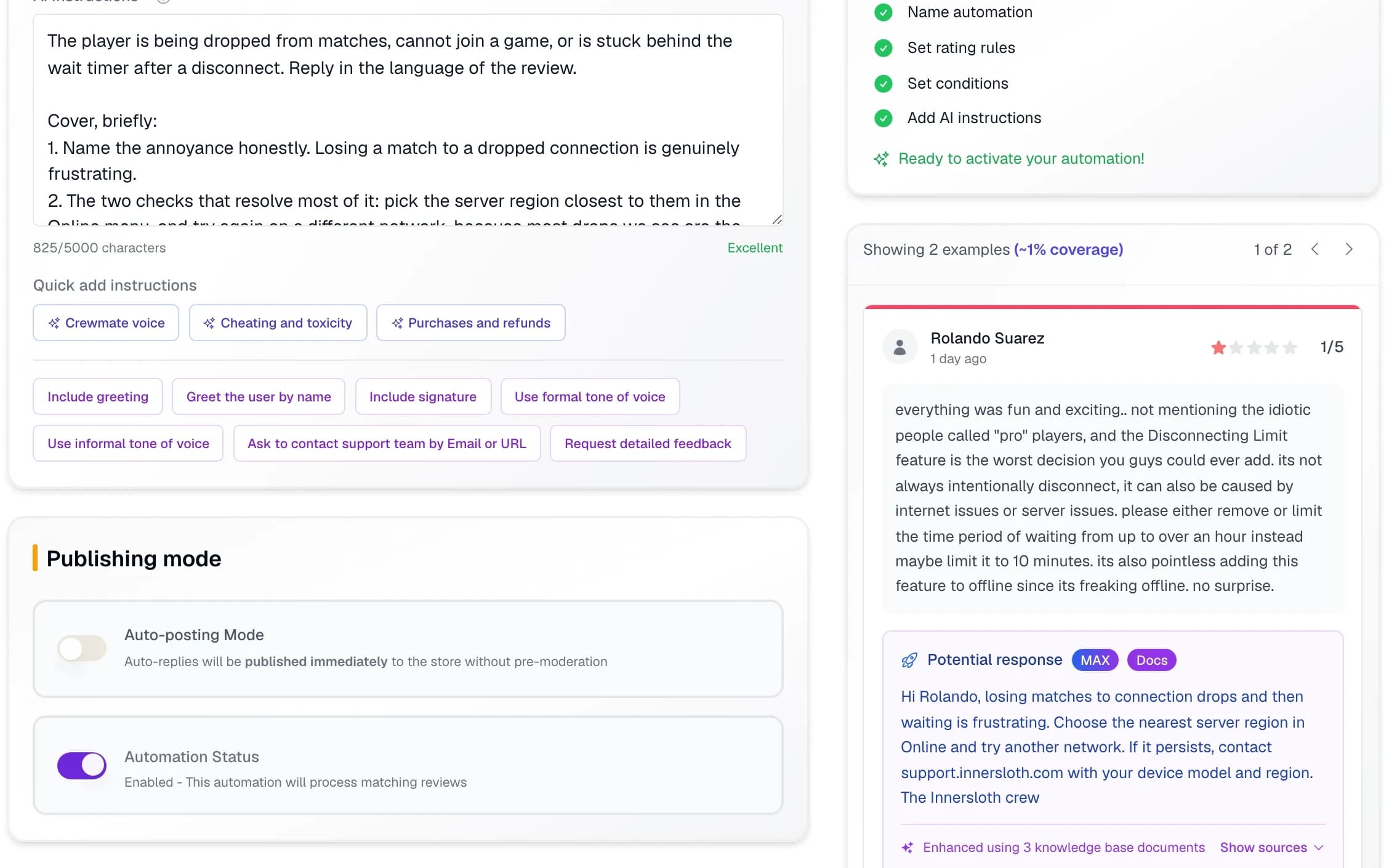
A reply rule carries your instructions in your own words, plus the tone controls your team already argues about: greeting, signature, formal or informal, whether to point people at support. MAX drafts from your help docs and approved replies, and each rule either publishes straight away or waits for someone to approve it.
Check that the replies still sound like your team.
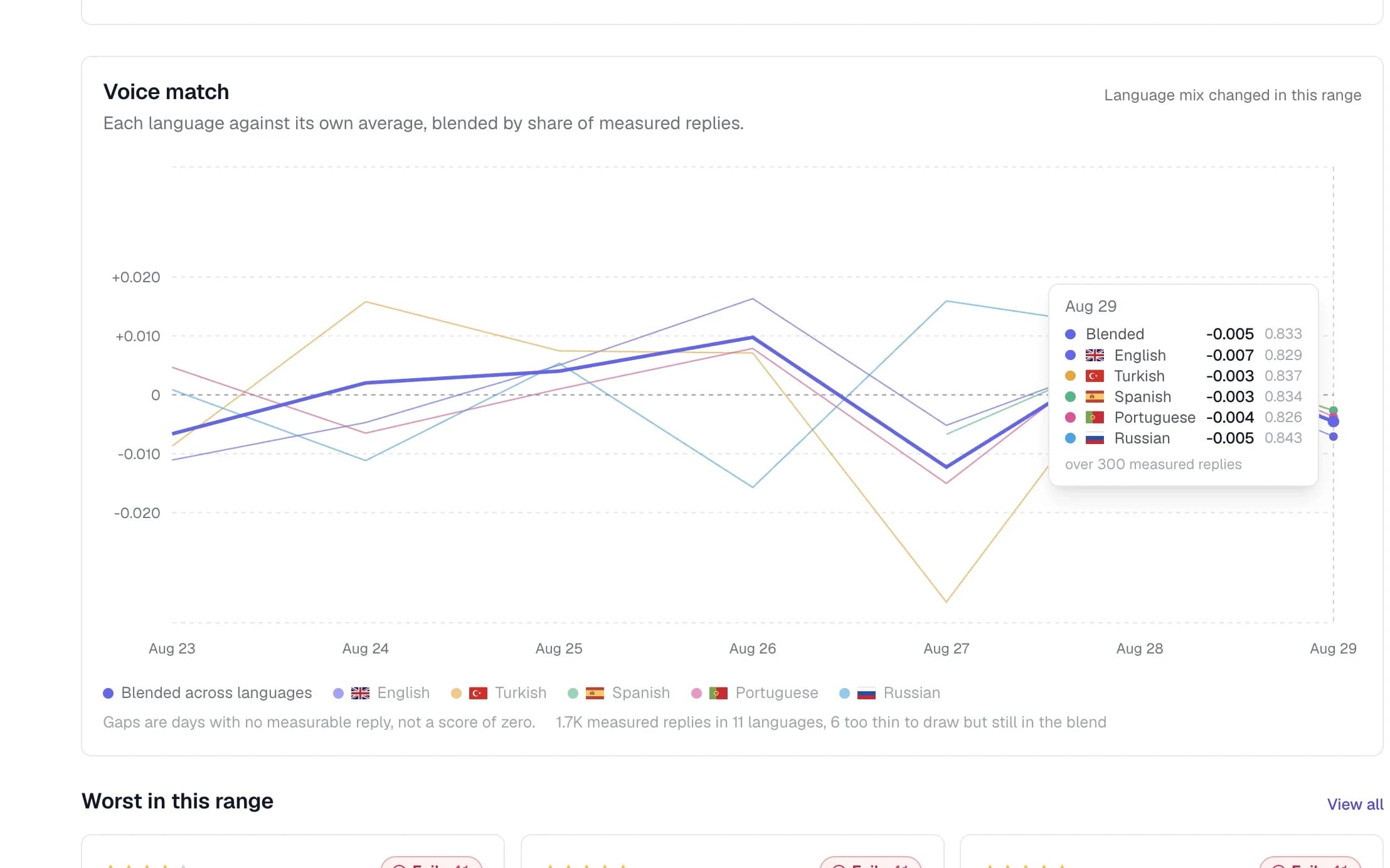
Reply Quality grades published replies against a scorecard you write: the guidelines that must never be broken, and the tone you expect. Voice match compares each reply with your team’s own past answers, measured per language against that language’s own average, so English staying on brand cannot hide German drifting.
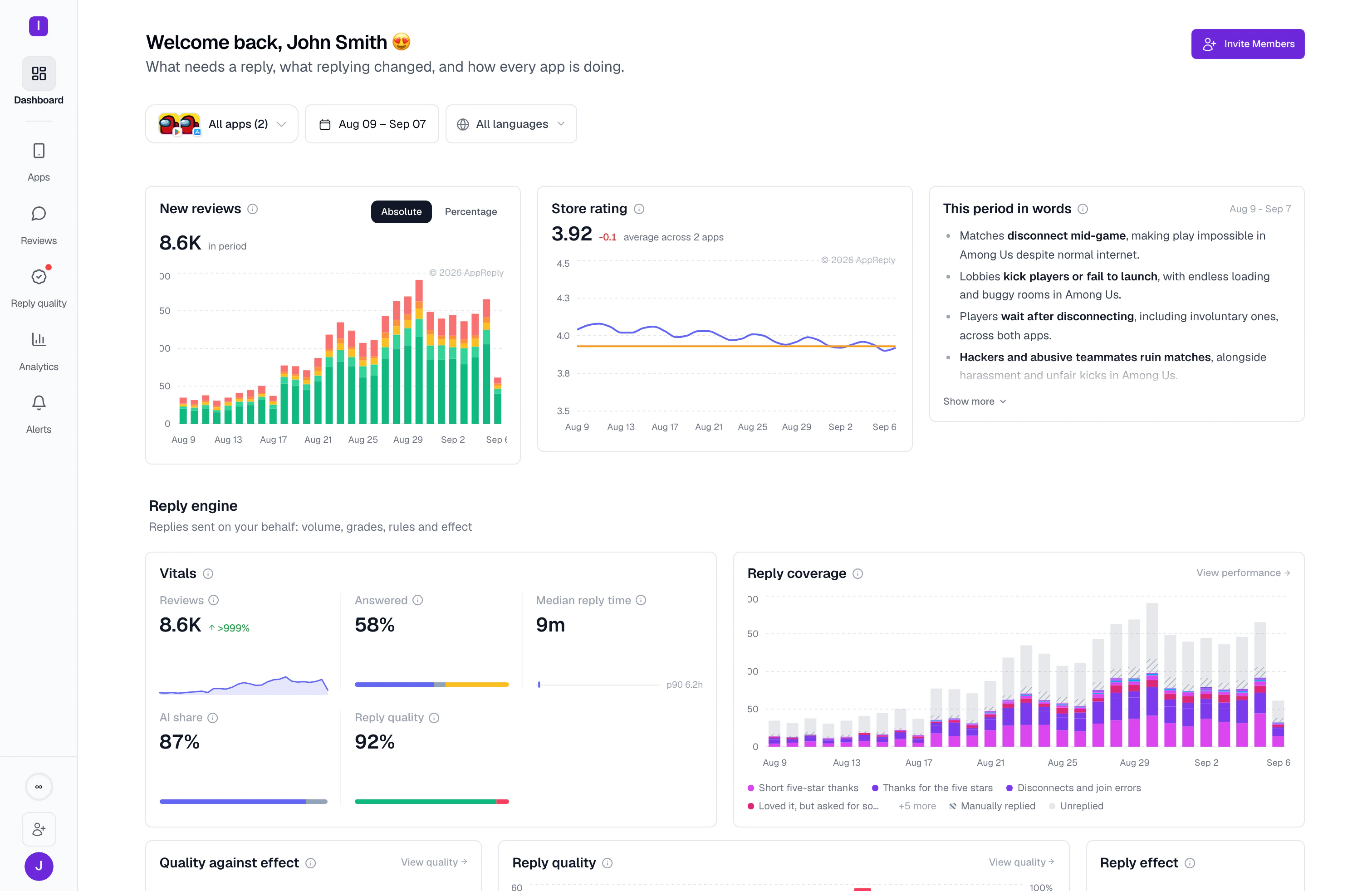
See what the queue actually covered this week.
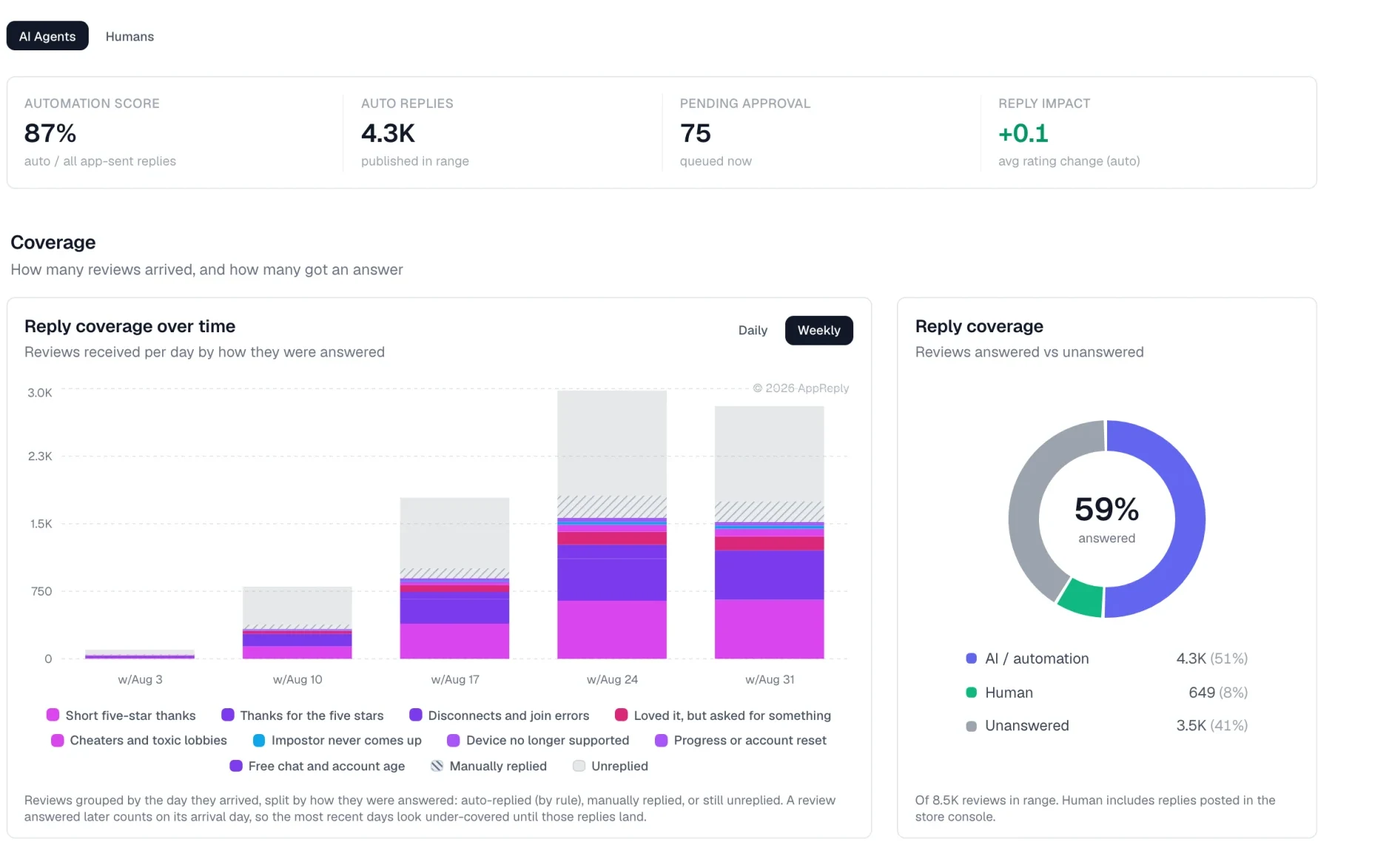
Reply performance splits every review by how it was answered: automatically, by a person, or not at all. Track the automation score, what is waiting on approval, and the average rating change after a reply, so you can tell a queue that is keeping up from one that is quietly falling behind.
Built for a busy support queue.
AppReply handles review replies at this scale today. Your team chooses the rules and approval steps for its own queue.
- 100,000+
- replies handled monthly
- <10 min
- average time to reply
- 100+
- languages across the workflow
FAQ
Questions from support teams
Can app reviews become Zendesk or Intercom tickets?
Yes. Set conditions such as rating, keywords, language, and app. Matching reviews become tickets with the review text, rating, app name, and a link to AppReply. Ticket status syncs back so you can see which reviews have been handled.
Can support agents approve replies before publishing?
Yes. Choose manual approval or automatic publishing on each reply rule and preview the result against recent reviews before enabling it.
Can the team work across languages?
Yes. Read a translation alongside the original review, then use MAX to draft a reply in the reviewer’s language. AppReply supports replies in more than 100 languages.
How is published reply quality checked?
You choose the replies to monitor and set a scorecard: a checklist for accuracy, tone, and other standards your team needs. Reply Quality checks published AI and human replies covered by an active monitor and shows why each scored reply passed or failed.
Can we hold replies to our brand guidelines and tone of voice?
Yes, in two places. Each reply rule carries your written instructions plus tone controls for greeting, signature, and formal or informal voice. Before an AI reply publishes, and again after, a scorecard check marked critical fails the reply whatever else it scored, and voice match compares replies with your team’s past answers in each language.
Can we see whether the queue is keeping up?
Yes. Reply performance splits reviews into automatically answered, answered by a person, and still unanswered, alongside the automation score, the count waiting on approval, and the average rating change after a reply.
Try it with the reviews waiting for your team.
10-day Pro trial · No credit card