
Review alerts with the original feedback
Choose which apps and reviews reach each channel: by stars, keywords, language, length, or topic. Send each match within minutes, or as an hourly or daily digest. Every alert links to the reviews behind it.
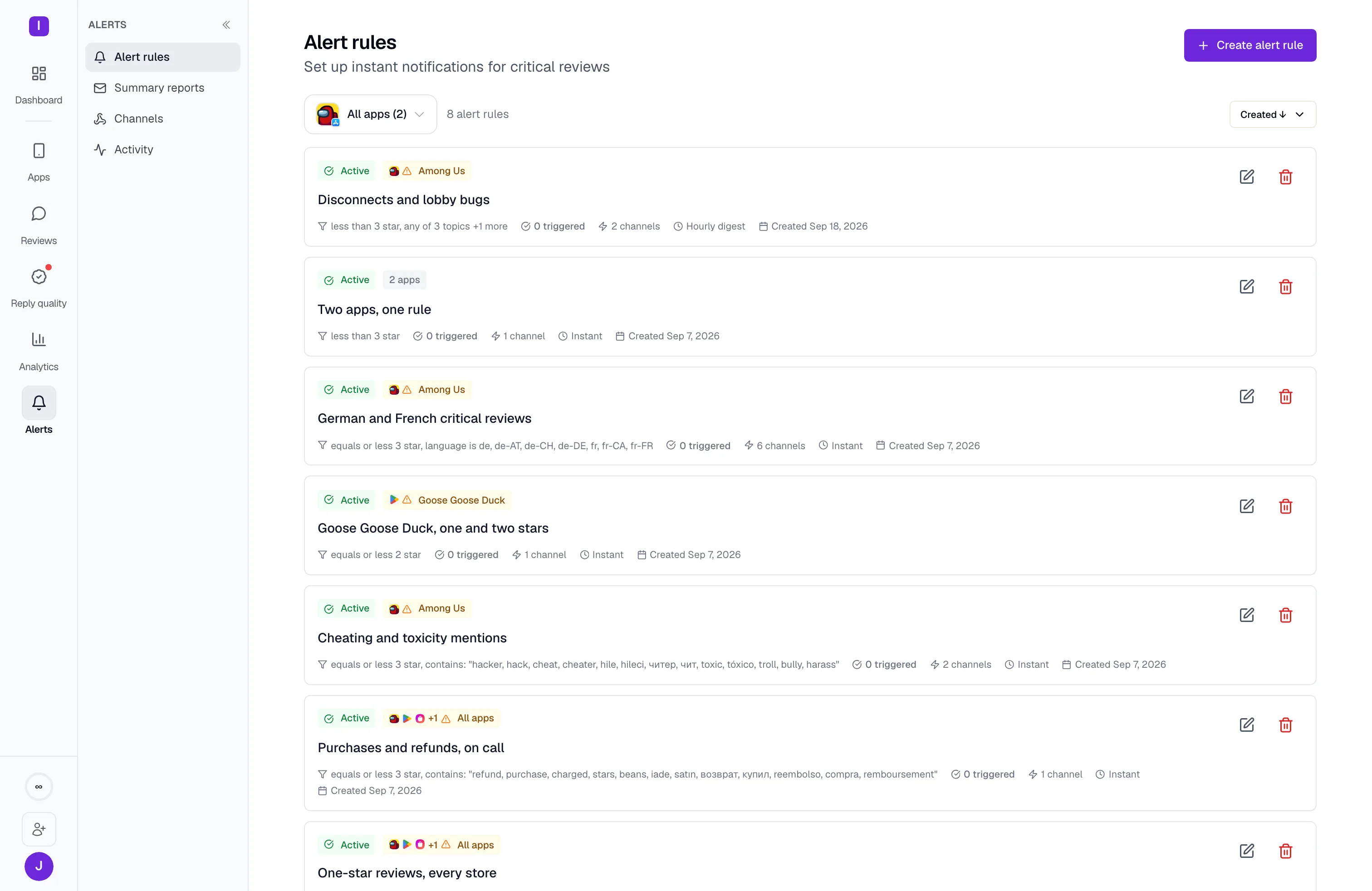
AppReply collects reviews from five app stores and sends alerts to your team’s channels automatically. Choose which apps and changes to follow, then open the translated reviews when something needs attention.
Included on every paid plan · Smart monitoring on Pro
Trusted by teams behind apps with 1.7B+ combined downloads







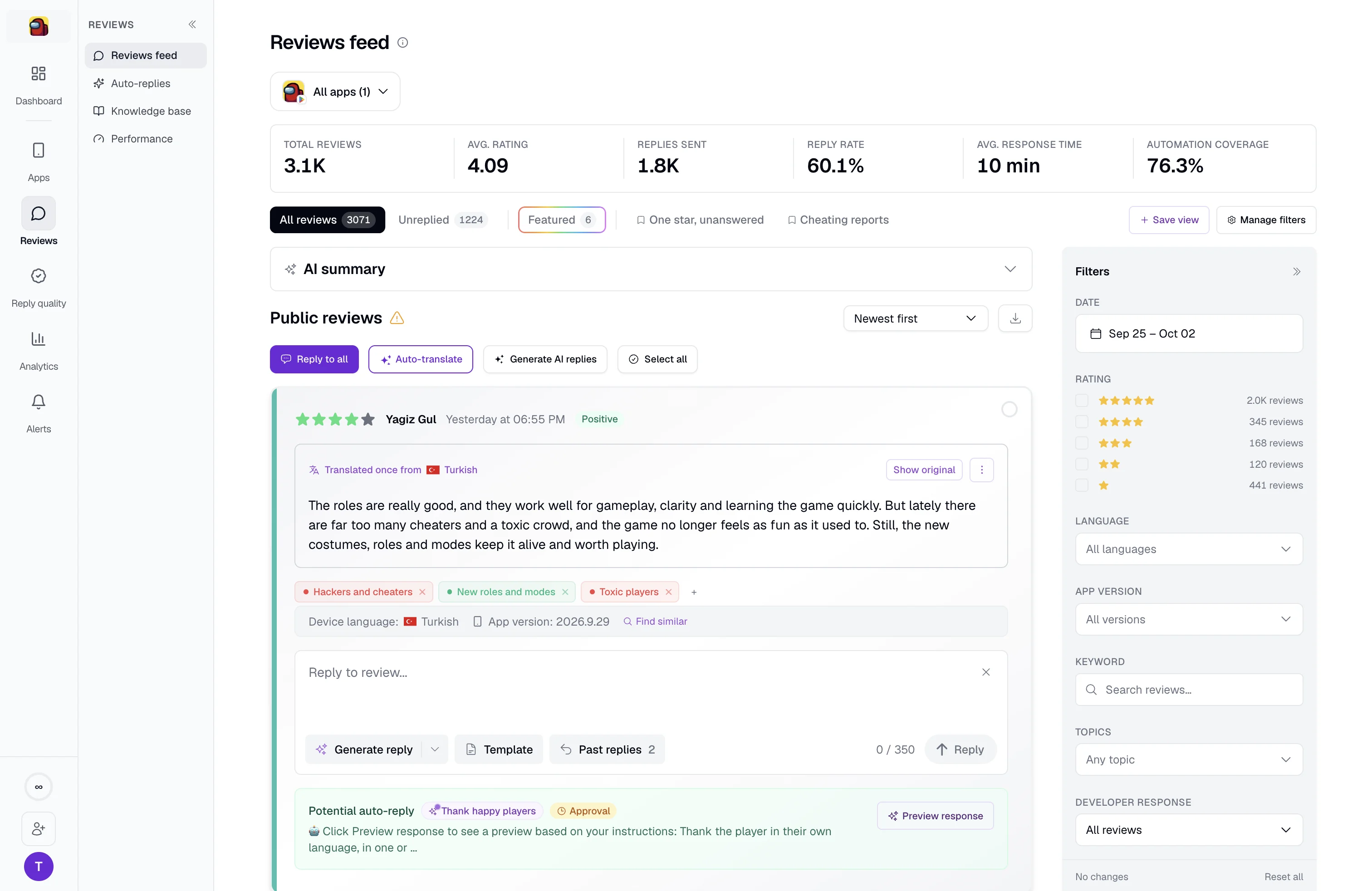
Read reviews from the App Store, Google Play, Samsung Galaxy Store, Huawei AppGallery, and RuStore in one feed. Filter across apps by rating, language, version, or reply status to find the reviews you need.
Send new reviews, summaries, and rating-change alerts to Slack, Discord, Microsoft Teams, Telegram, or a webhook. Each message links to the original reviews, so the team can read the feedback before deciding what to do.
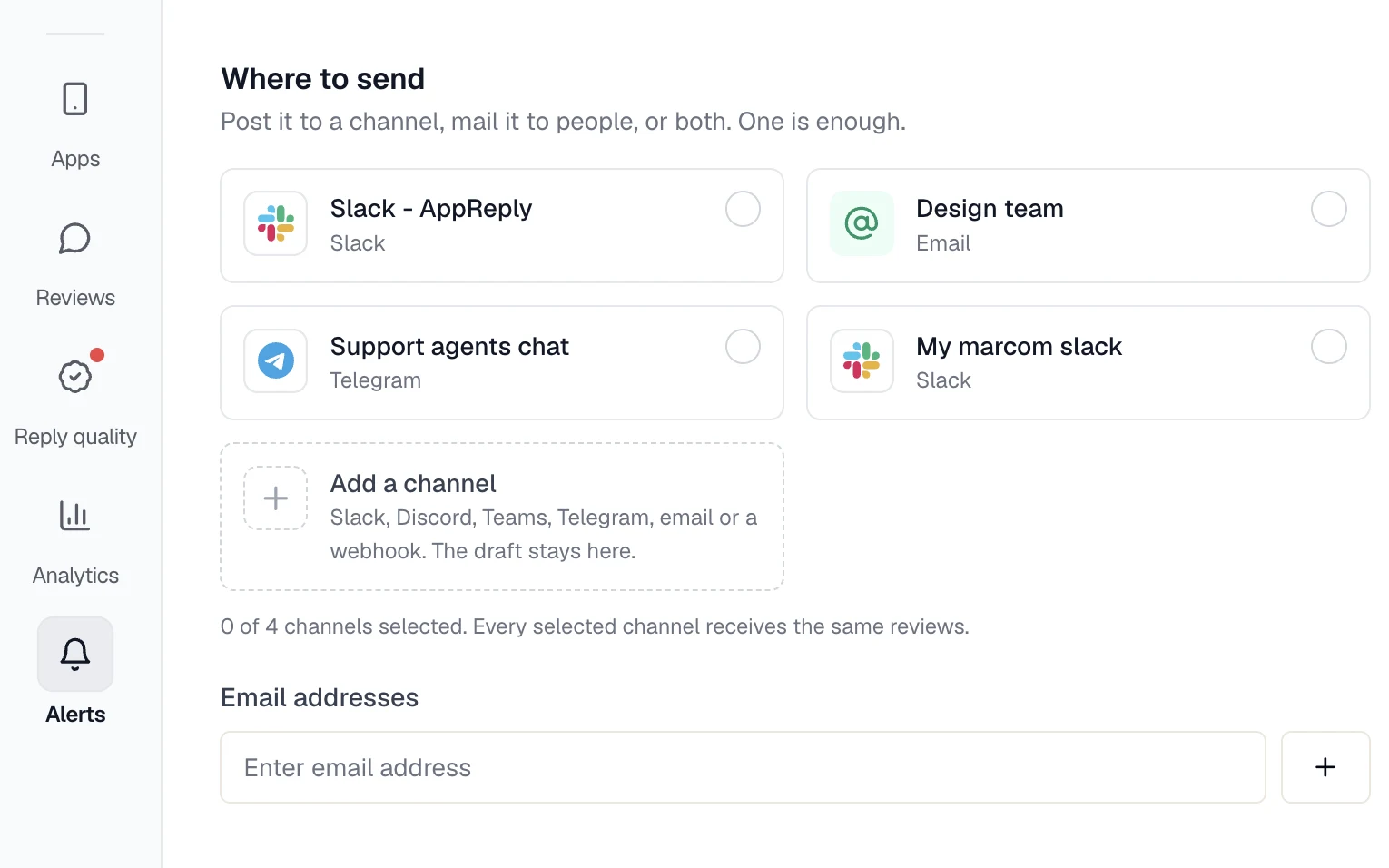
Use shared filters and alerts to keep the team informed without checking each store by hand.
Choose which apps and reviews reach each channel: by stars, keywords, language, length, or topic. Send each match within minutes, or as an hourly or daily digest. Every alert links to the reviews behind it.


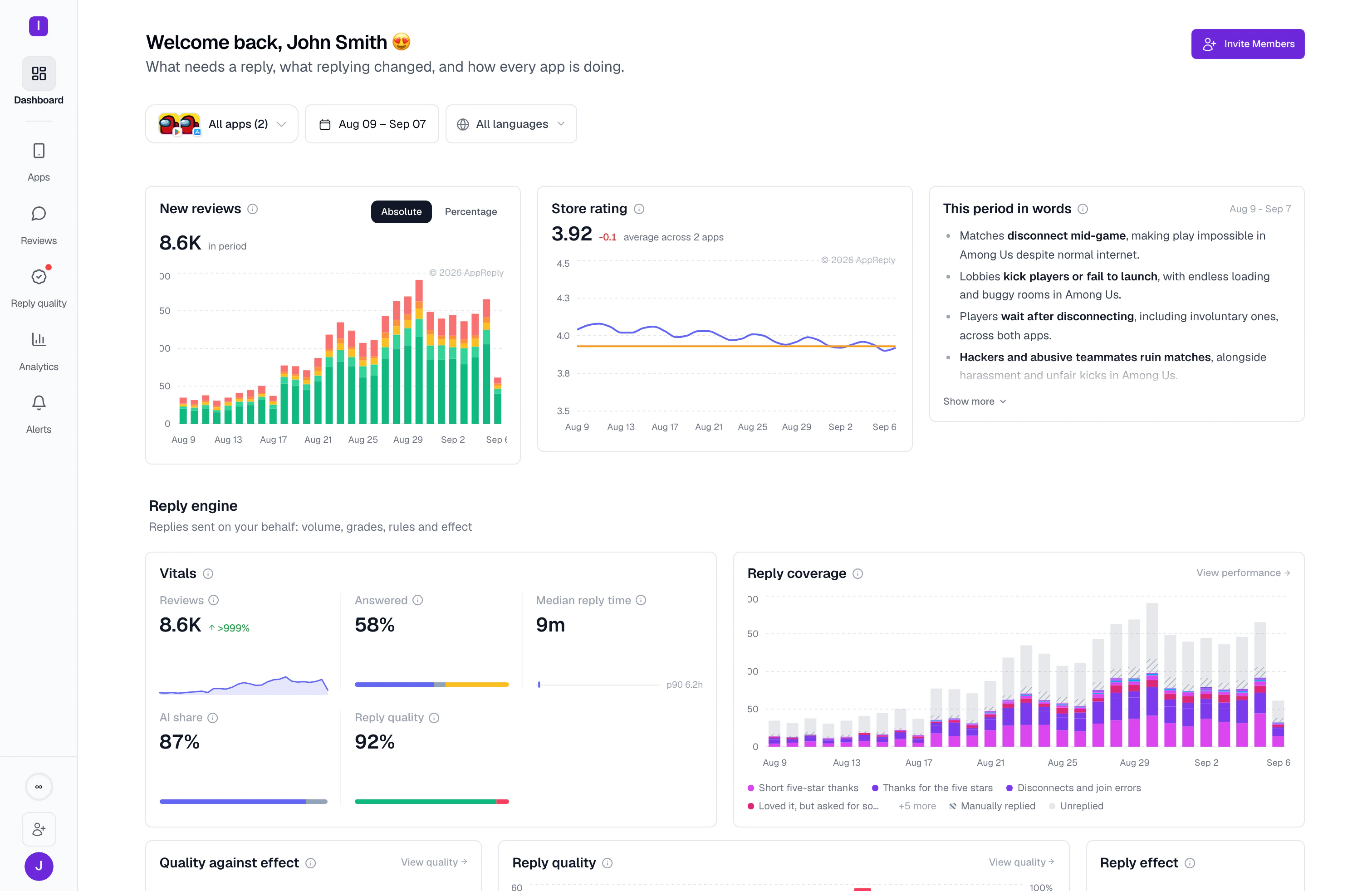
See whether a change looks like new product feedback, a coordinated review burst, older reviews added by the store, or edited ratings. Inspect the reviews and choose how each type of change should be routed.
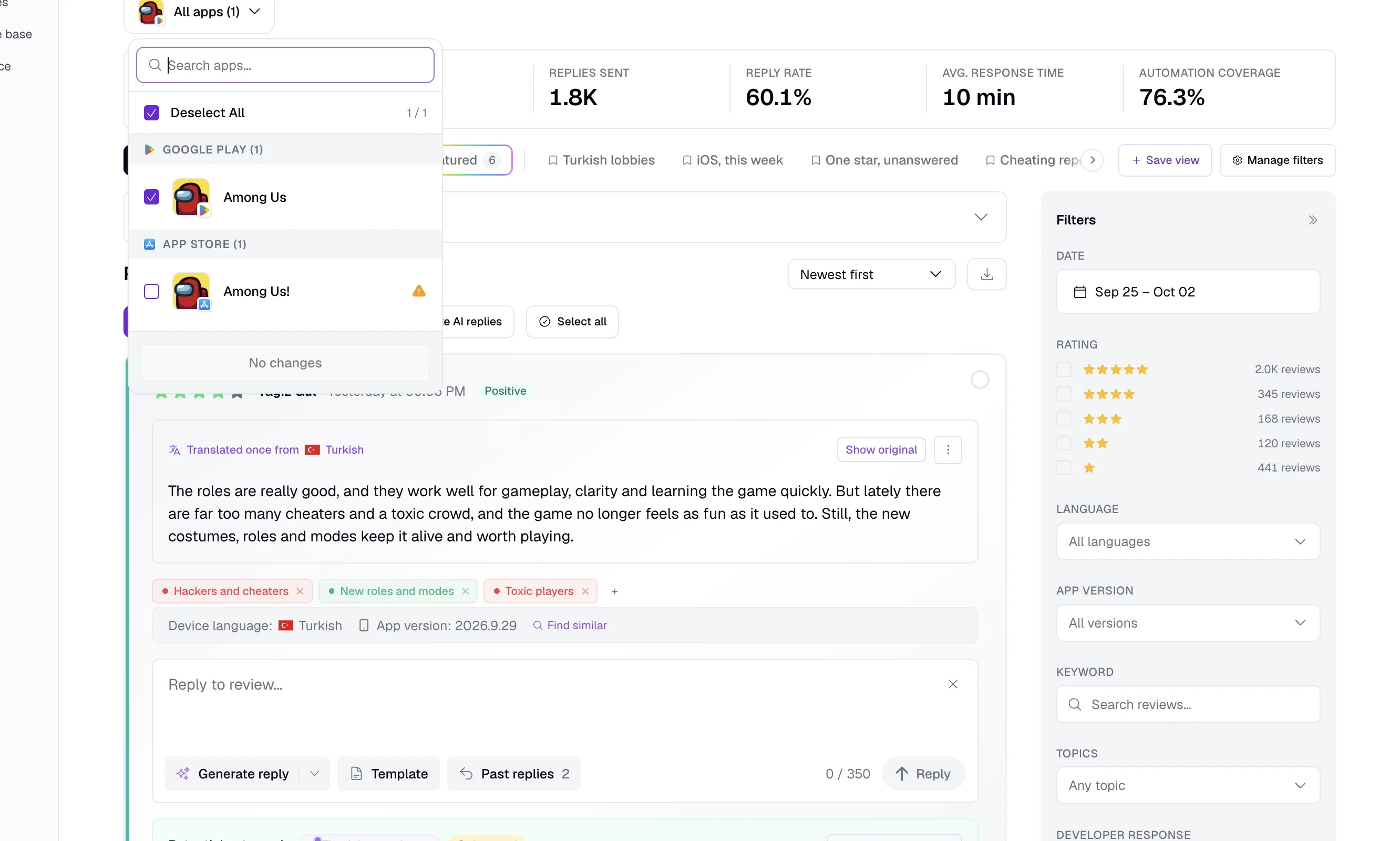
Select the connected apps you want to review together, then narrow the feed by rating, language, country, version, or reply status.
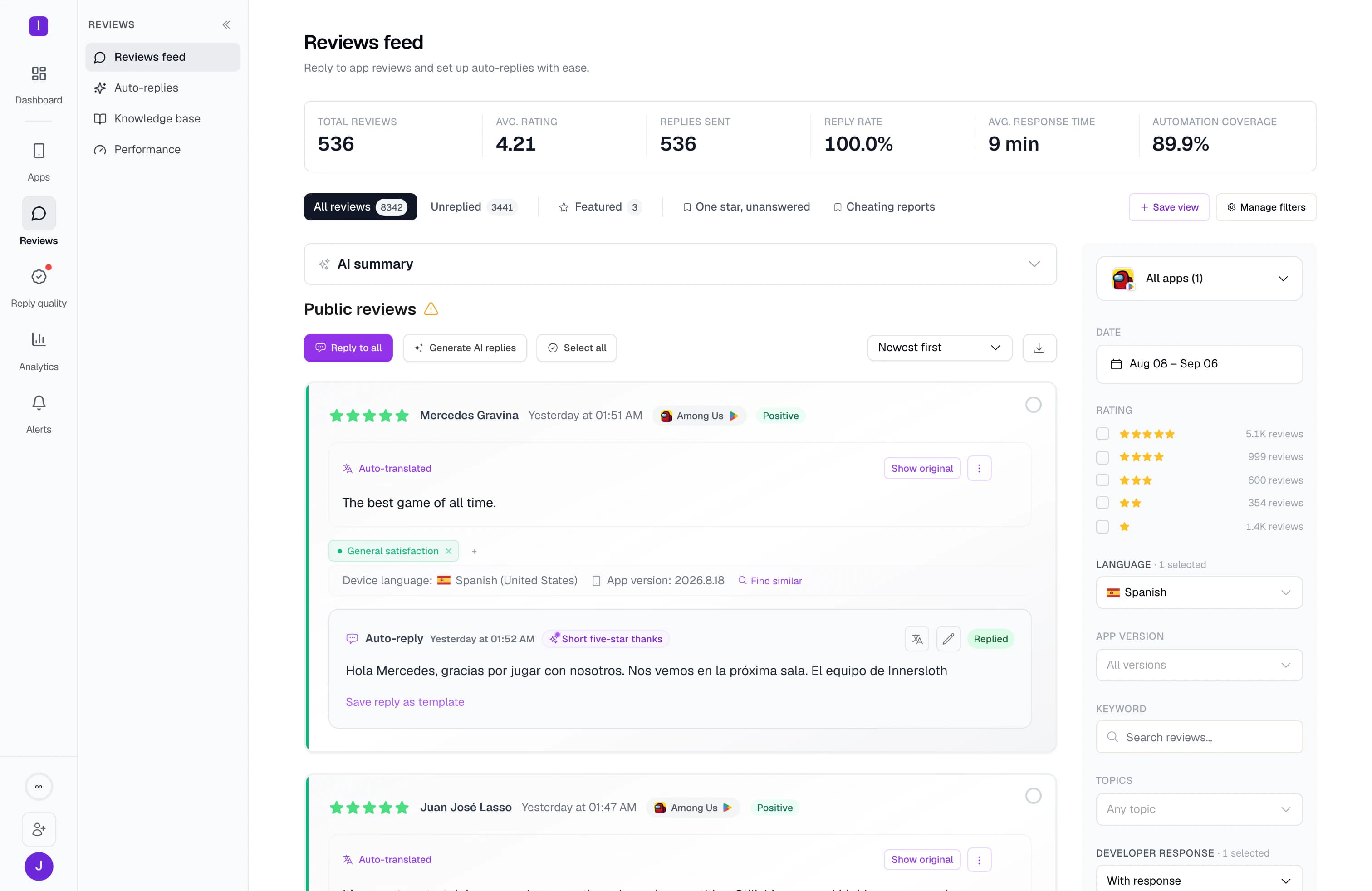
Read translated feedback in the review feed and open the original when you need it. Keep the language and available app-version and device details beside the review.
Save the app selection and filters you use regularly, so you can return to the same view without rebuilding it.
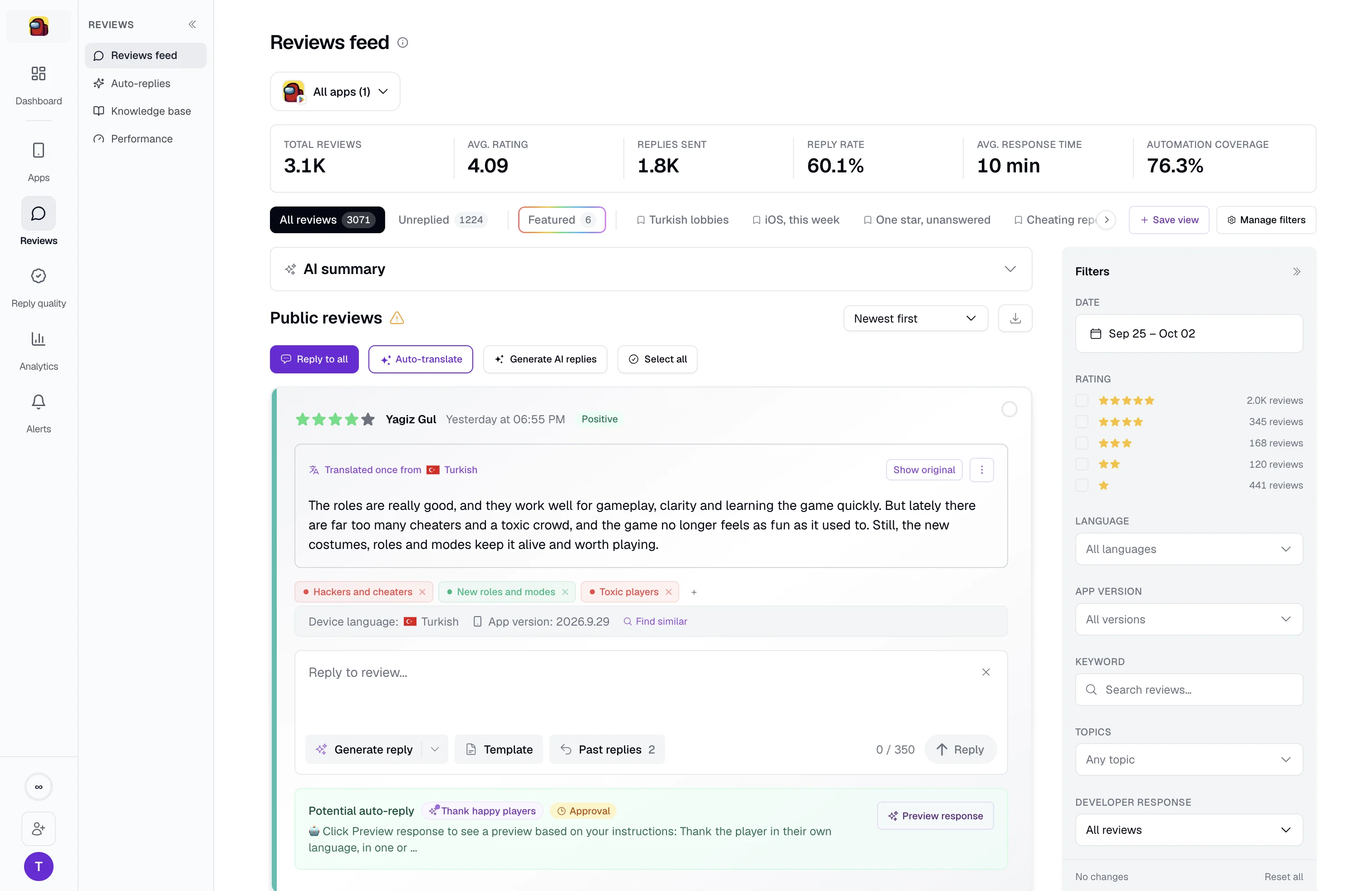
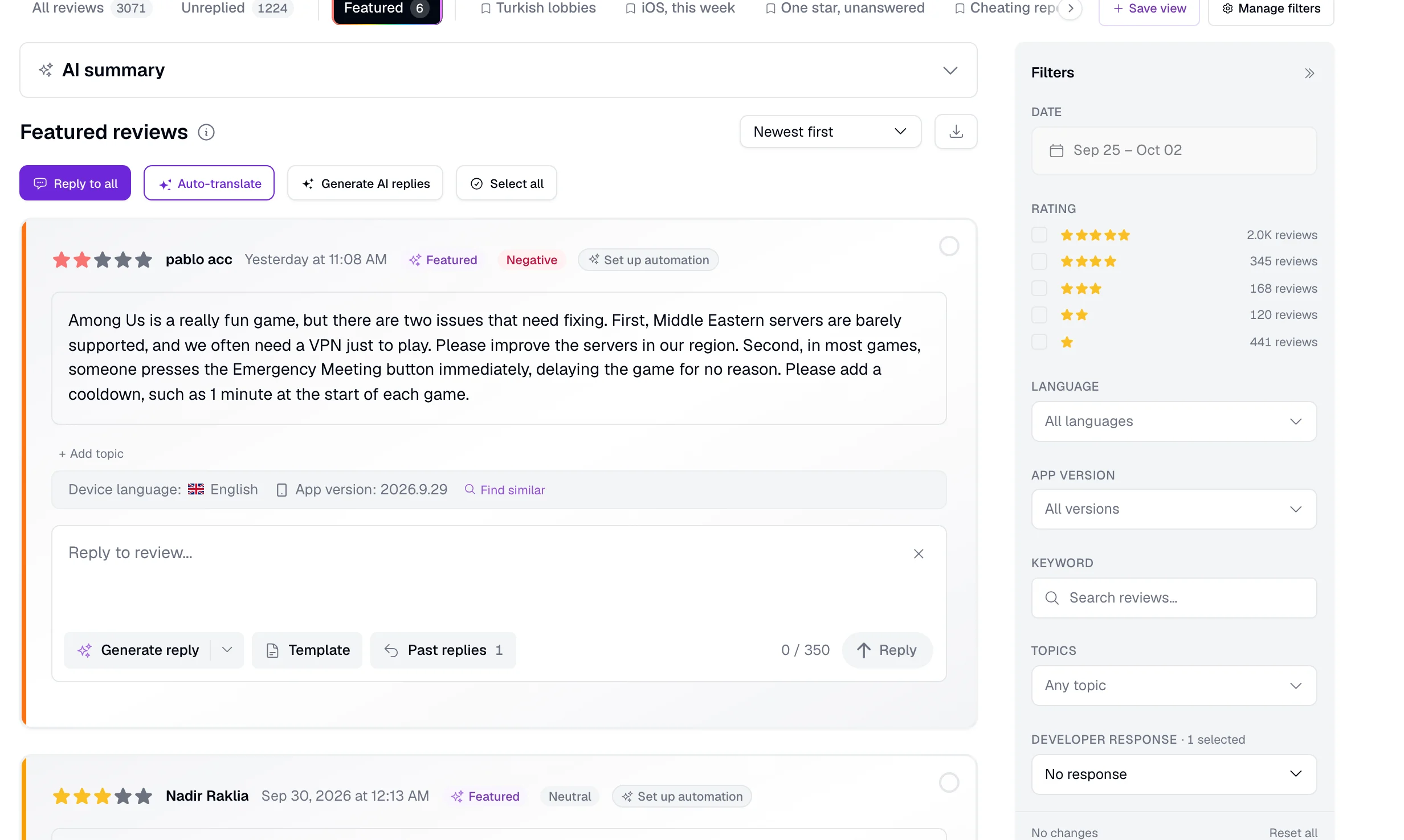
Find the reviews displayed on your store listing, including differences by country. Filter for featured reviews or use featured status in a reply rule to focus on what prospective users see.
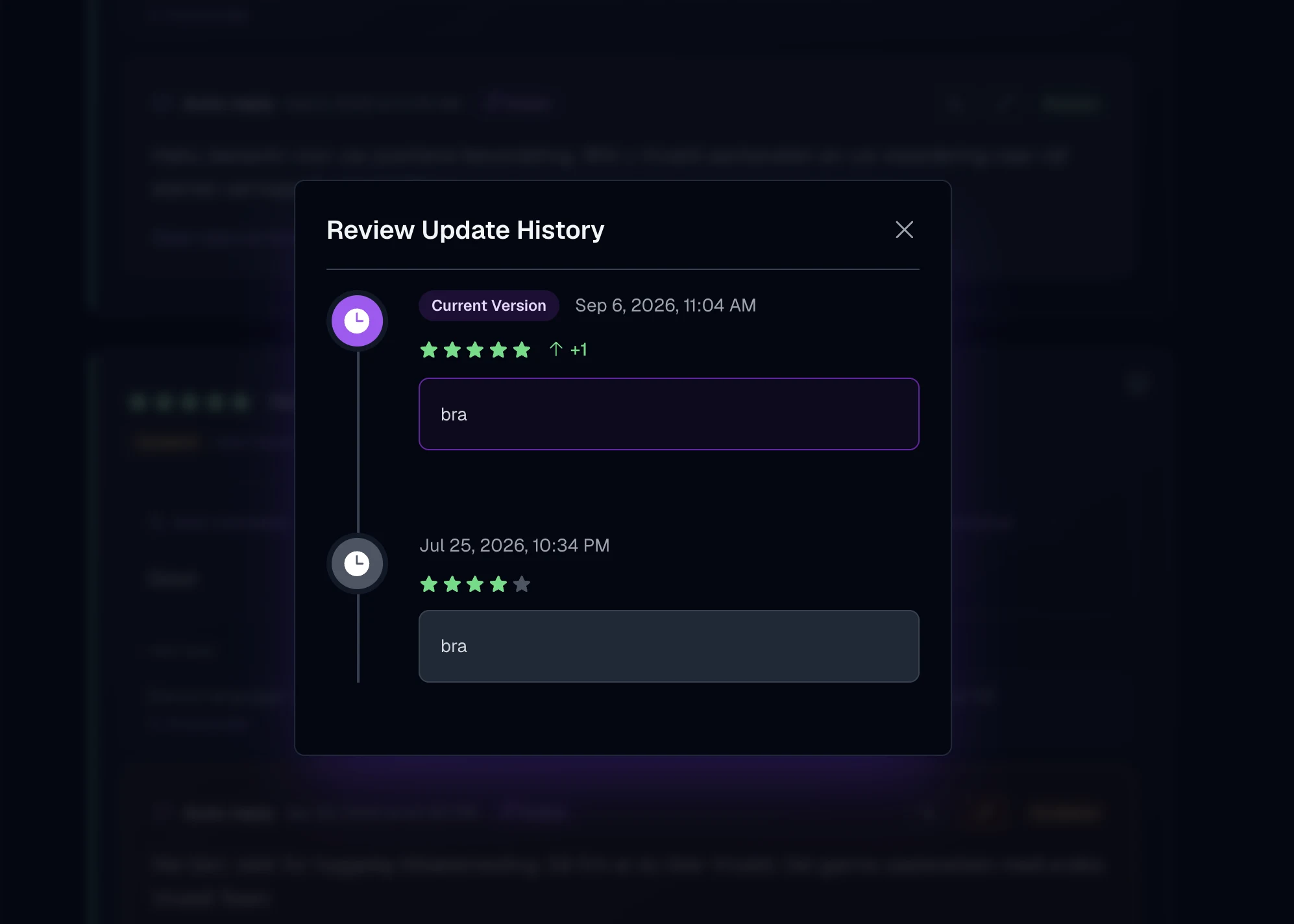
Open a review’s timeline to see rating changes and text edits, including updates after a reply or app release.
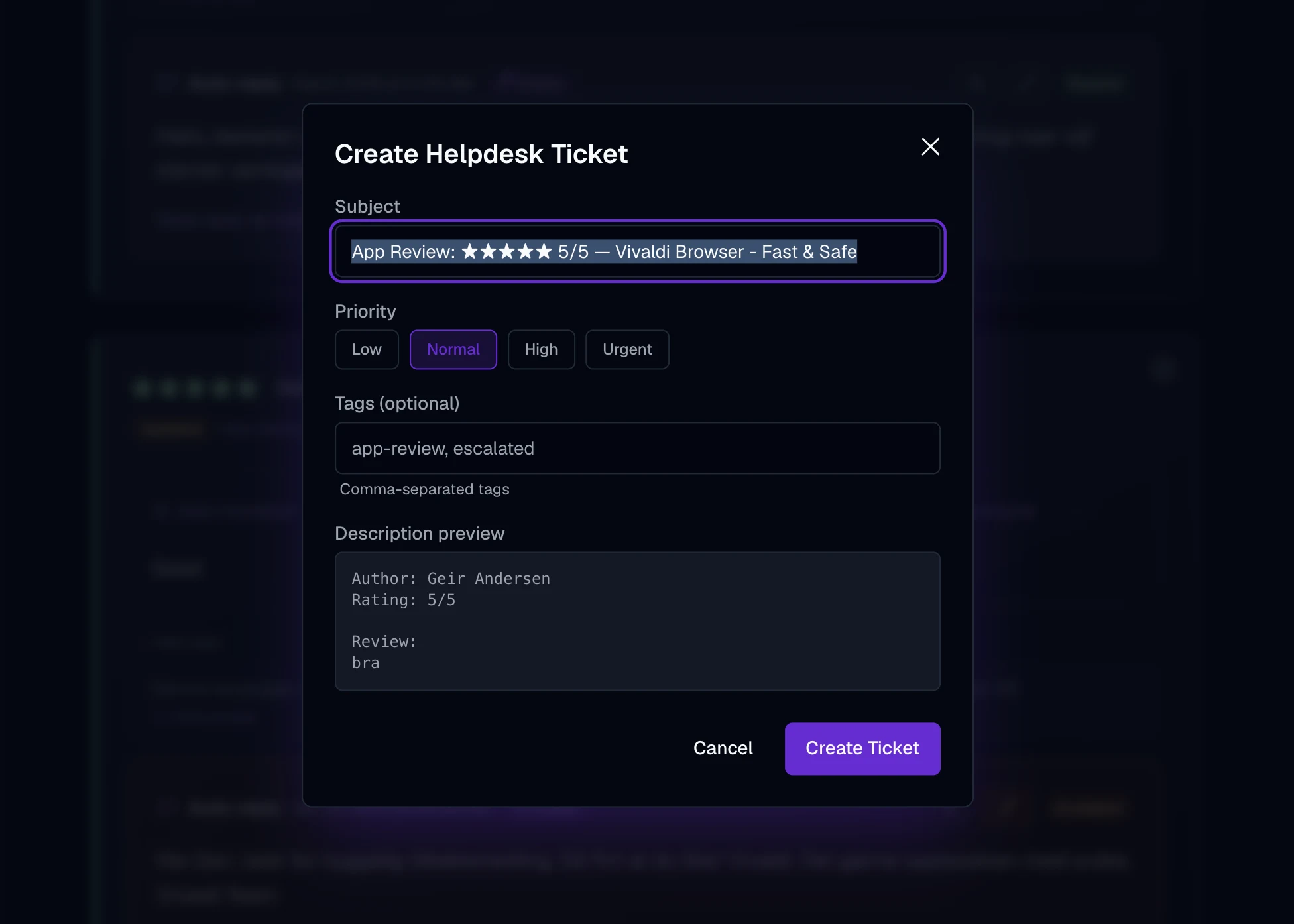
Create helpdesk tickets from reviews and keep your team working in its support tools. Ticket status shows on the review in AppReply, and the reply publishes from AppReply.
Connect the app, choose the markets you watch, and send a useful alert to your team.
10-day Pro trial · No credit card
Search for your app or connect the store account. Apple App Store, Google Play, Samsung Galaxy Store, Huawei AppGallery, and RuStore all land in the same feed.
Choose the countries and languages relevant to your team, then use them to narrow your review feed and rules.
Connect Slack, Microsoft Teams, Telegram, Discord, a webhook, or a helpdesk queue, then decide what each destination receives.
Set where different rating changes go. A coordinated burst may need your community team; a rise in crash complaints may need the product team. Each alert keeps the source reviews attached.
The same monitoring workflow keeps moving across launches, releases, and live events.
FAQ
Watching the reviews your apps receive across every store and market from one place, instead of opening each store console by hand. AppReply collects reviews from five stores into a single feed, translates them, keeps your filters and saved views, and sends an alert when something changes.
No. Search for your app and its reviews start arriving, so you can monitor an app, and a competitor’s, without any store credentials. A connected store account is needed only to publish replies back to the store.
AppReply brings reviews from the Apple App Store, Google Play, Samsung Galaxy Store, Huawei AppGallery, and RuStore into one feed.
Route review activity, summaries, and alerts to Slack, Discord, Microsoft Teams, Telegram, email, or a generic webhook. Each item links back to the source reviews in AppReply.
Yes. An alert rule can match on stars, keywords, language, review length, and topics such as crashes, refunds or login problems. Country is available for App Store apps. Get each match within about 15 minutes, or group them into an hourly or daily digest. Topic conditions need review analytics, which covers App Store and Google Play apps.
Yes. Route a review into Zendesk or Intercom as a ticket. Your team investigates in the helpdesk, the ticket status shows on the review in AppReply, and you publish the reply from AppReply.
Yes. Each review has a history of rating changes and text edits. Open the timeline to see what changed and when, including updates after a reply or app release.
Yes. Filter by rating, app version, country, language, device, and reply status across supported stores. The details available for a review depend on what its store provides.
Connect your apps and let review alerts come to your team.
10-day Pro trial · No credit card