

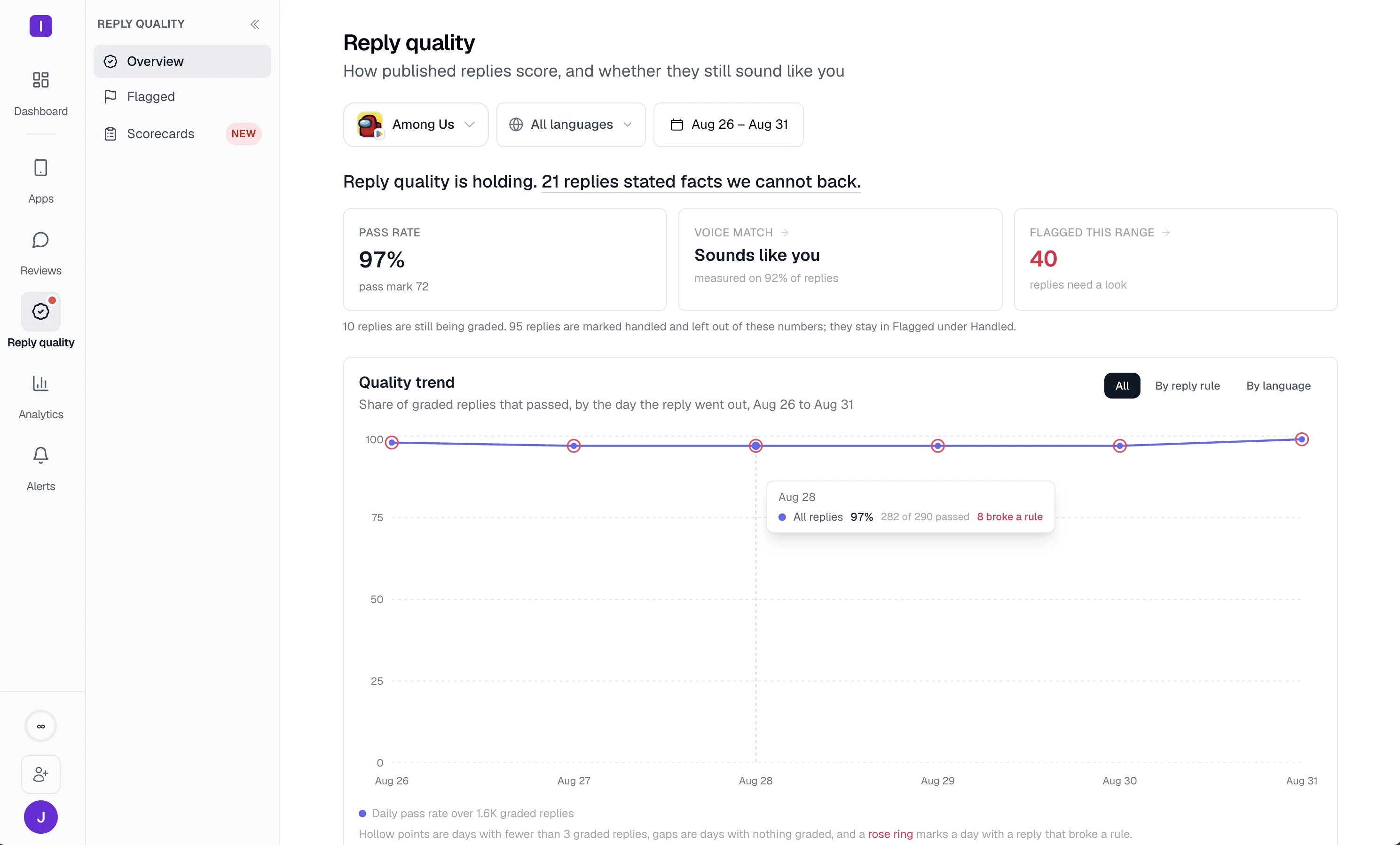
One reply queue across every app
Read every connected app and store in a single feed, translated into your language, with your whole team working the same queue instead of five store consoles.
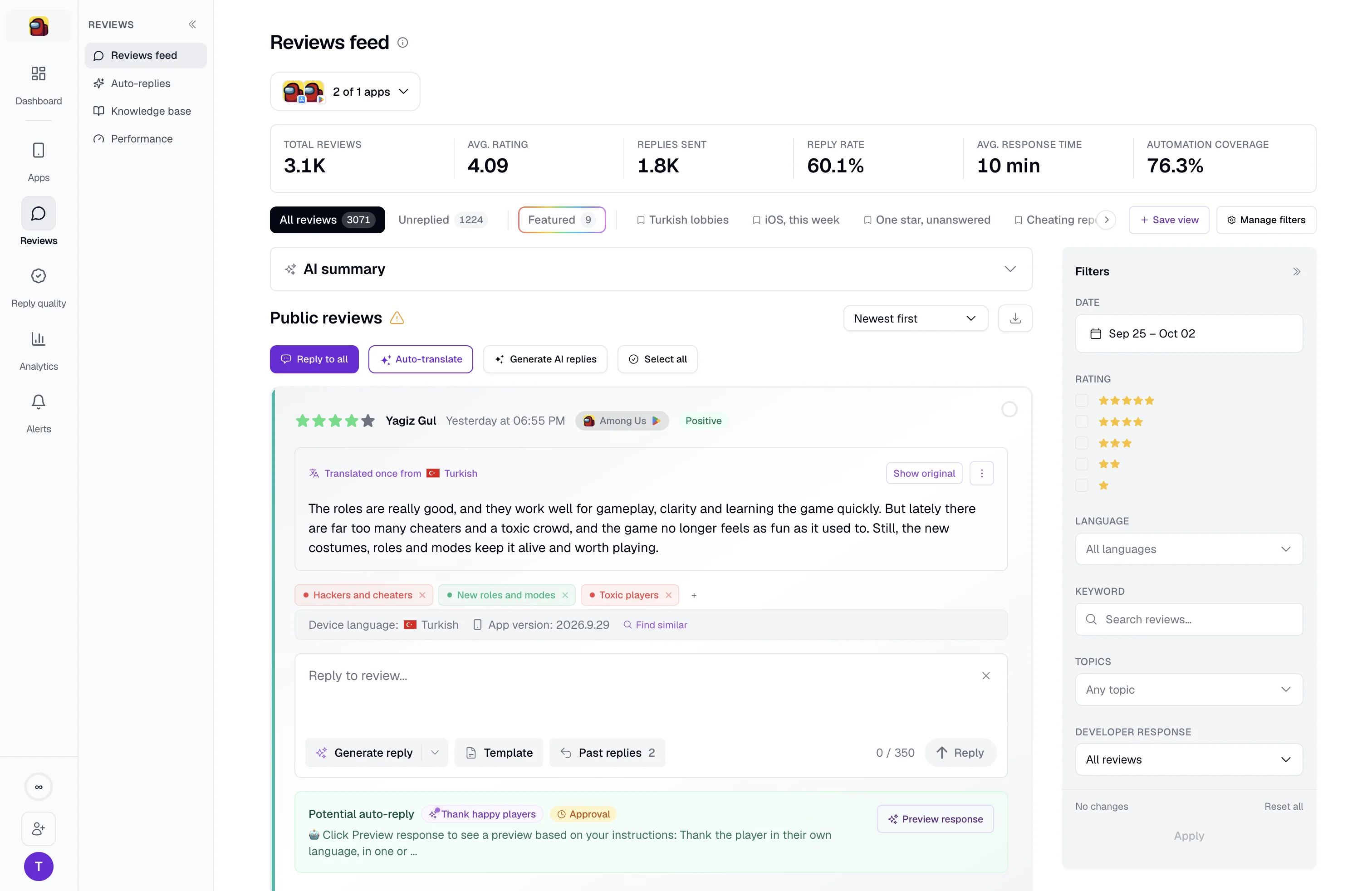
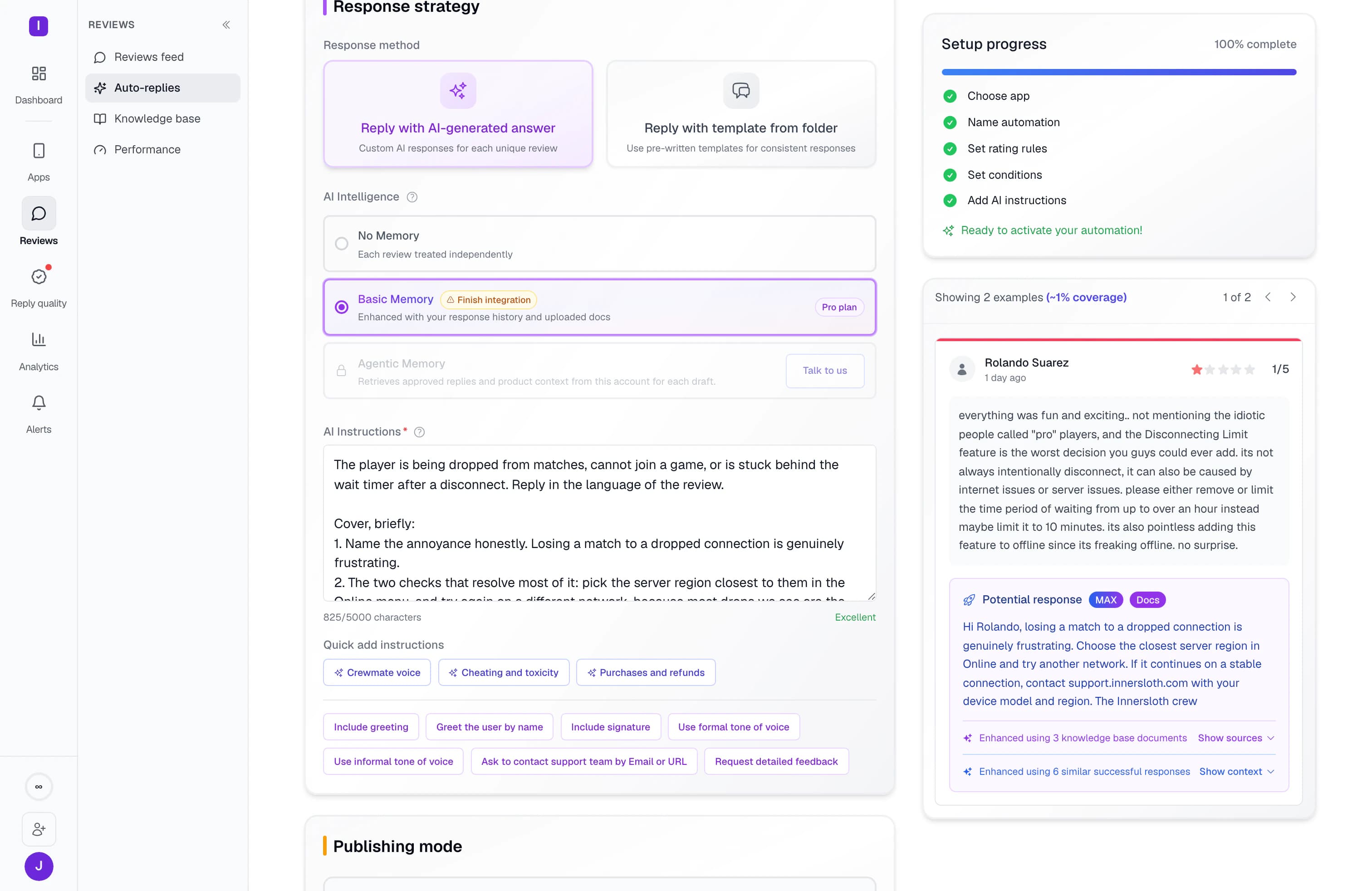
Set your rules once. AppReply writes and publishes replies in 100+ languages using your help docs and approved answers. Turn on quality checks in the background, and keep approval for the reviews you choose.
MAX and Reply Quality included on Pro
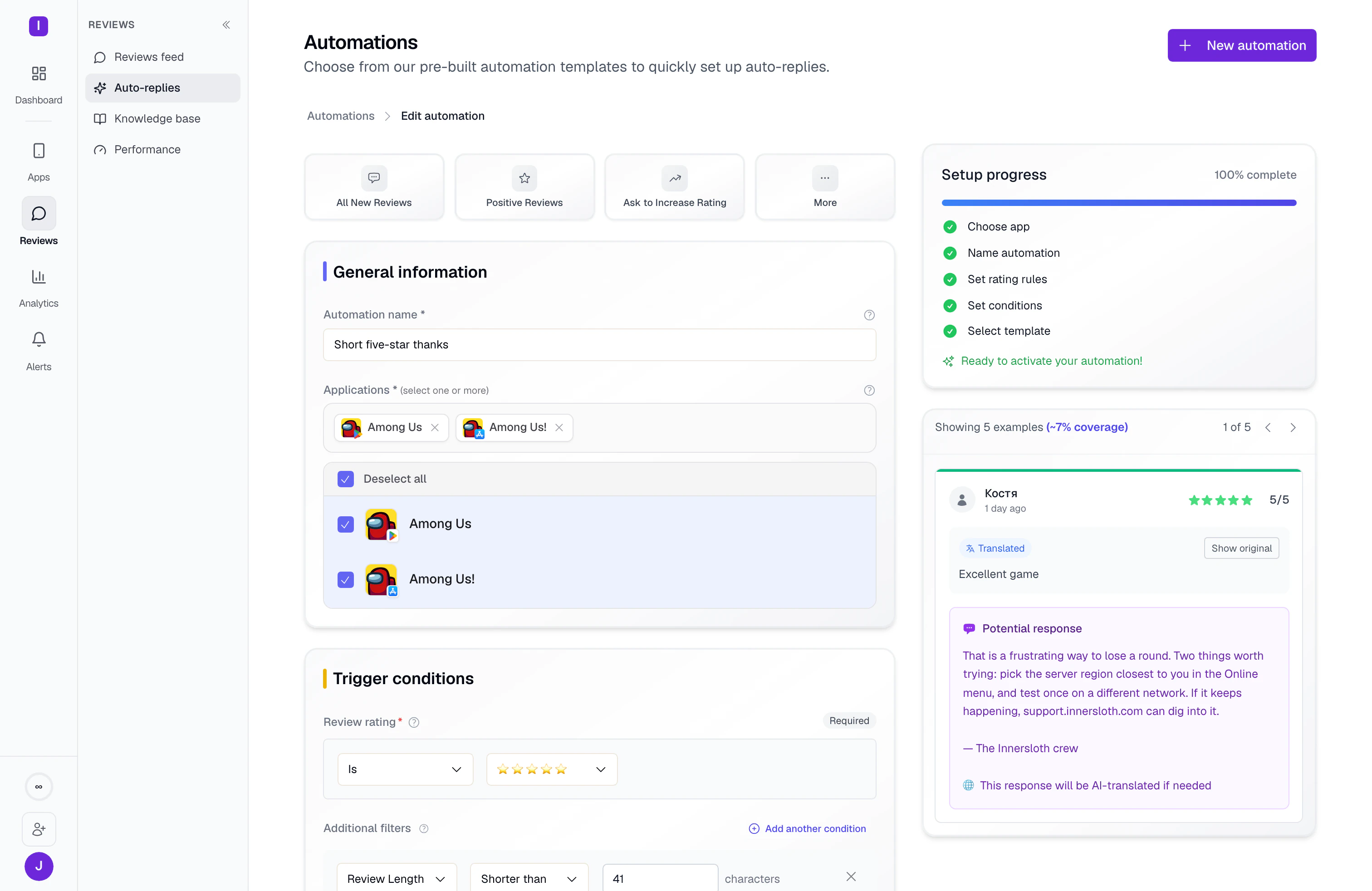
Through launch and live-event peaks, AppReply holds 1,000+ replies a day per app








MAX, our AI reply assistant, finds relevant details in your help docs and approved replies. Add instructions for your tone and product. When a matching review arrives, MAX writes the answer and your rule publishes it automatically or holds it for approval.

“An awesome platform that helped me automate replies to reviews for all my apps.”
The rules above cover the volume. These are the tools your team works with on the reviews a person still wants to read: one queue across every app, the filters you saved as tabs, and actions that run on a whole selection.
Read every connected app and store in a single feed, translated into your language, with your whole team working the same queue instead of five store consoles.


Filter by rating, language, topic, country, app version, or featured status, then save that filter as a tab. Your one-star German reviews stay one click away tomorrow.
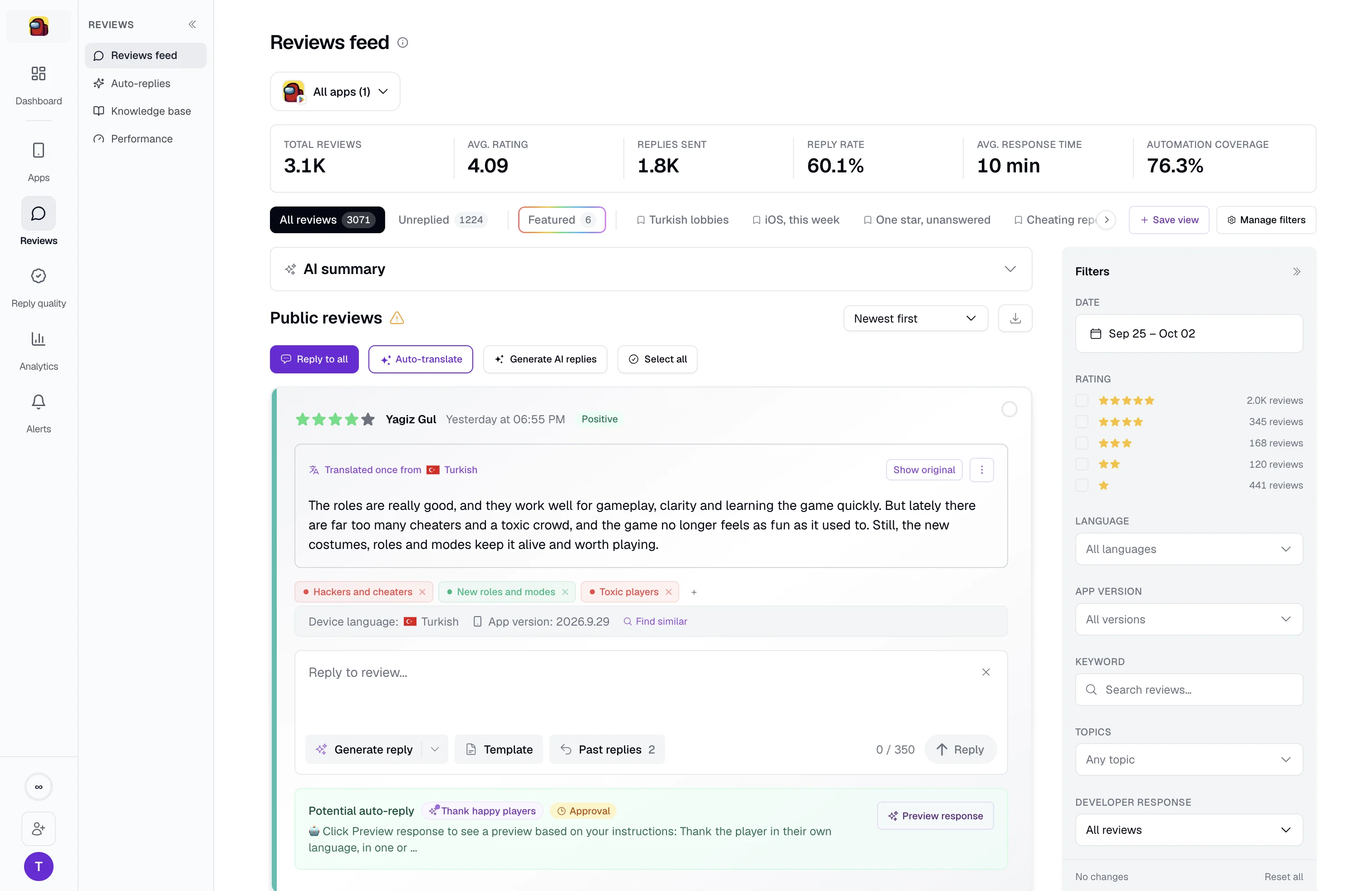
Select the reviews you want, then generate AI replies, apply a template, or set tags across the whole selection at once instead of opening them one by one.
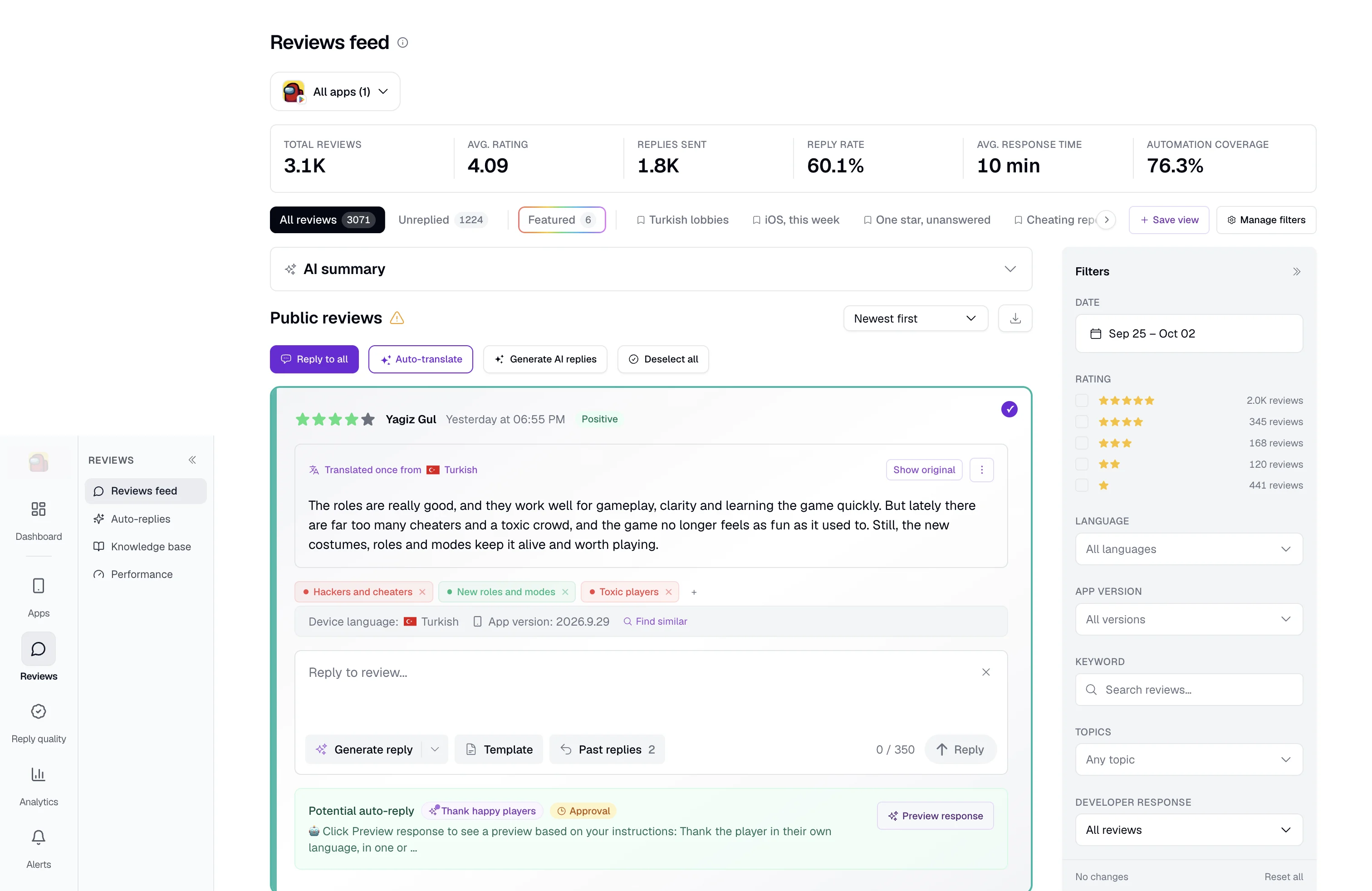
Keep your help docs current, approve replies across languages, and see which rules handle the work. Explore the tools behind your daily reply workflow.
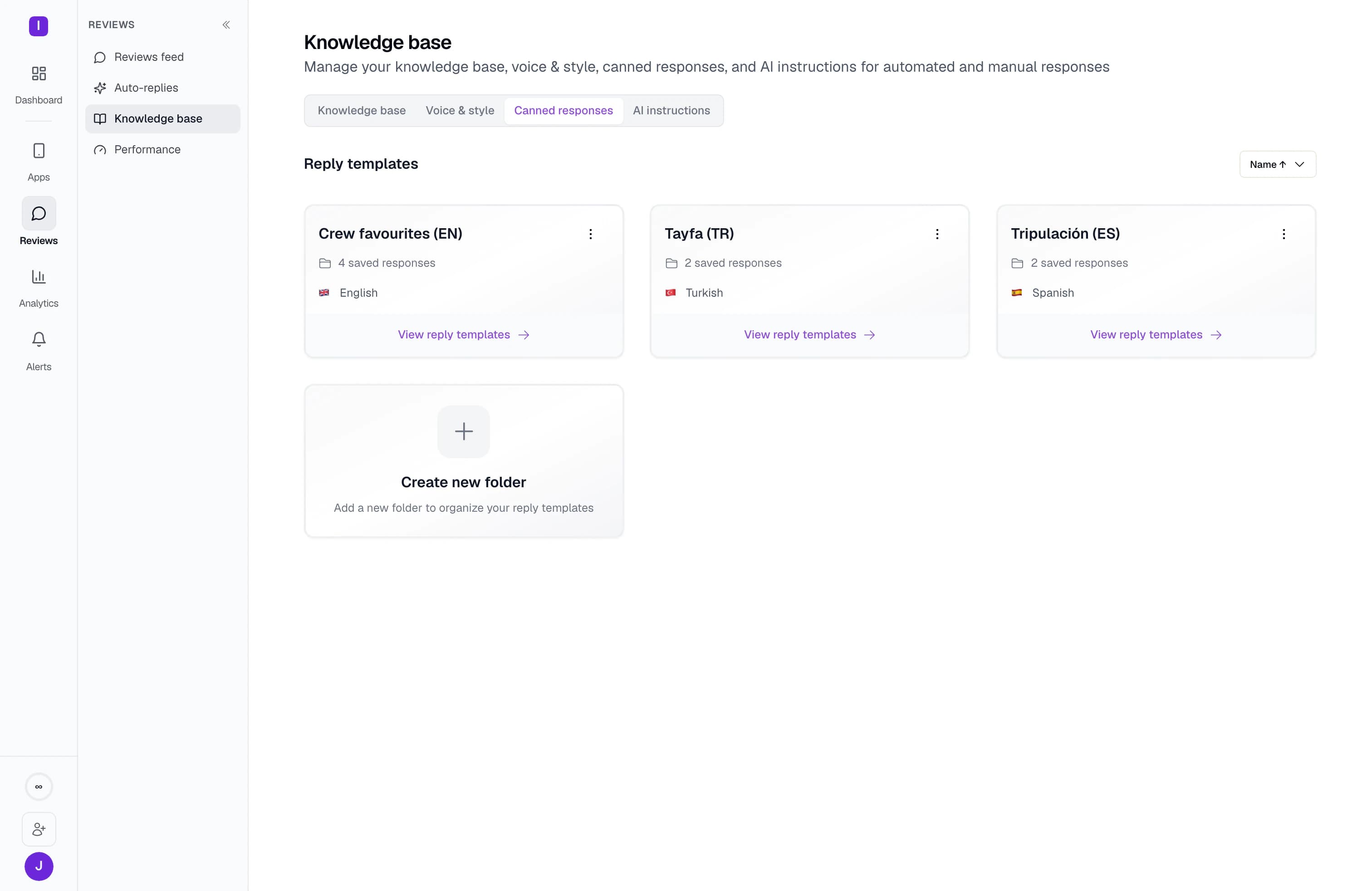
Save any reply as a named template and keep templates in folders. Apply one to a single review, to a selection, or from an automation rule.
Open a review and see replies your team already sent to similar ones, with their ratings. Adapt a proven answer instead of writing from nothing.
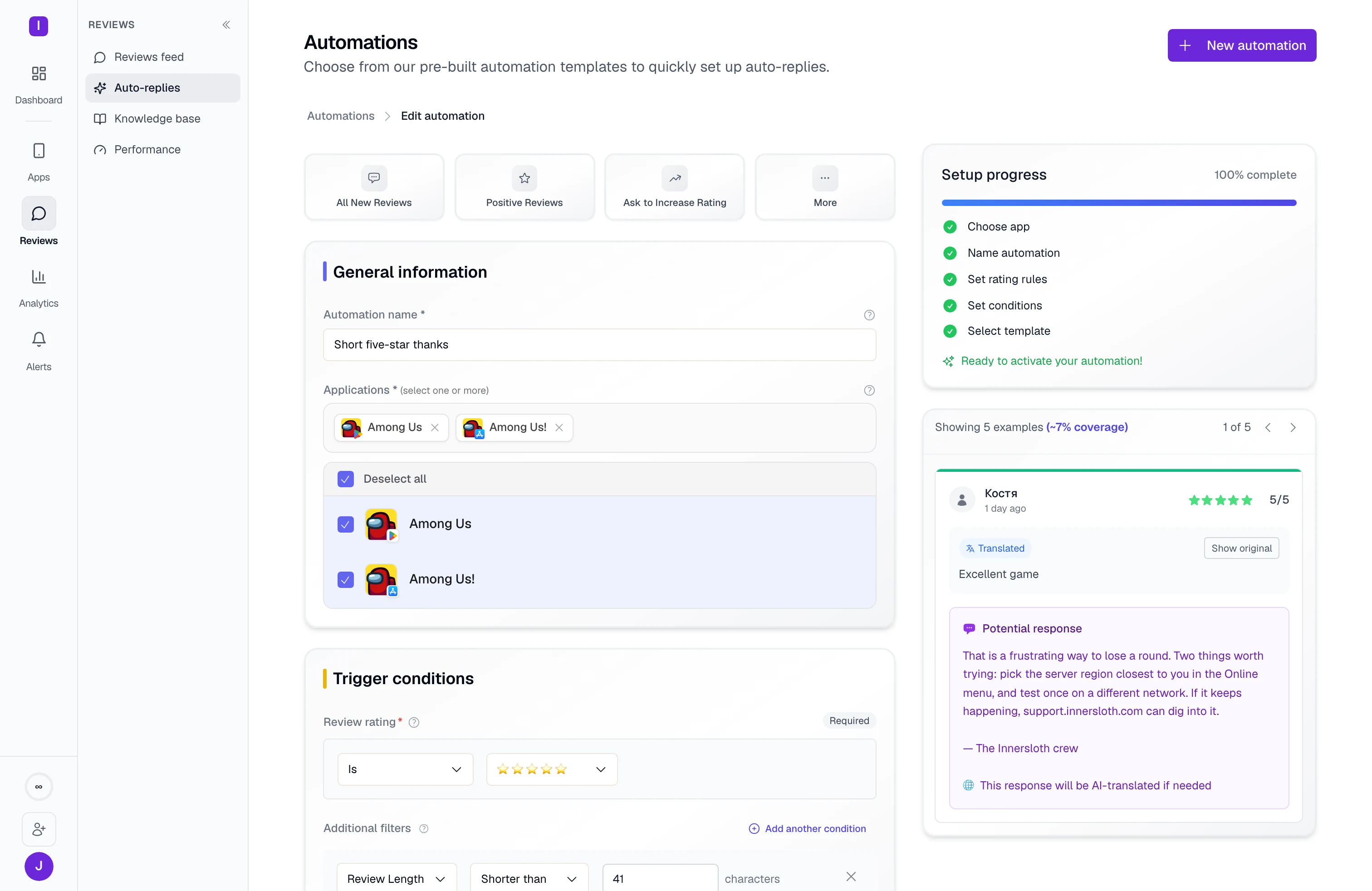
Link your help center, FAQ, or changelog and choose how often to refresh it. Keep reply knowledge current without uploading each update.
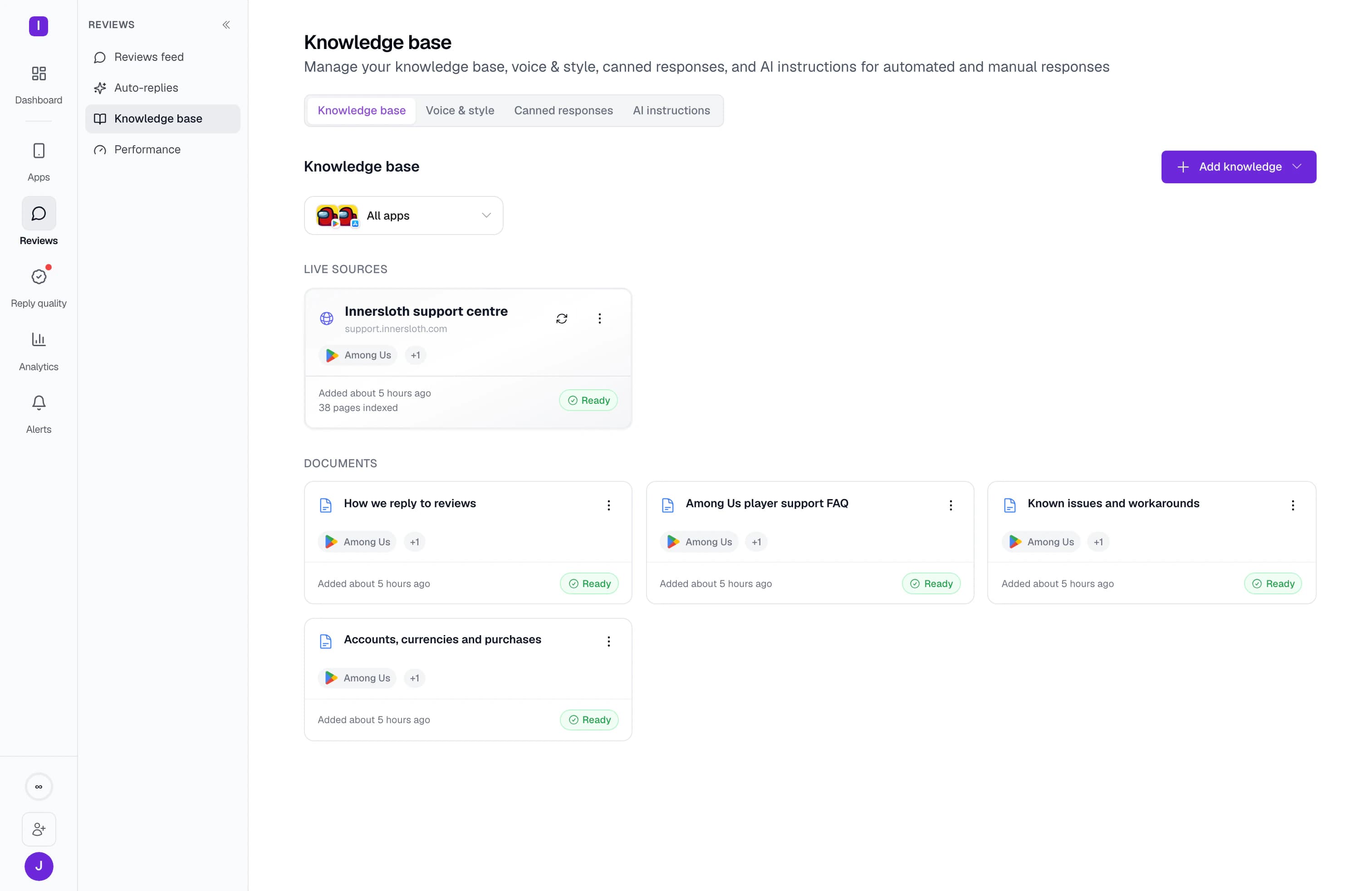
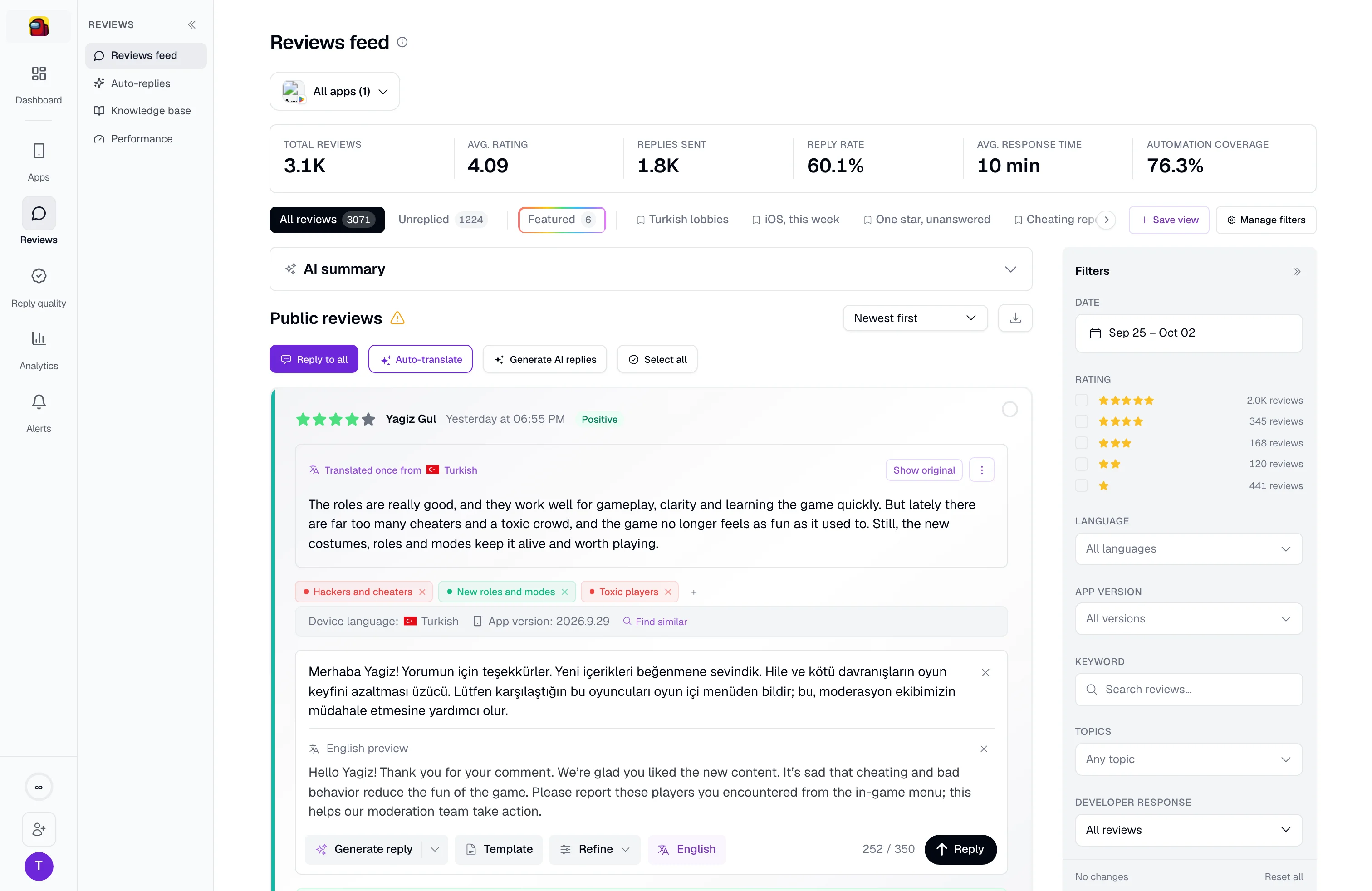
Translate a draft into your dashboard language to check what it says before approving it.
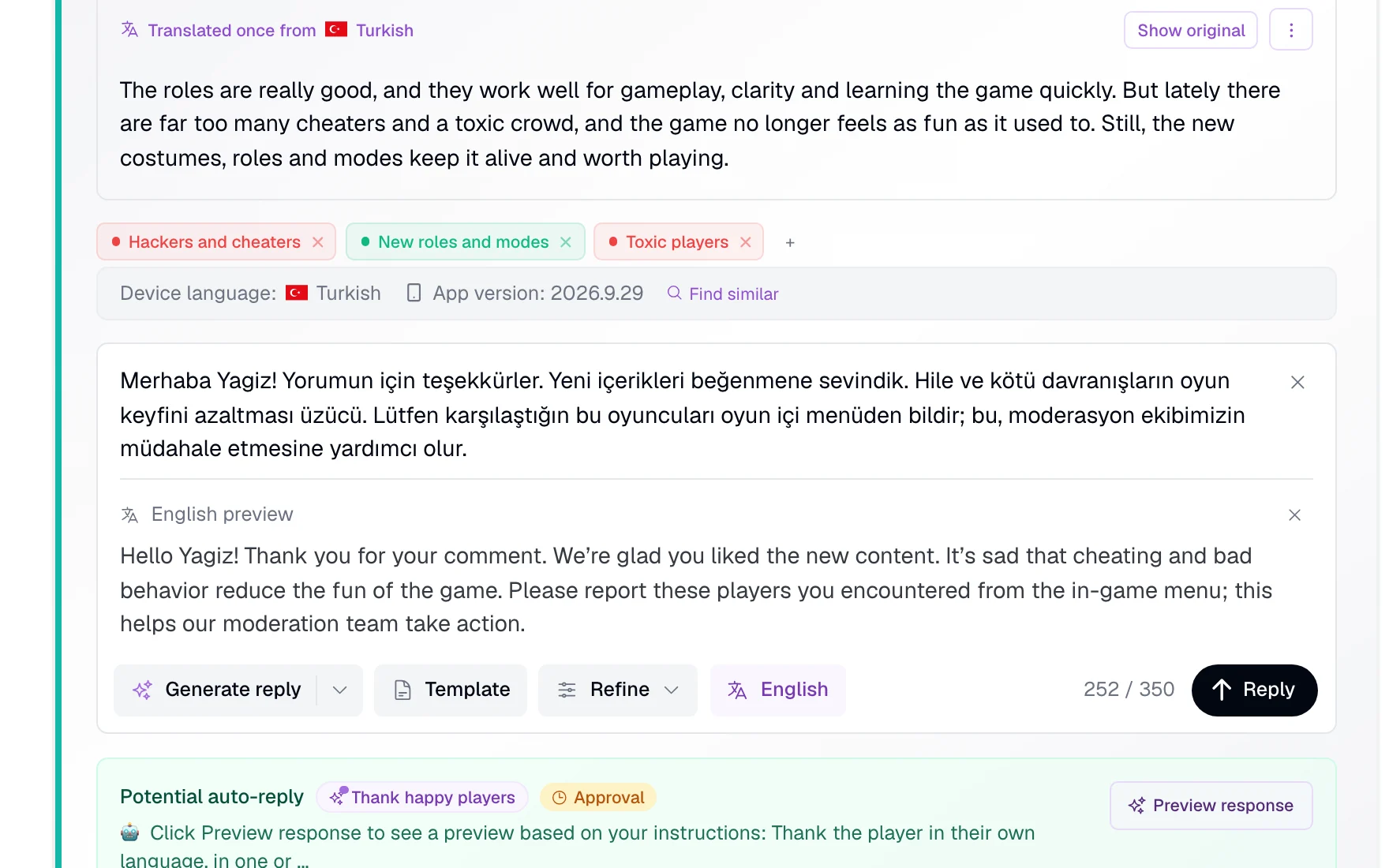
Let your existing rules answer matching featured reviews, even when they are older than the rule’s usual time window. Or give featured reviews their own instructions and approval choice.
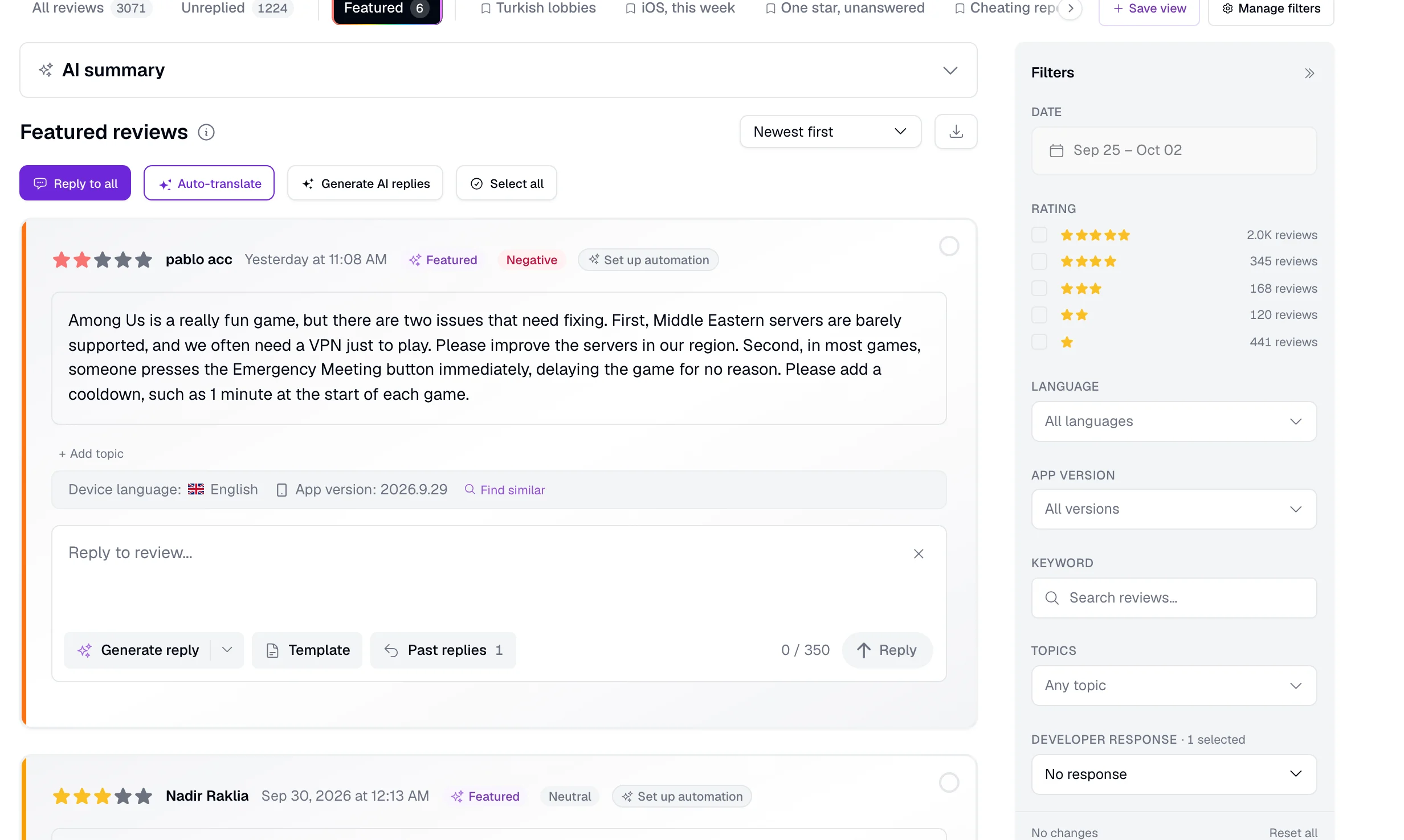
Apply a reply rule to several apps, including iOS and Android listings. Update shared instructions in one place.
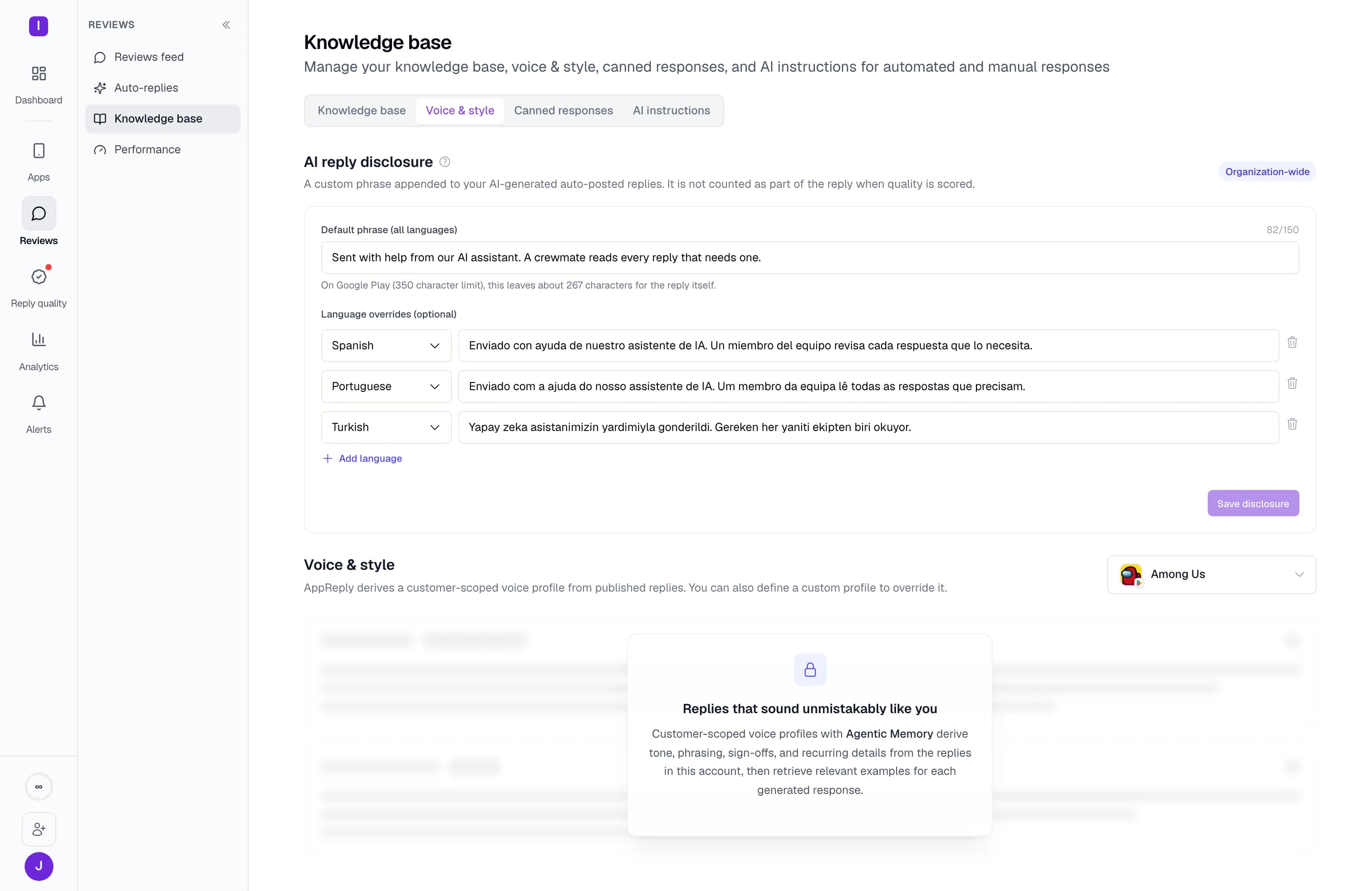
Add your own AI-assistance note to replies that publish automatically. Set a default phrase and wording for individual languages.
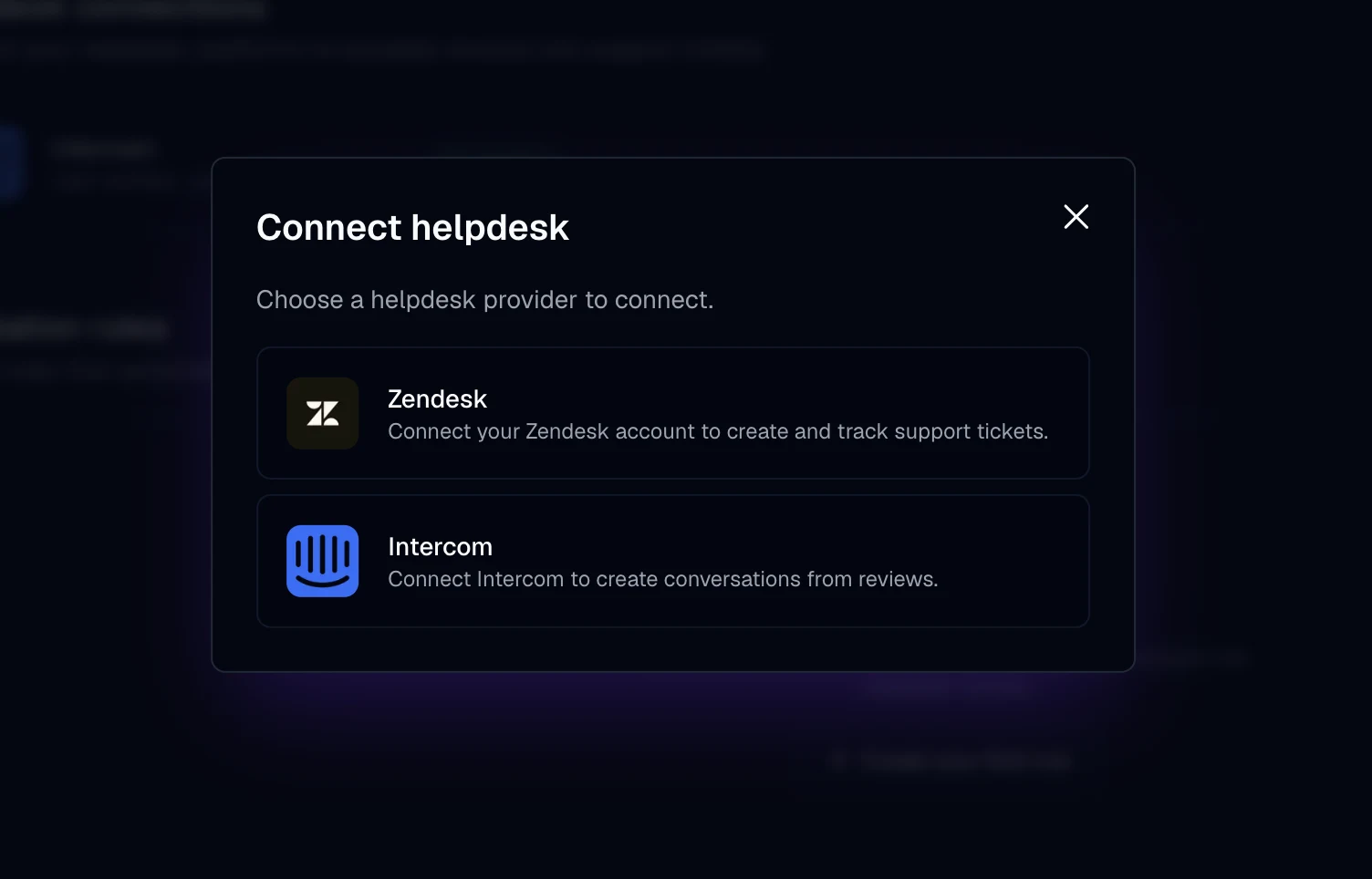
Create helpdesk tickets from reviews. Investigate in Zendesk or Intercom, see the ticket status on the review, and publish the reply from AppReply.
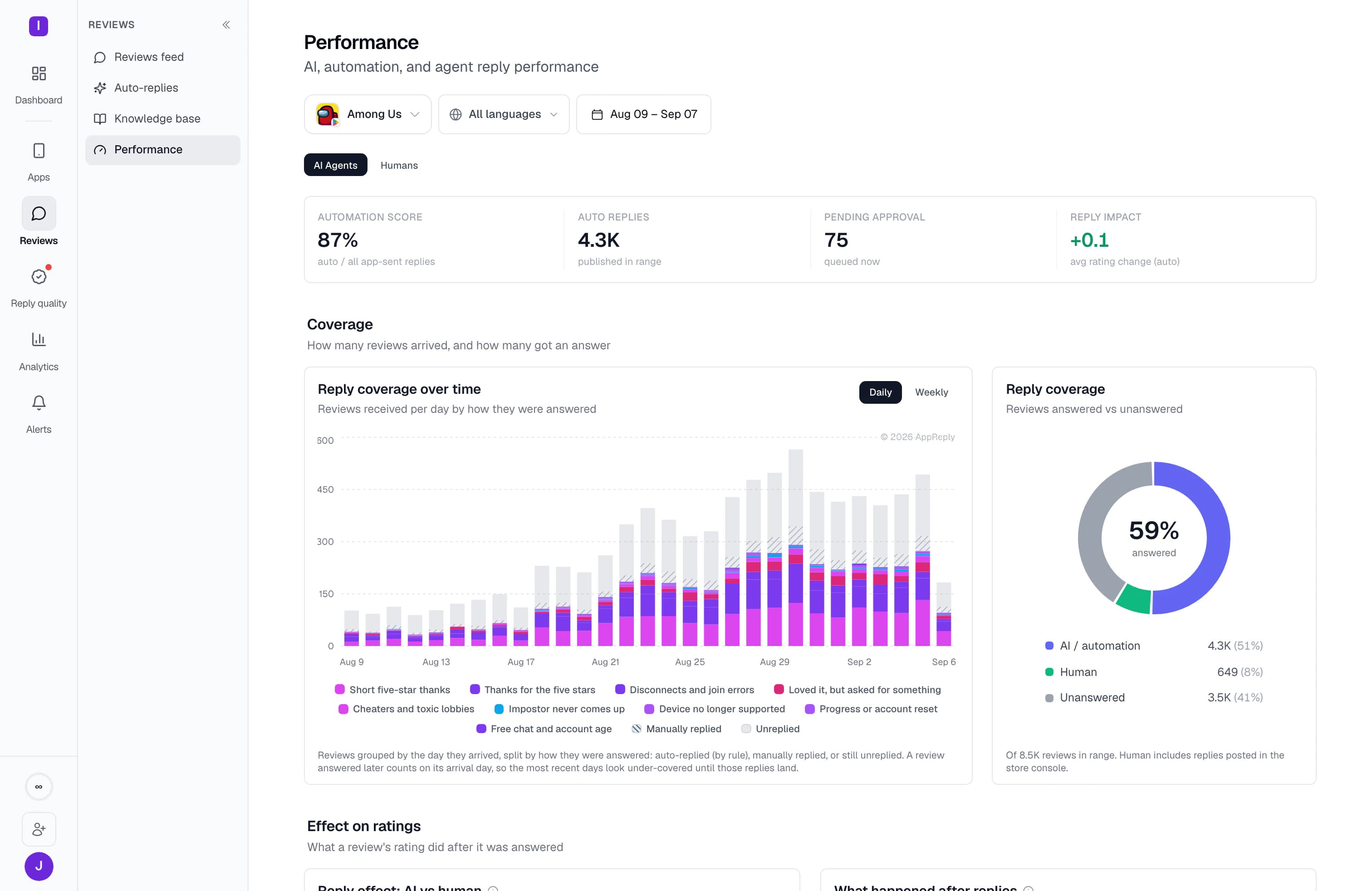
See which reviews received an automatic reply, a human reply, or no reply. Check which rules handle the work in Pro’s performance dashboard.
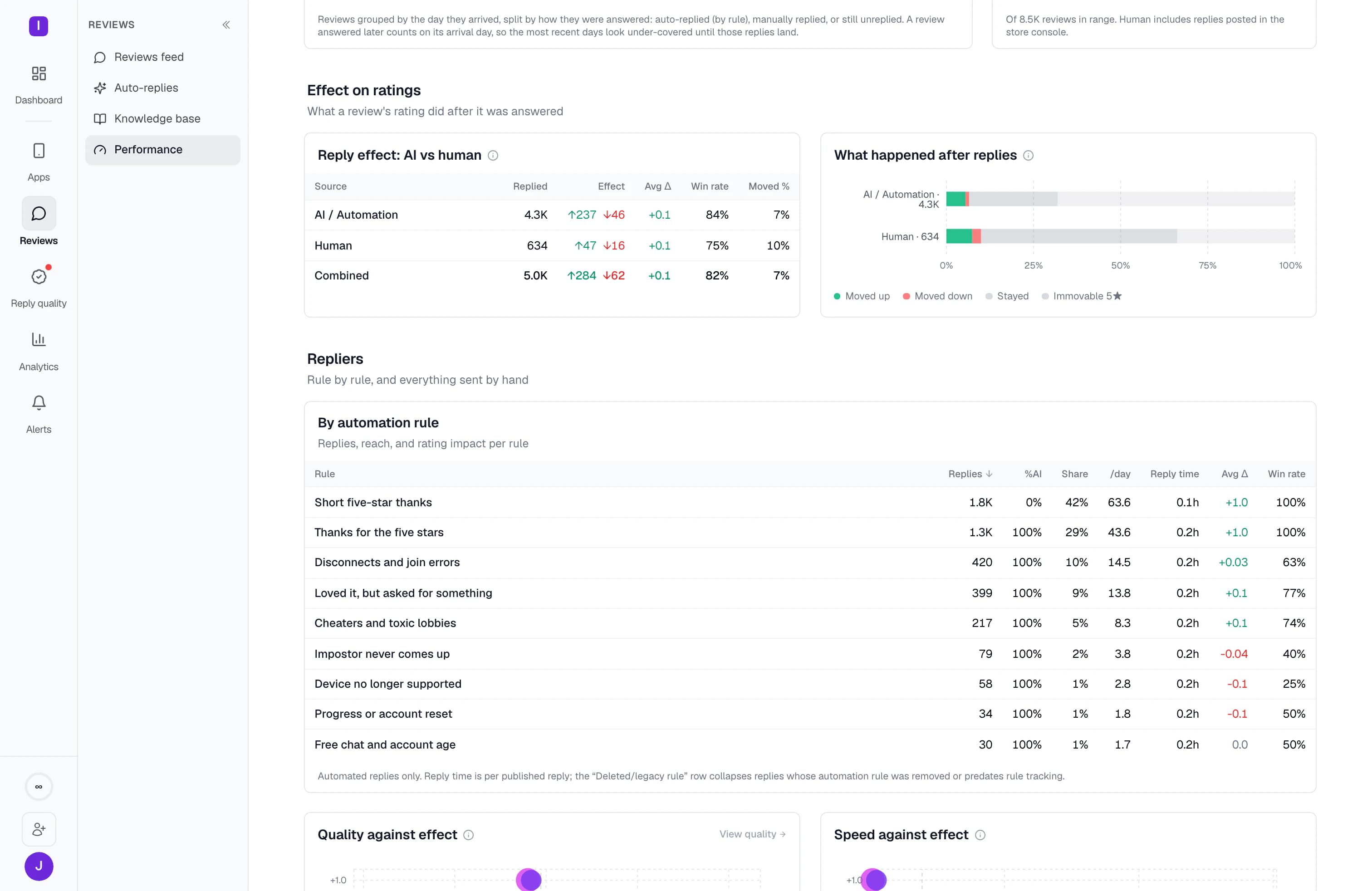
See rating changes after AI replies, human replies, or both. Track how reviewers update their ratings once your team answers.
Connect your app, add your help content, and test a rule on recent reviews before you let it publish.
MAX and Reply Quality included on Pro
On Google Play, connect in 3 clicks: choose Connect with Google, pick your account, and approve access. Your account only needs permission to view app information and reply to reviews, not admin rights. For any store, publishing replies requires a connected account with reply permission.
Import past replies, upload product documentation, or connect your help site. MAX uses this material when drafting answers.
Choose which reviews the rule should match, then write a template, give the AI instructions, or combine both.
See exactly what the rule would have replied to, and what it would have said, before a single response reaches a real customer.
Enable automatic publishing, or require approval for this rule. Turn on a Reply Quality monitor to check matching published replies in the background.
AppReply keeps the response workflow moving across languages, apps, and changing review volume.
FAQ
It can. Both stores notify the reviewer when you reply, and the notification takes them back to a review they can still edit, rating included. Rather than quote an industry average, AppReply measures it for your app: reply performance shows the average rating change after AI replies, after human replies, and across both, broken down per reply rule.
Yes. Both listings land in one queue and replies publish back to the store from AppReply. On Google Play the connected account needs permission to view app information and reply to reviews, not admin rights. Samsung Galaxy Store, Huawei AppGallery, and RuStore arrive in the same feed, and publishing on any store needs an account with reply permission.
Give MAX your current help docs, approved answers, and clear instructions for tone and product facts. Preview rules before enabling them. Turn on Reply Quality to check published answers and show your team which ones need attention. Keep approval on any rule where you want a person to make the final call.
Yes. Set manual approval or automatic publishing on each reply rule. Preview the rule against recent reviews before enabling it.
MAX, our AI reply assistant, uses your approved replies, product documentation, and help content to draft an answer. This information stays within your account and is not used to train shared AI models.
Yes. You choose which published replies to check. Reply Quality scores those replies against your team’s checklist, whether AI or a person wrote them. AI drafts are also checked before they publish, and rewritten when they fail.
AppReply detects, translates, and drafts across more than 100 languages, while keeping the original review and published reply together in the same workflow.