
New in AppReply: connect more apps, filter reports, and publish unlimited replies on Pro
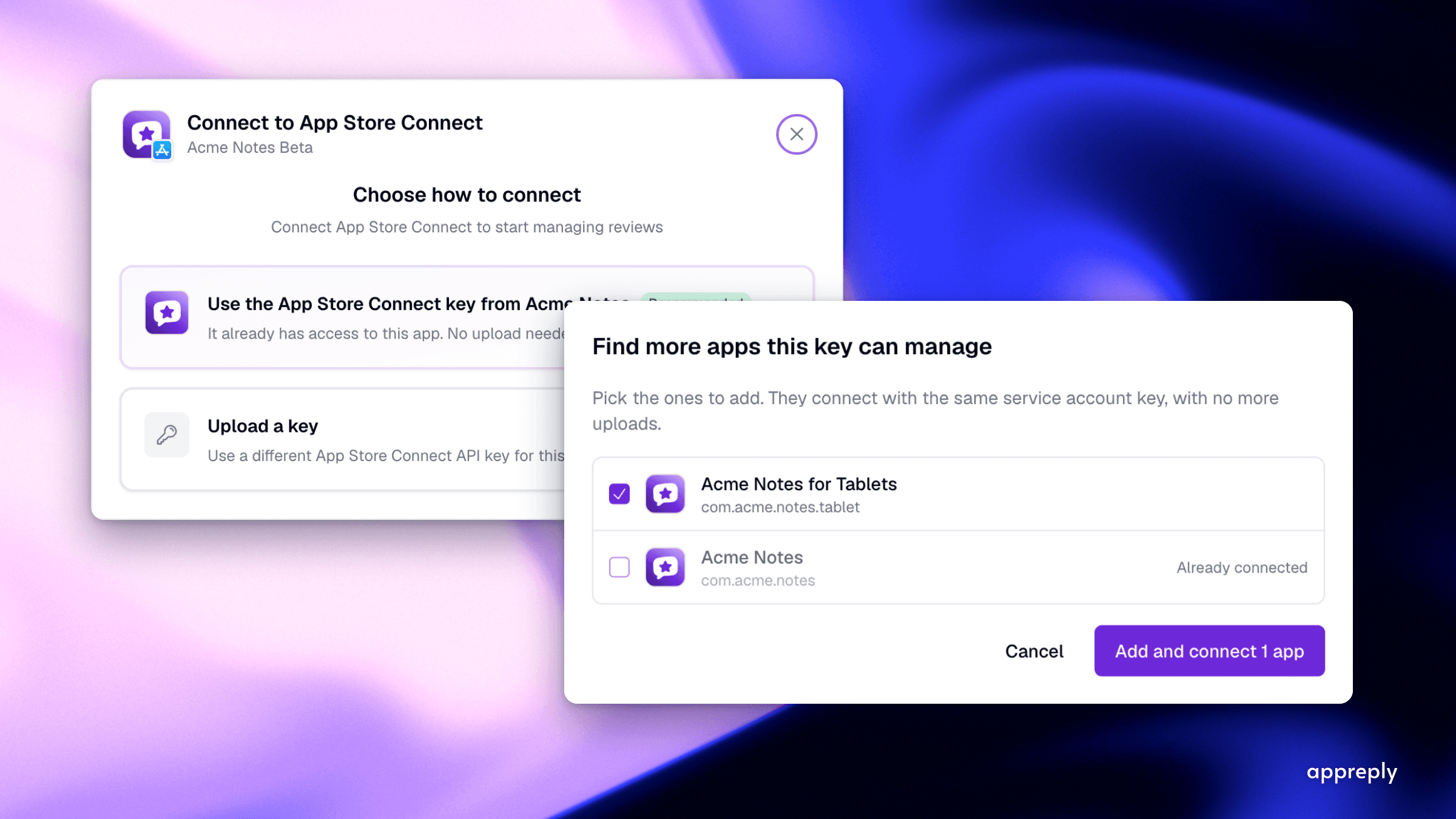
You can reuse a connection to add more Google Play or App Store apps. Your review reports now have filters and use your chosen language. Pro now includes unlimited replies published to app store reviews.
You can now connect one Google Play or App Store app, then add other apps you have permission to manage. Reuse the same Google sign-in or key file, which gives AppReply access to your apps.
Your scheduled summary reports, which tell you what reviewers said, now have filters and use your chosen language. Pro also lets you publish unlimited replies each month, so automatic replies keep running when review volume rises.
1. Connect more Google Play and App Store apps
Previously, each app needed another Google sign-in or key upload, even if the same account or key already had access. That could mean uploading the same key ten times.
Connect a Google Play or App Store app as usual. AppReply then lists other apps your Google account or key has permission to manage.
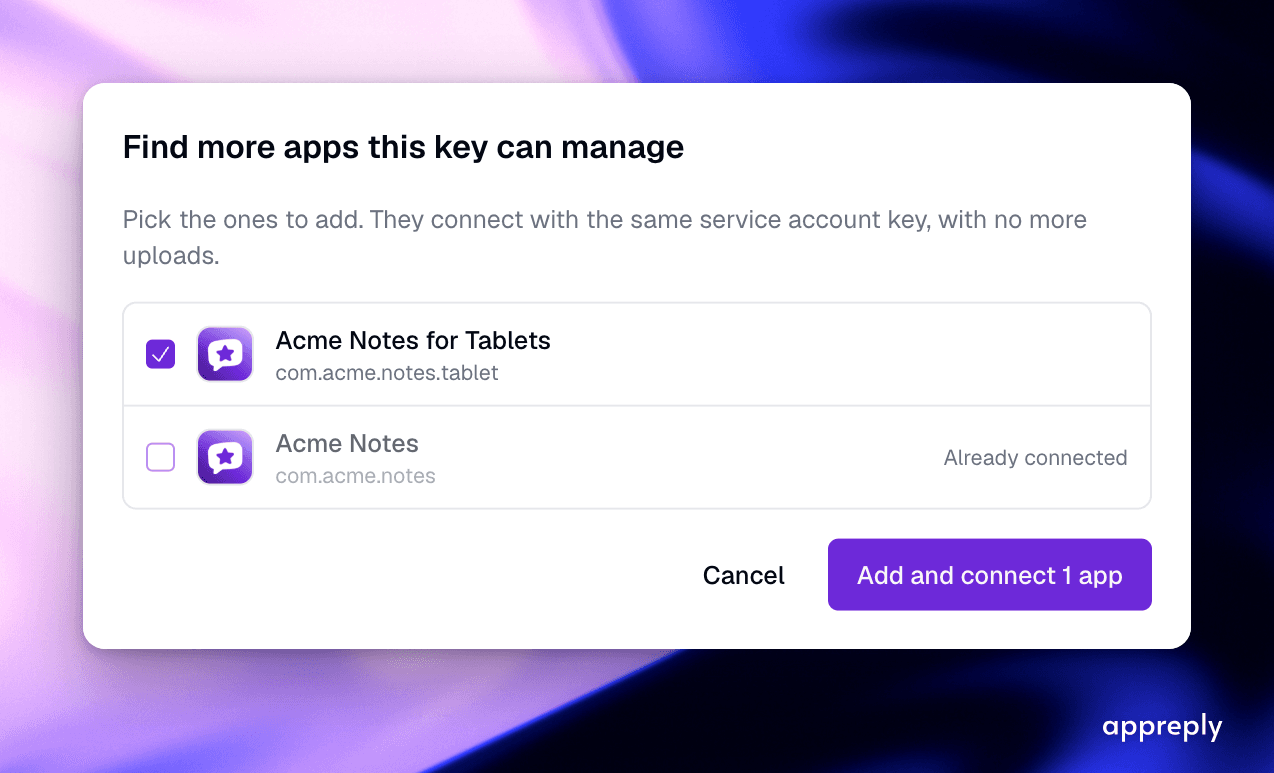 You can add several apps together without signing in or uploading the same key again.
Select the apps you want, then click Add and connect. AppReply adds each app, connects it, and confirms it can read and reply to that app's reviews. There is no need to sign in or upload your key file again.
You can use any of these three connection methods:
- Connect with Google. Sign in once to connect apps you can manage in Play Console, Google's website for managing your apps.
- Google Play service account key, a file that lets AppReply access your Google Play apps. Use it for any app it has permission to manage.
- App Store Connect key, a file that lets AppReply access your App Store apps. Apple supplies the list of apps your key can access, including apps you have not released yet.
Each app has one of these labels:
- Selectable: Your Google account or key has permission to manage this app, so you can select it.
- No access: The app exists, but your Google account or key does not have permission to manage it. Give the account or key access in Play Console or App Store Connect, then open the list again.
- Already connected: You have already connected this app, so there is nothing to do.
Find more apps after your next release
Have you published another app? Open the three-dot menu on any connected app and choose Find more apps. The option includes the name of your Google account or key. AppReply opens the list again. Select your new app, then click Add and connect.
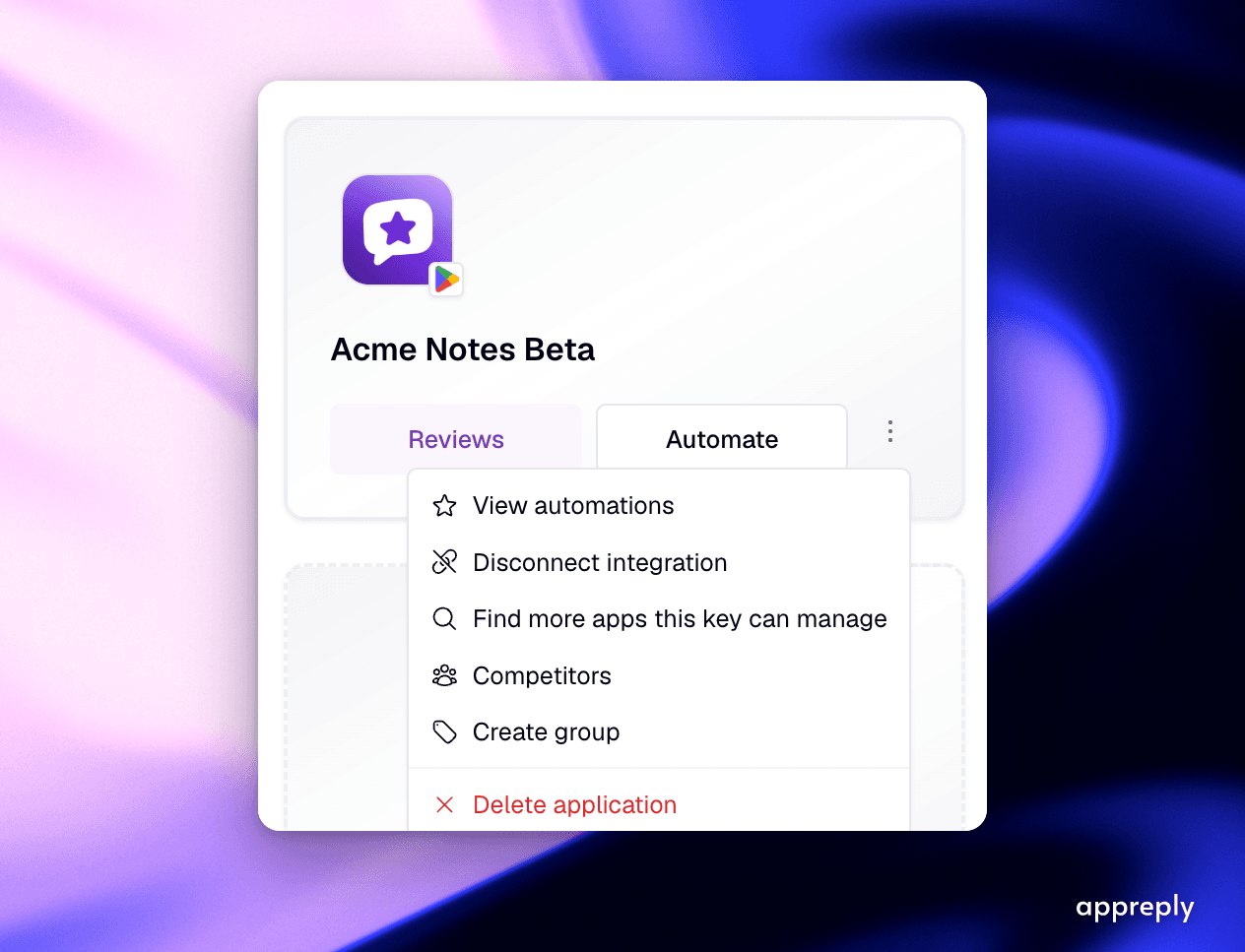 You can return to this list after publishing another app.
Reuse a connection for an app you already added
An app might already be in your workspace, where you manage apps and reviews in AppReply. If it is not connected, click Integrate. AppReply first checks whether your existing Google account or key can access the app. If so, that connection is the first option on the screen.
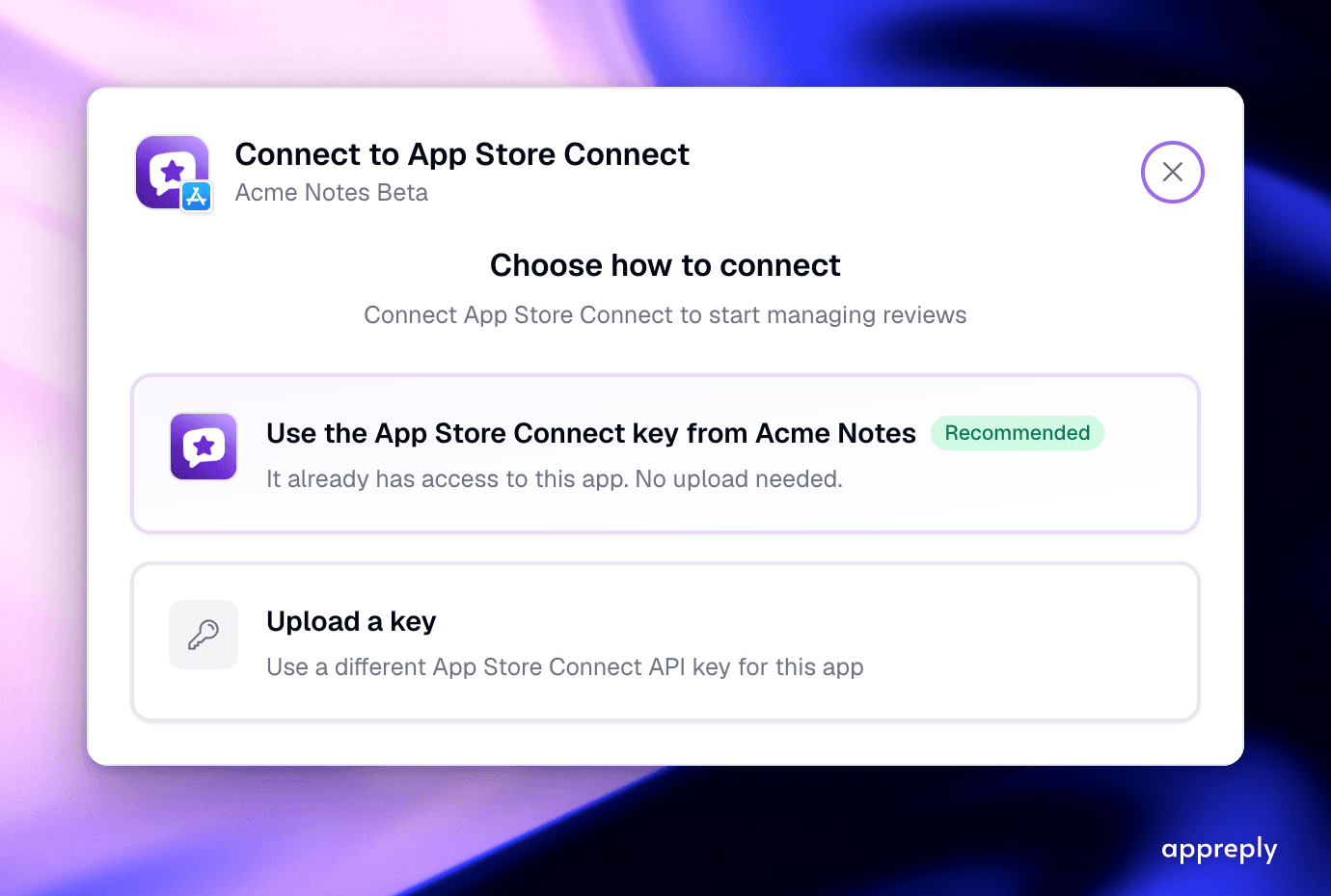 You see a saved connection here only after the store confirms it can access this app.
The option appears only after the store confirms that your existing connection can access the app. If your account or key cannot access the app, you see the usual connection options.
Keep the same key protection and store permissions
- AppReply encrypts your key before it leaves your browser and keeps it encrypted in storage.
- For Google Play, AppReply only needs permission to read app information and reply to reviews. For the App Store, it needs the Customer Support role, Apple's access level for managing review replies.
- You can disconnect one app without disconnecting other apps that use the same Google account or key.
For setup instructions, see the Google Play connection guide and App Store Connect connection guide.
For the earlier Google sign-in update, read Google Play sign-in and new store integrations.
2. Filter review reports and read them in your language
Your summary reports cover a day, a week, or a month. Here is what improved over the past month.
Filter the reviews in your report
Reports now use the same filters as review alerts, notifications about reviews. Filter by star rating, keyword, review length, language, or topic, a subject mentioned in reviews. For App Store reviews, you can also filter by country. For example, create a weekly report of one-star and two-star reviews in German with a few clicks.
Choose a topic category, such as payments, to include every topic in it. New topics in that category are included too.
Read reports in your chosen language
Reports use your workspace's translation language, the language you choose for translated content. This includes the analysis, labels, and translated review quotes.
The redesigned email starts with a short summary, your numbers, and a rating chart. It then lists themes, the main issues reviewers discuss. Each includes a next step and a quote from a review. Click an app name to open its reviews for the report's dates.
Check reply counts, app versions, and report delivery
Answered review counts are now consistent across AppReply. Your report shows who replied in one line: "38 of 40 reviews answered (95%): 9 by AppReply, 29 manually". All those figures count the same reviews.
If your reviews include app version numbers, your report can link a complaint to its app version.
Previously, AppReply sent no report when a day or filter left only a few reviews. Now it sends a short report. Monthly reports covering thousands of reviews now finish successfully. AppReply sends each scheduled report once, the day after the reporting period ends.
For the earlier summary features, read the review summaries announcement.
3. Publish unlimited review replies on Pro
Pro used to let you publish up to 5,000 replies to app store reviews each month. It now includes unlimited replies each month.
Your auto-reply rules, which send replies automatically, keep running when the number of reviews doubles. That could happen during a launch, a sale, or after a bad update. On Pro, automatic replies no longer pause because you reached a monthly reply limit.
The rest of Pro stays the same: up to 10 connected apps and unlimited users. On Free, you can still publish 100 replies each month. On Standard, you can publish 1,500. Compare Free, Standard, and Pro plans.
4. When you can use these updates
You can use the report improvements now if your plan includes summary reports. If you use Pro, you can also publish unlimited replies now.
AppReply is making this connection option available for Google Play and the App Store. If you do not see Find more apps in a connected app's menu yet, the option will appear soon. You can also ask the AppReply team in chat to enable it for your workspace.
Frequently asked questions
Do I need to sign in or upload a key for every app?
What can I filter in a summary report?
How many review replies can I publish on Pro?
When will I get a scheduled summary report?
See every review. Know what changed. Reply with confidence.
Bring monitoring, full Analytics, MAX, and Reply Quality into one app review workflow.


More blog posts to read
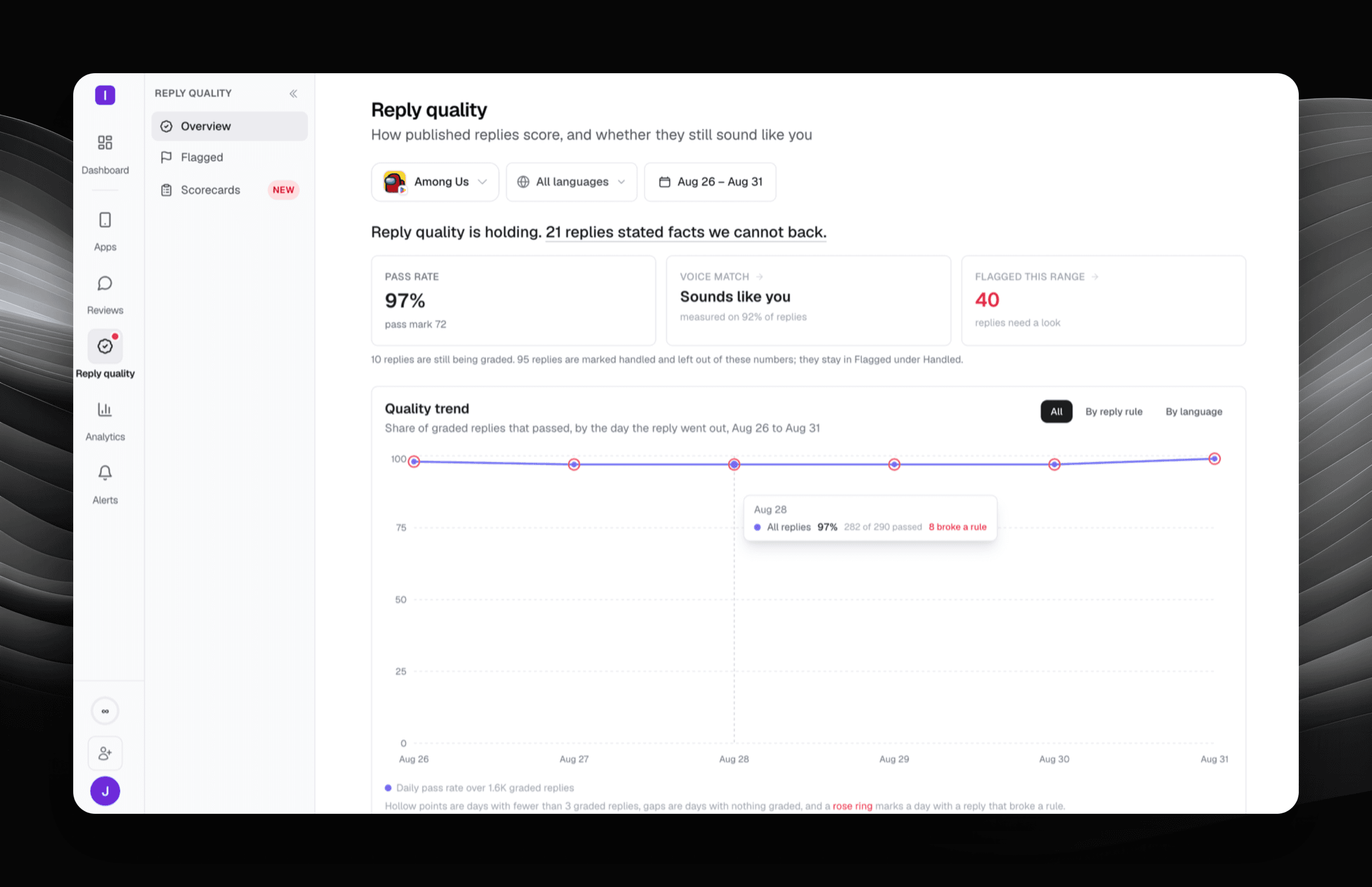
Reply Quality: your reply rate is not a quality score
Reply Quality grades every published app store reply against a scorecard you write, and quotes the exact words that broke a rule.


New in AppReply: Automate replies to featured reviews, plus faster AI on GPT-5.6
Apply your existing auto-reply rules to featured reviews with one toggle on Google Play and the App Store, and get faster, higher-quality AI replies after our upgrade to GPT-5.6.