
Compare feedback before and after the patch
Compare review topics across two versions. See which complaints grew or fell, then open the source reviews to understand what players experienced. Use those findings when planning the next fix.
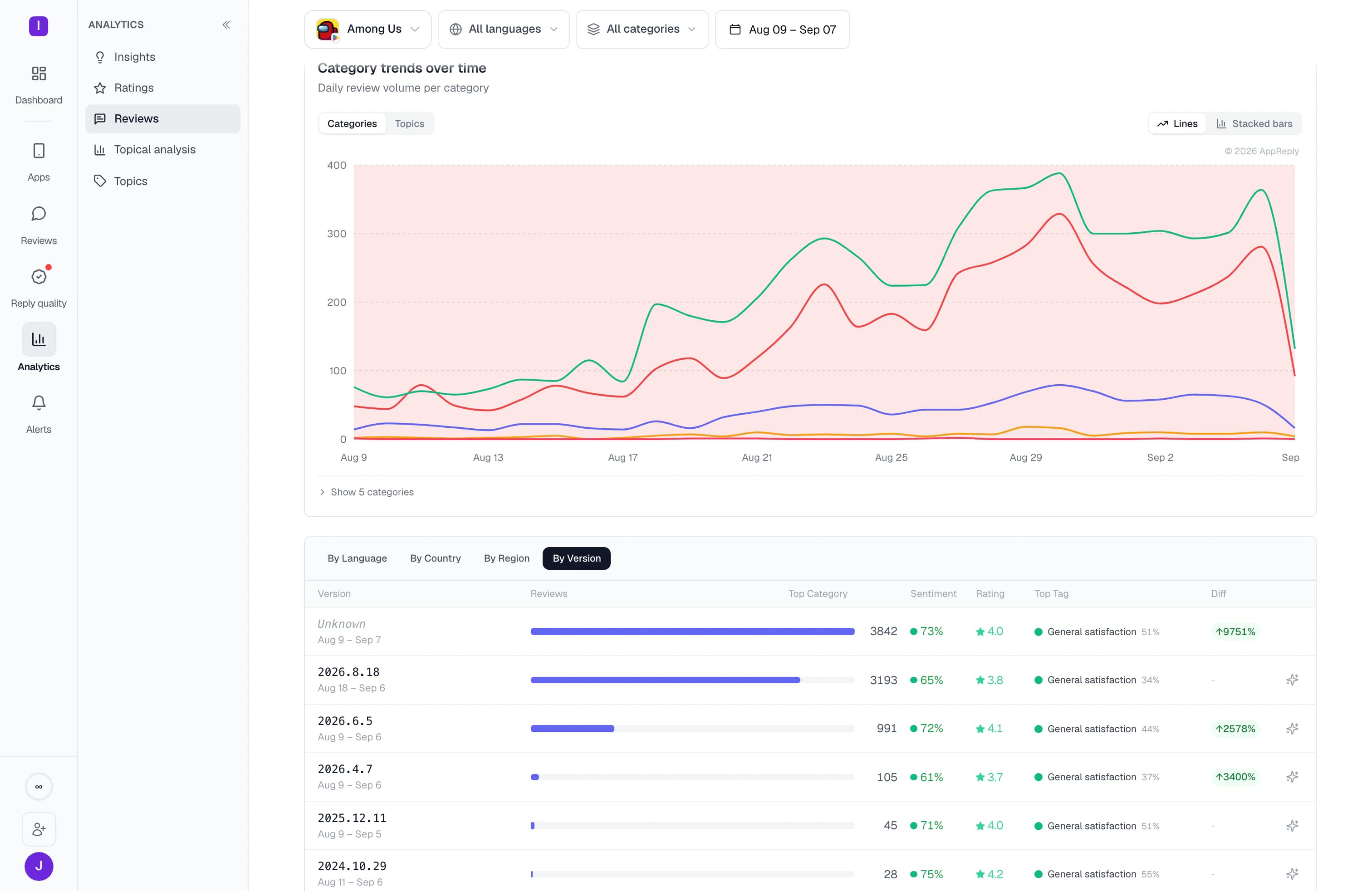
Track complaints by game, version, and market. Read the reviews behind a rating drop, then use your studio’s approved answers to reply across languages.
New: RADAR analytics and Reply Quality · Included on Pro
Through launch and live-event peaks, AppReply keeps reading 1,000+ reviews a day








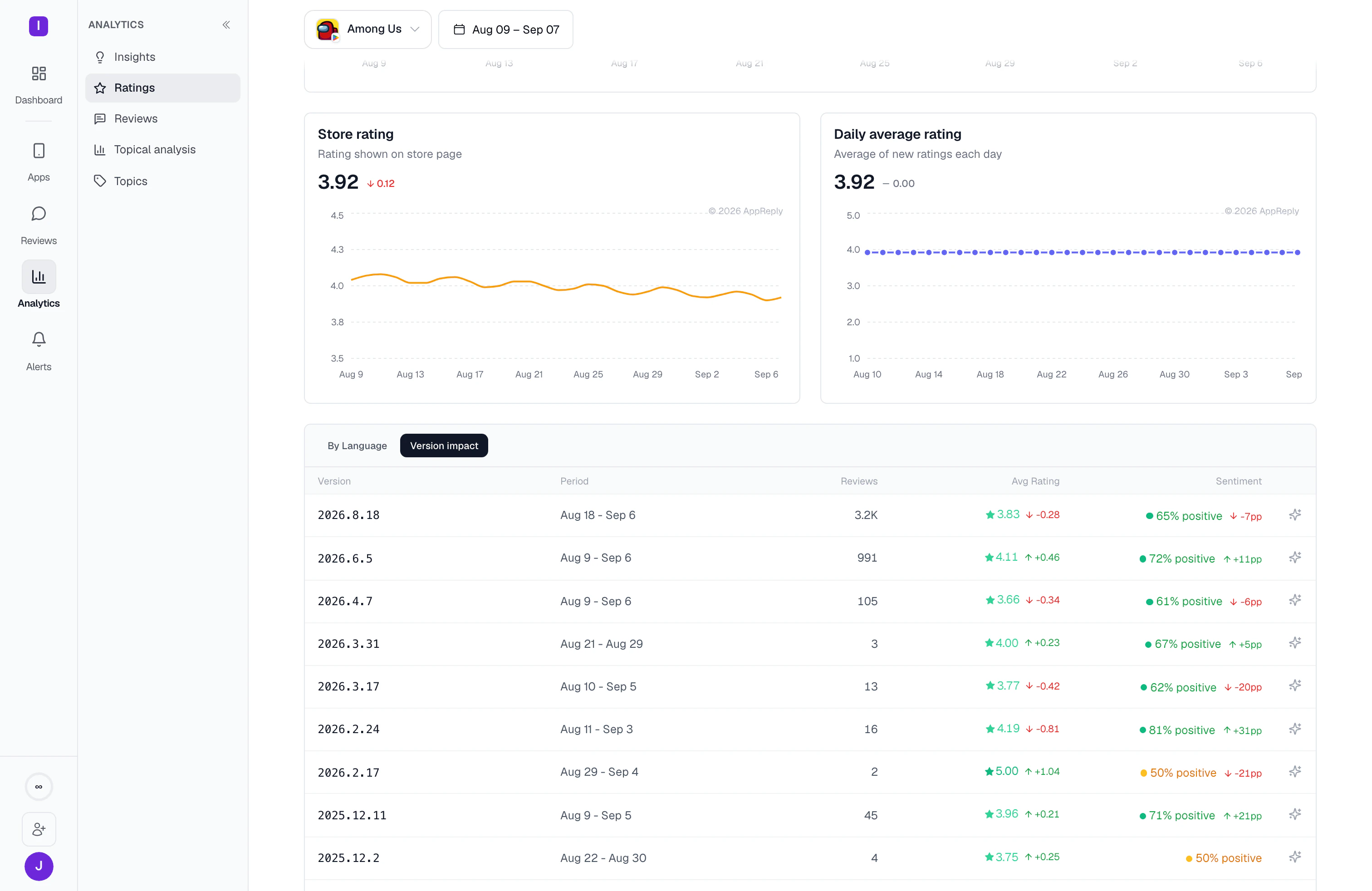
A balance patch lands and the rating falls. AppReply checks for patterns such as coordinated feedback, older reviews arriving late, or changed ratings, then sends an alert with the source reviews. Read what players raised before deciding whether to fix a bug, revisit the balance, or explain the change.
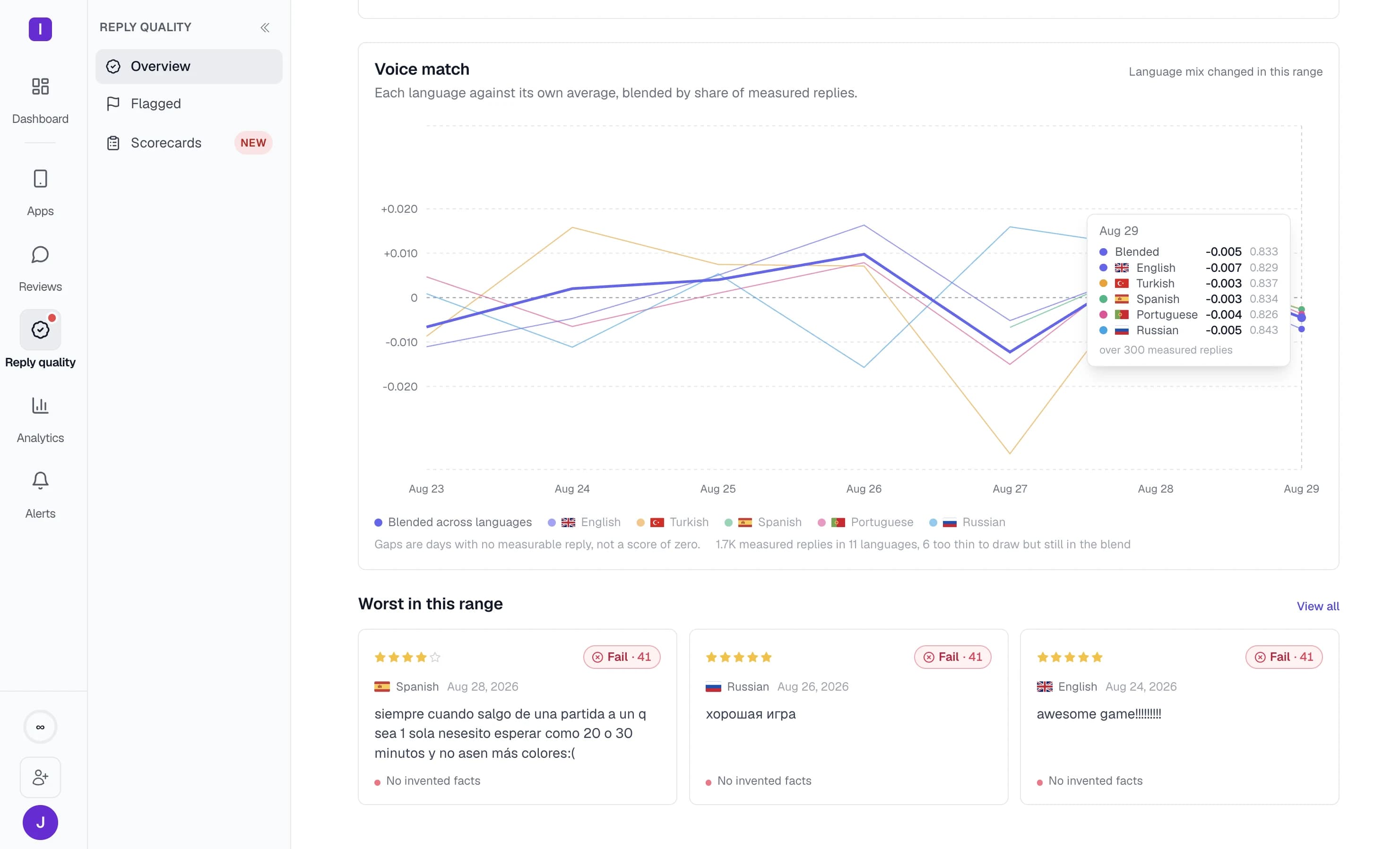
MAX uses your product information and approved replies to draft player responses. Choose which rules publish automatically and which need approval. New Reply Quality monitors check published replies against your standards, including voice by language when enough reply history is available.
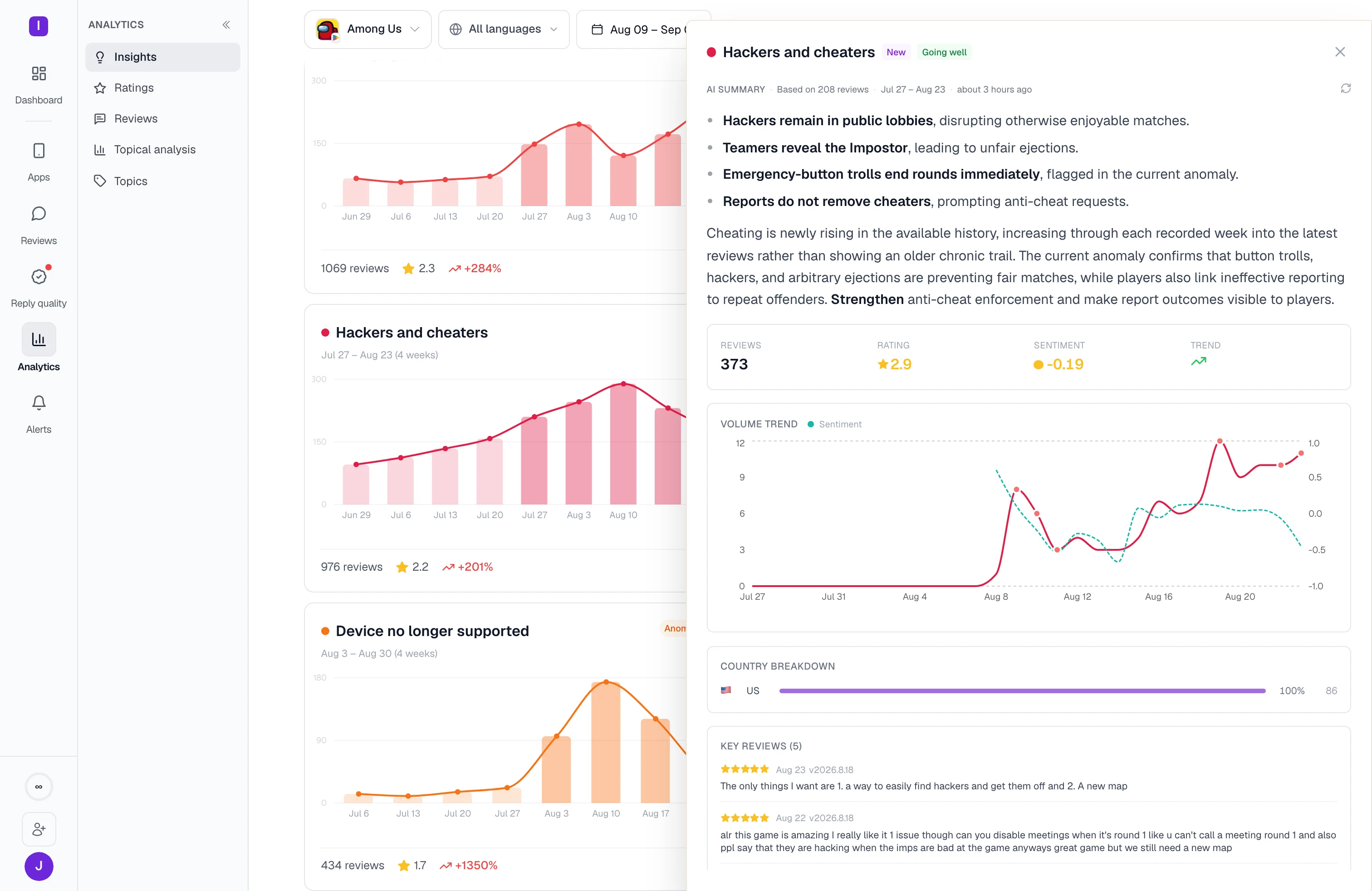
New RADAR review analytics groups feedback into topics and lets you compare versions and markets. Find out whether players are reporting more crashes, raising balance concerns, or asking for a feature.
Compare review topics across two versions. See which complaints grew or fell, then open the source reviews to understand what players experienced. Use those findings when planning the next fix.


See whether a drop looks like a coordinated burst or a change in existing reviews. Coordinated feedback can still reveal a problem with the game or player trust; the source reviews help your team decide.
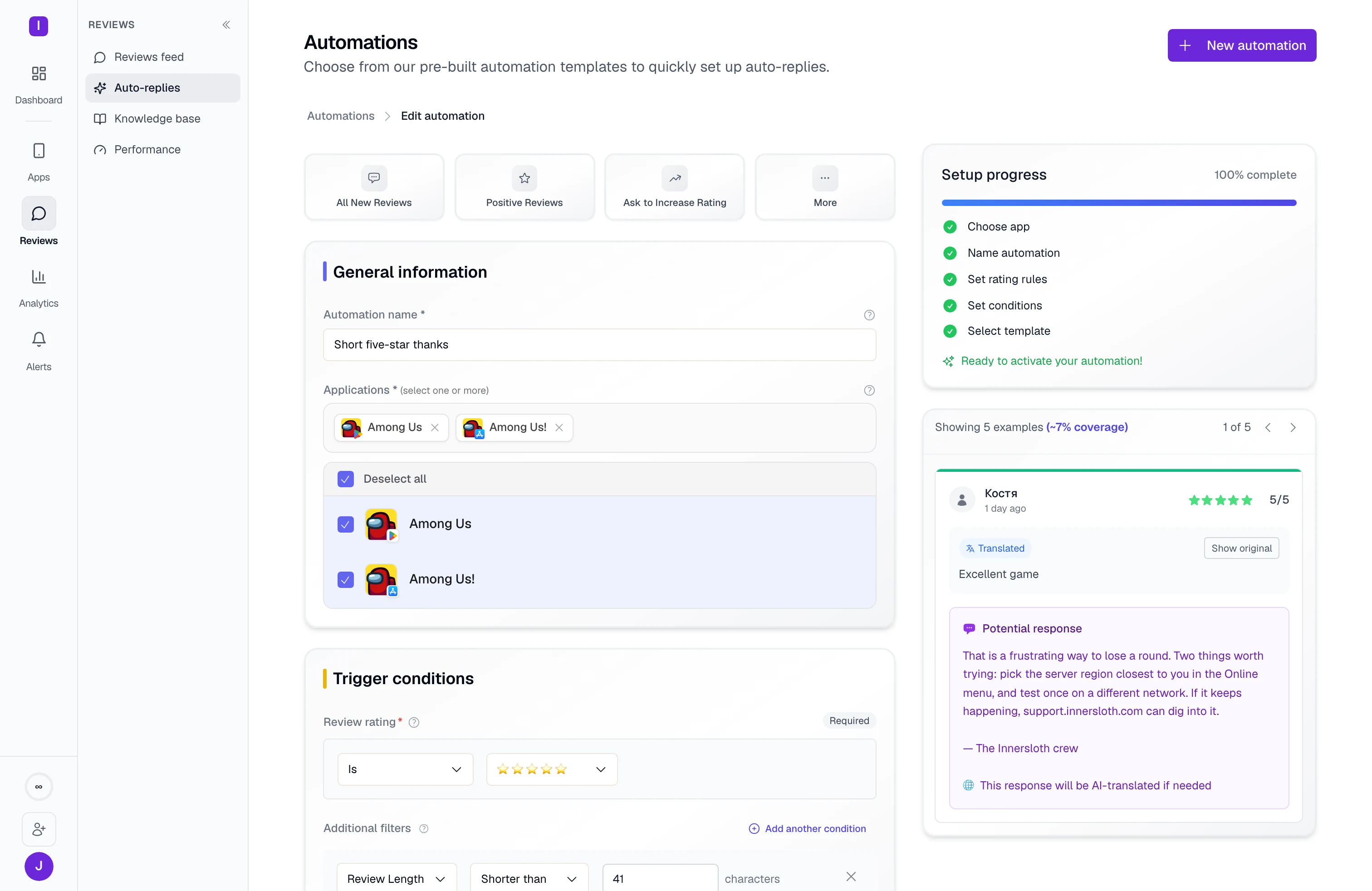
Reuse one rule across several titles, or set a separate rule for a game with different needs. Choose approval for sensitive replies while routine responses continue under their own rules.
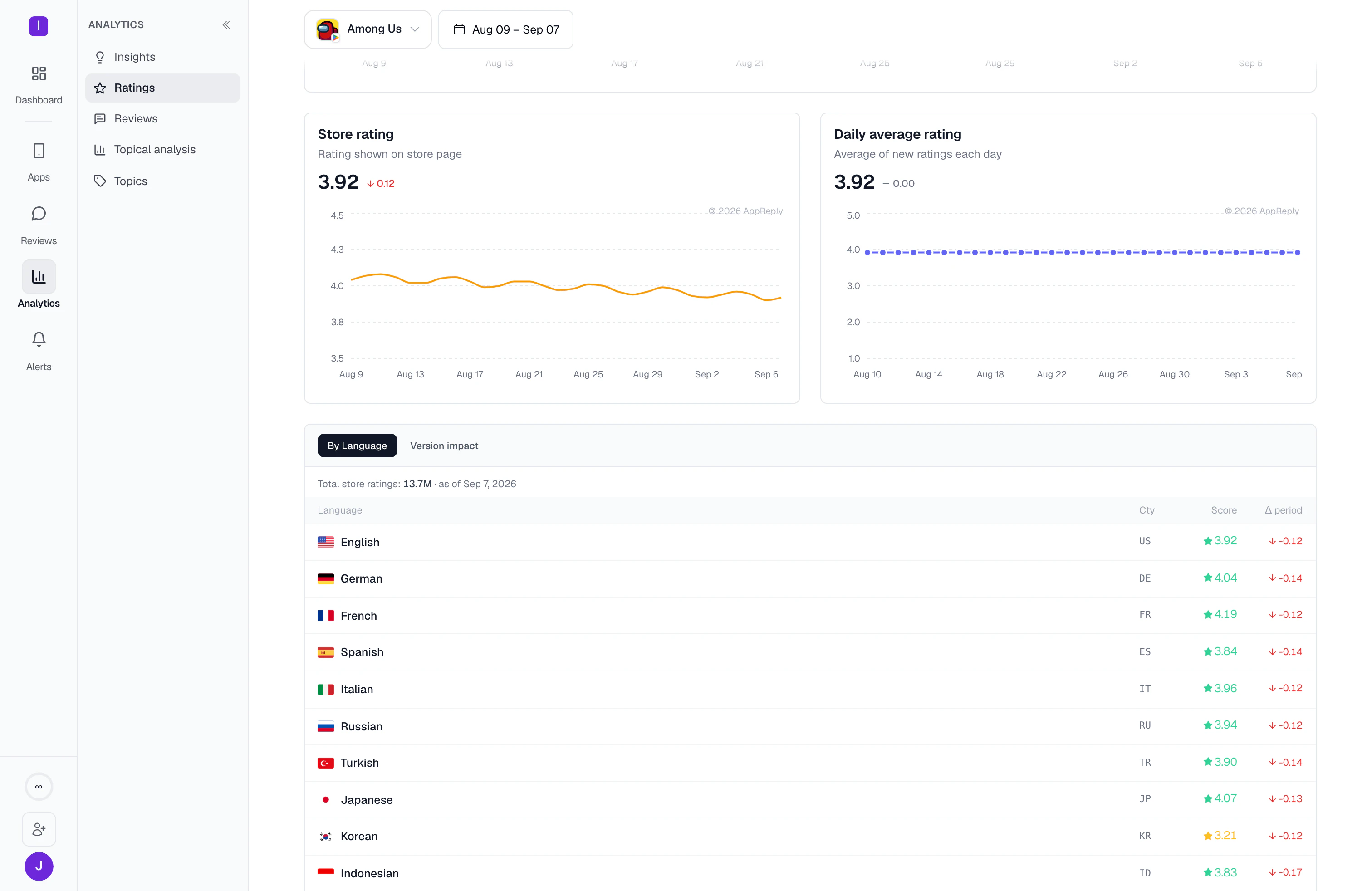
Break ratings down by language and country. Check whether a drop spans your player base or is concentrated in one market, then read the reviews from that group.
Featured review detection shows which reviews appear on your store listing in each country. Filter for them or target them with a reply rule so your team can address the feedback potential players see, including the older ones a recency window would skip.
Connect your games, add your product information, and preview reply rules against recent reviews before the next busy week.
10-day Pro trial · No credit card
Bring reviews from your games across the five supported stores into one feed. Filter by title, store, language, or rating.
Give MAX the product information and answers your team trusts. Check sample drafts for accurate advice and the tone you use with players.
Set alert rules by app and type of rating change. Send the reviews to the channel where your community and product teams can investigate together.
Choose the titles, ratings, languages, or keywords a rule should match. Test it against recent reviews, check the drafts, and decide whether to require approval.
AppReply has handled these review volumes during peak operations. The same review and reply tools support your team through launches, content updates, and live events.
FAQ
No. A coordinated wave of negative reviews can still point to a real problem with a patch, pricing, or player trust. AppReply helps identify the pattern and shows the reviews behind it. Your team decides what needs investigation and how to respond.
AppReply looks for patterns such as a coordinated burst, older reviews arriving from a store, or users changing existing ratings. Alerts include the classification and source reviews. Treat the classification as a starting point, then read the feedback to decide whether the build, game design, or player communication needs attention.
No. AppReply supports mobile games on the Apple App Store, Google Play, Samsung Galaxy Store, Huawei AppGallery, and RuStore.
MAX drafts using your product information and approved replies. Reply Quality checks AI drafts against your studio’s standards before they publish, and published replies covered by an active monitor after. Voice checks work by language and require enough reply history to establish a baseline.
Choose which titles each reply rule covers. Reuse a rule across several apps or create a separate rule for one title, with its own approval setting. Route alerts by app so each team receives the reviews it owns.