
Coming soon
Ask questions in plain language
Ask what changed since your last release or what users in one market keep mentioning. Read the answer, then open its linked reviews to check the details.
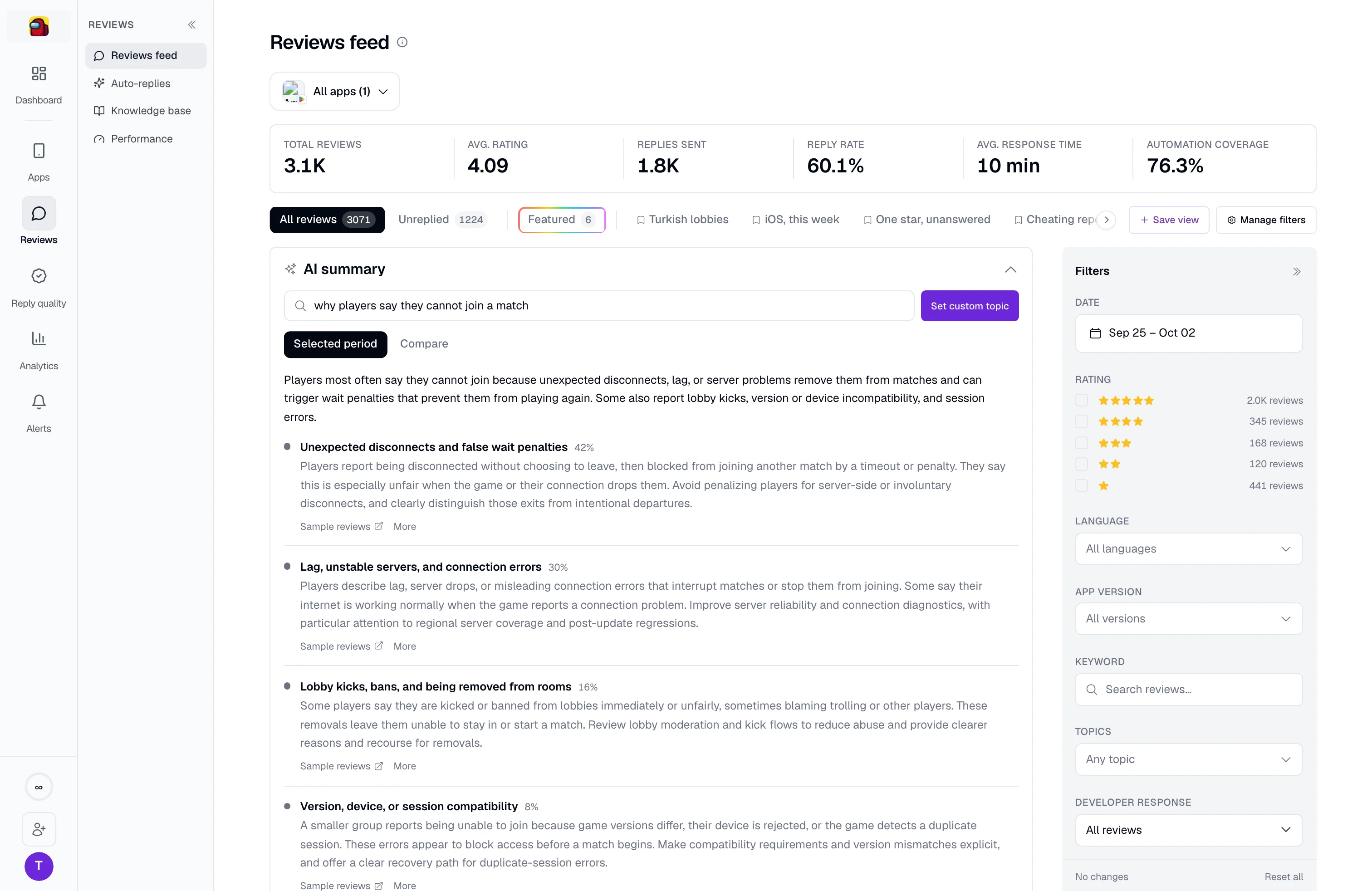
See which complaints are growing, what changed after a release, and where users struggle. AppReply groups reviews by topic and links each finding to the reviews behind it, so you can check the evidence before choosing what to fix.
Full Analytics included on Pro
Trusted by teams behind apps with 1.7B+ combined downloads

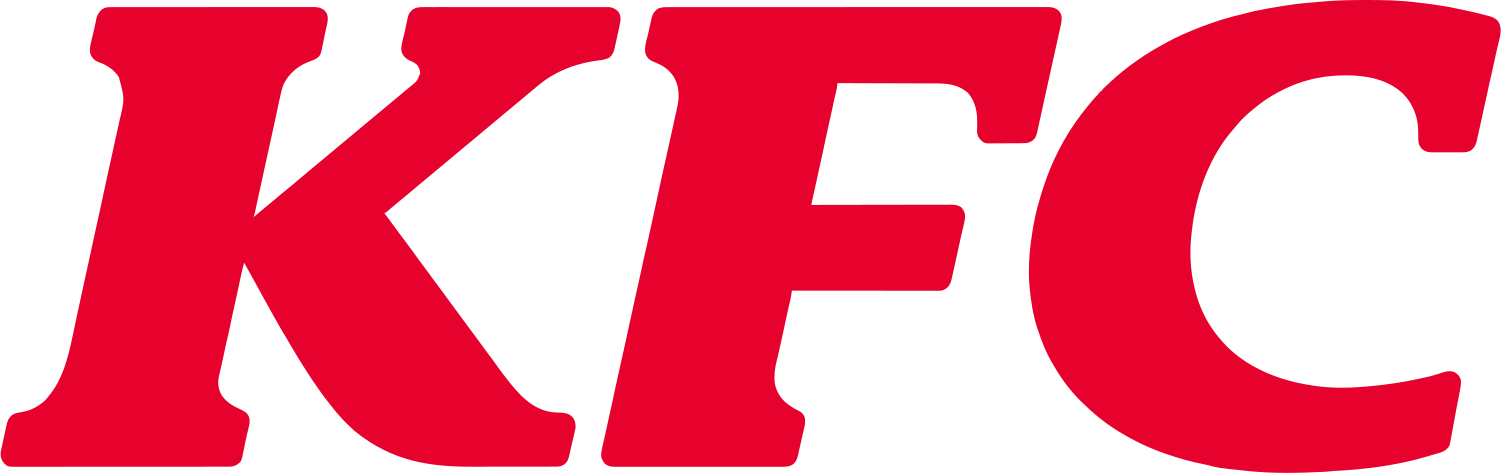






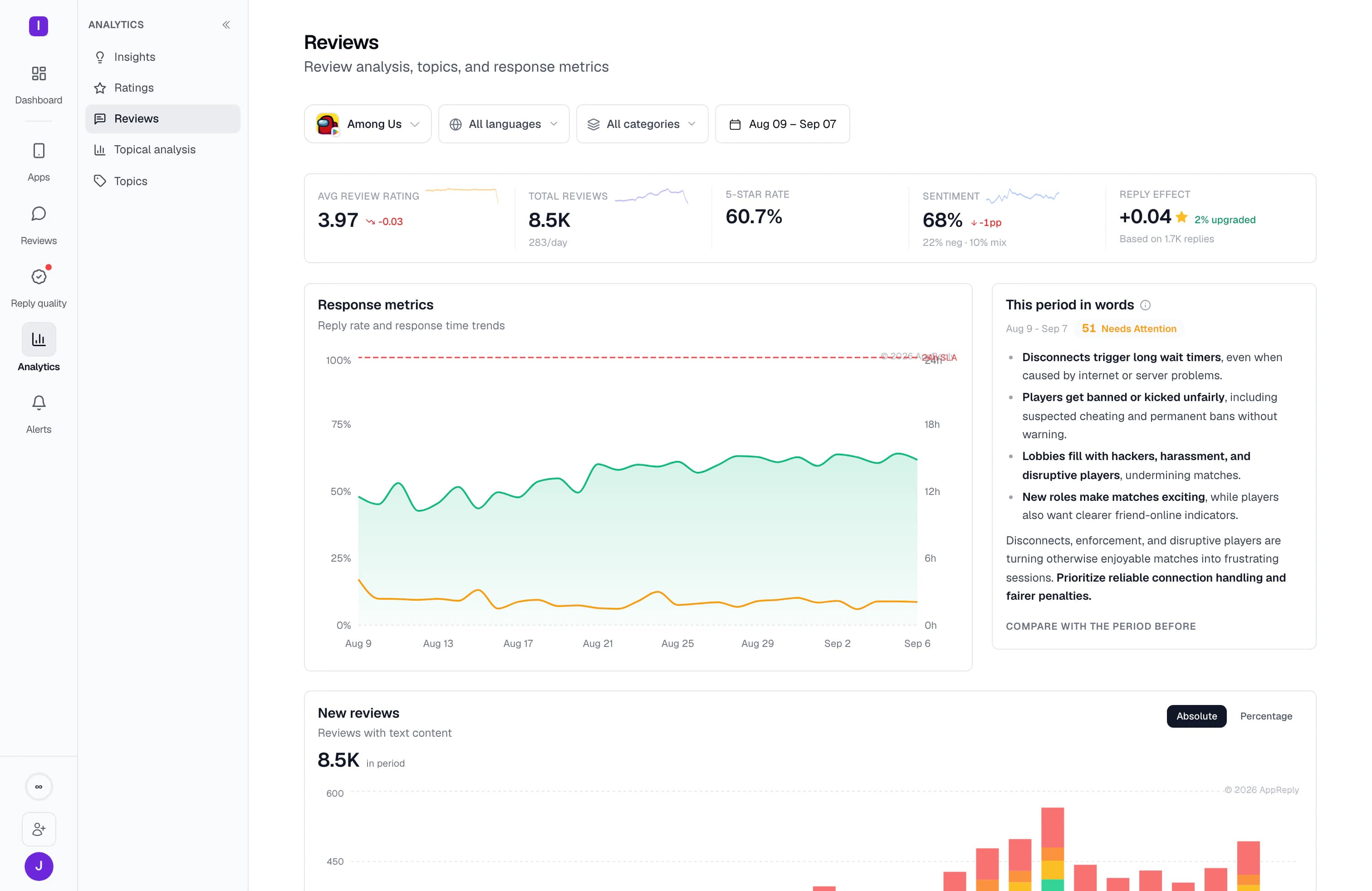
Our review analytics, called RADAR, groups feedback into topics such as crashes, payments, or login problems. See how often each issue appears and whether feedback is positive or negative. Open a topic to read what users actually said.
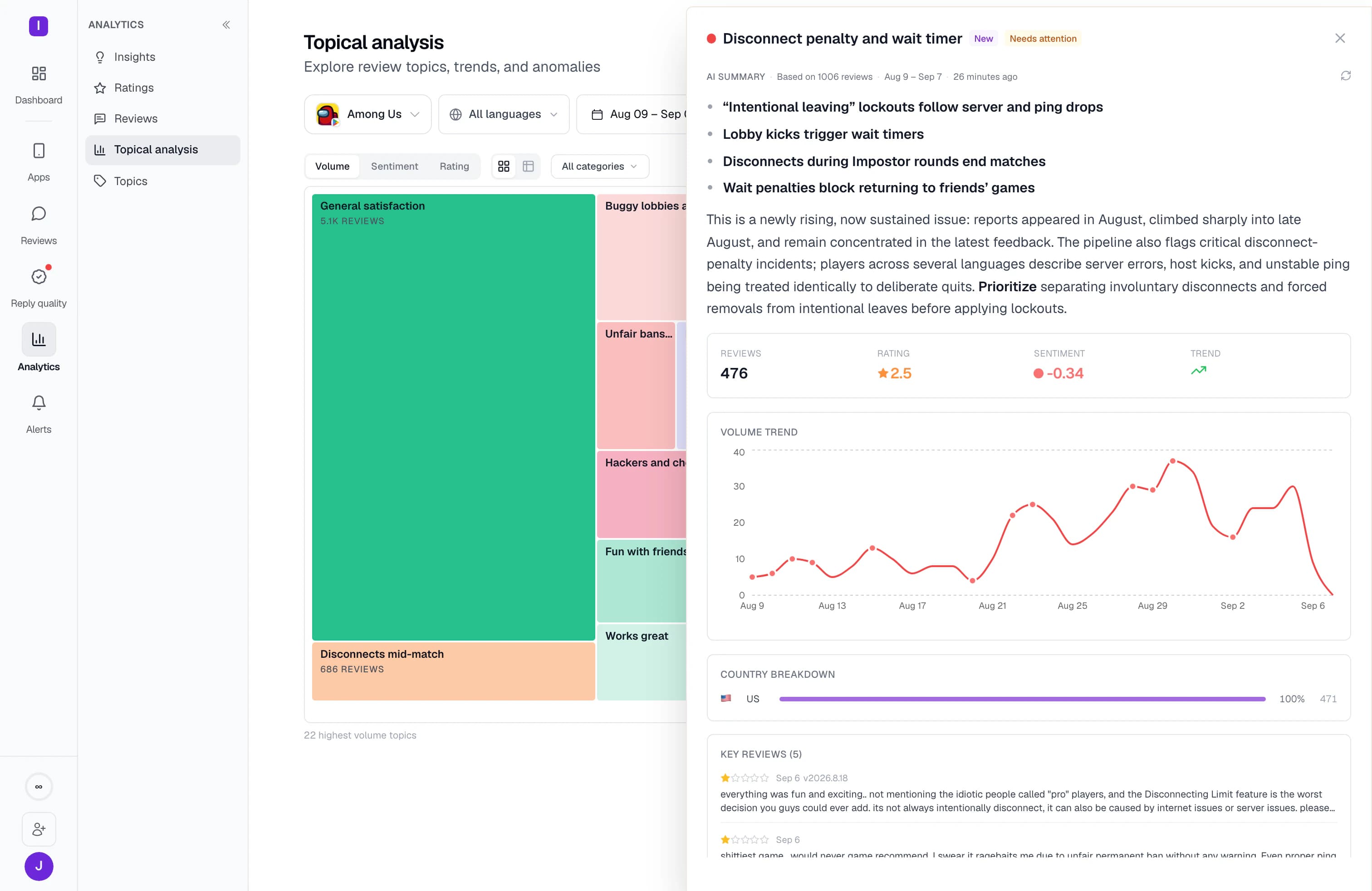
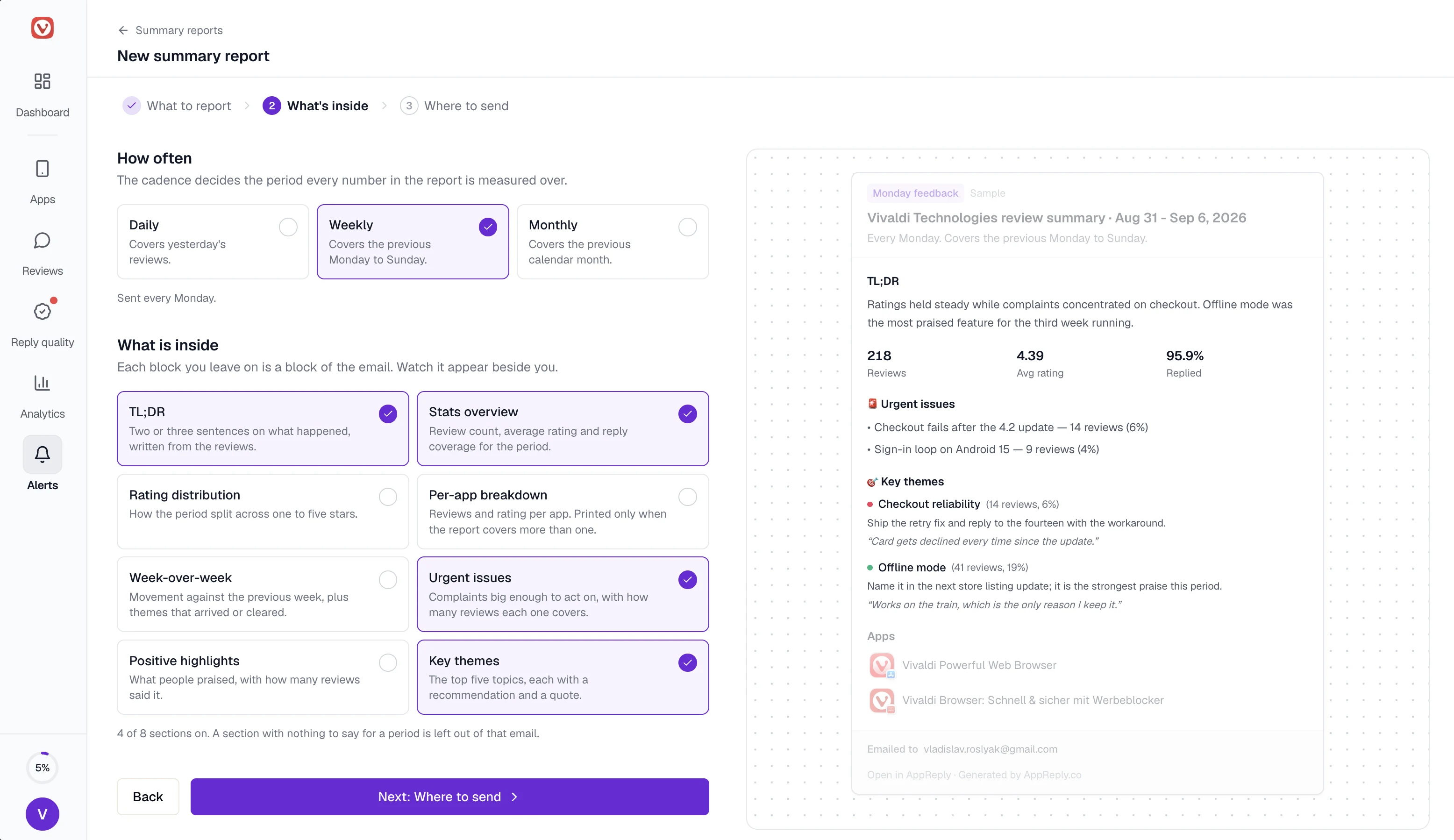
Share a weekly summary of the topics that changed, with links to the original reviews. Start with common topics or add your own feature names, so the team can discuss specific problems without reading the whole inbox.
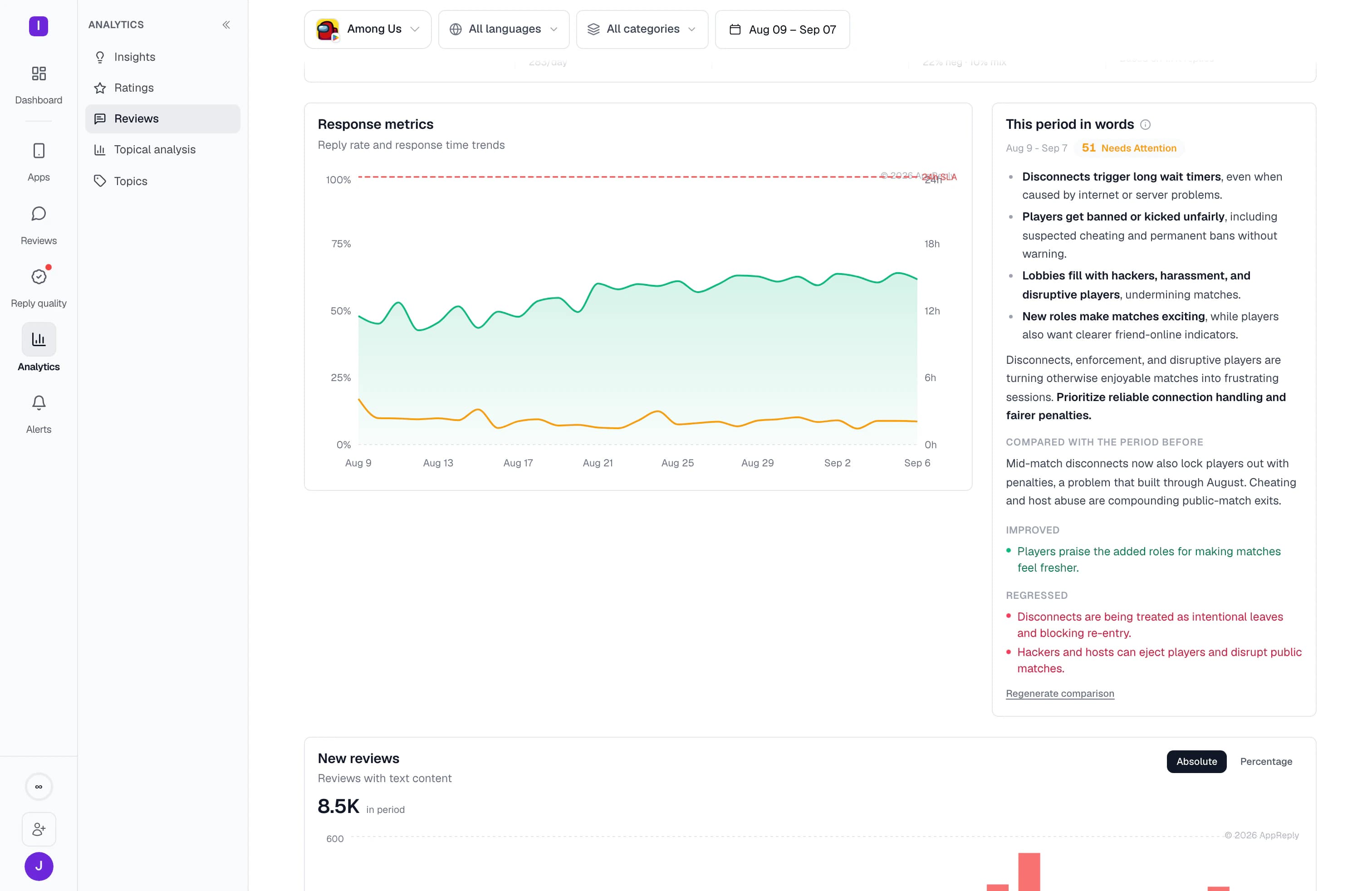
Compare releases and shape the topics to your product. Every finding keeps a path back to the customer feedback behind it.
Ask what changed since your last release or what users in one market keep mentioning. Read the answer, then open its linked reviews to check the details.


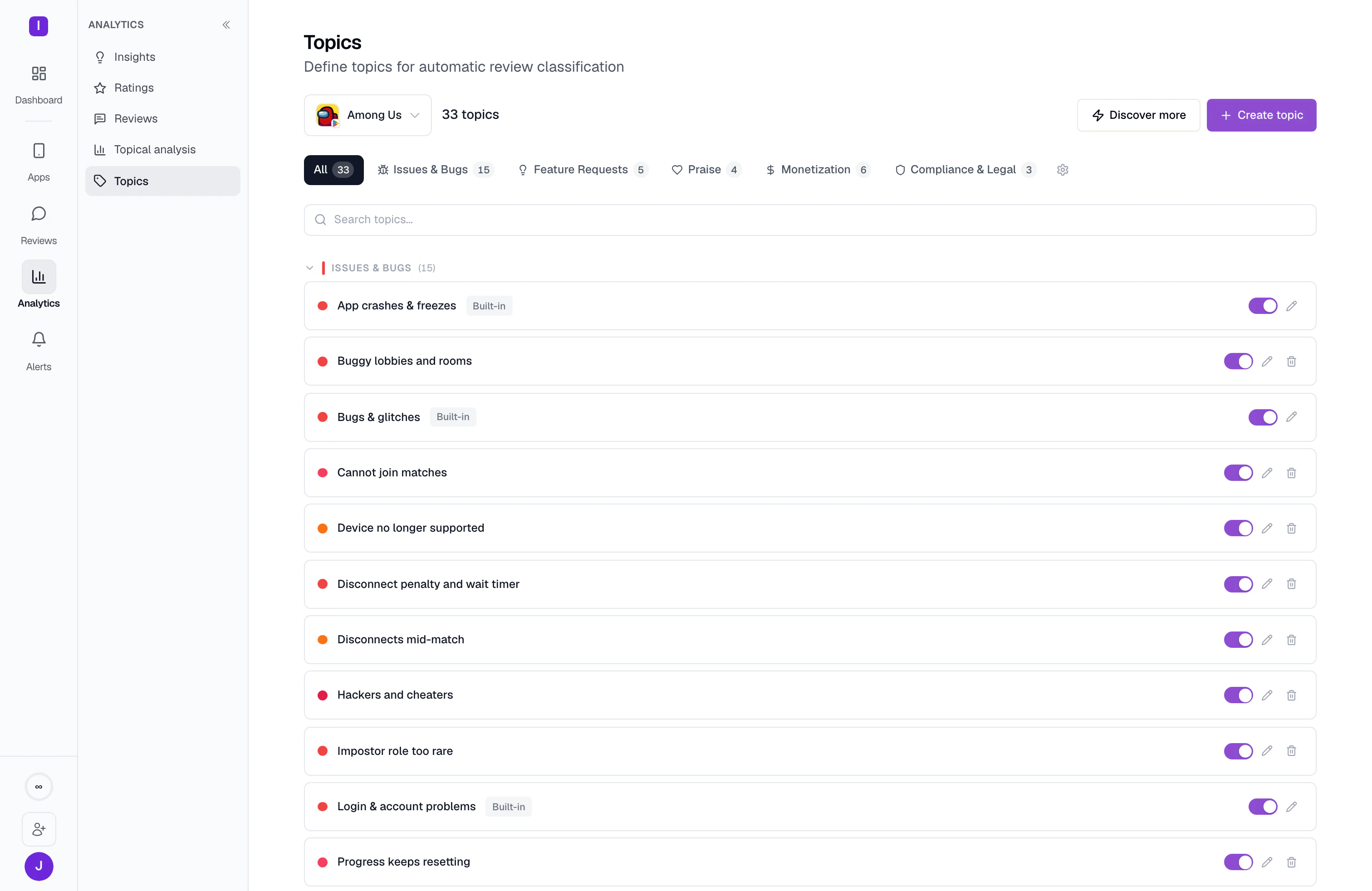
Start with a set of common review topics or add your own features and product terms. Check which reviews belong to a topic and correct mistakes within your account.
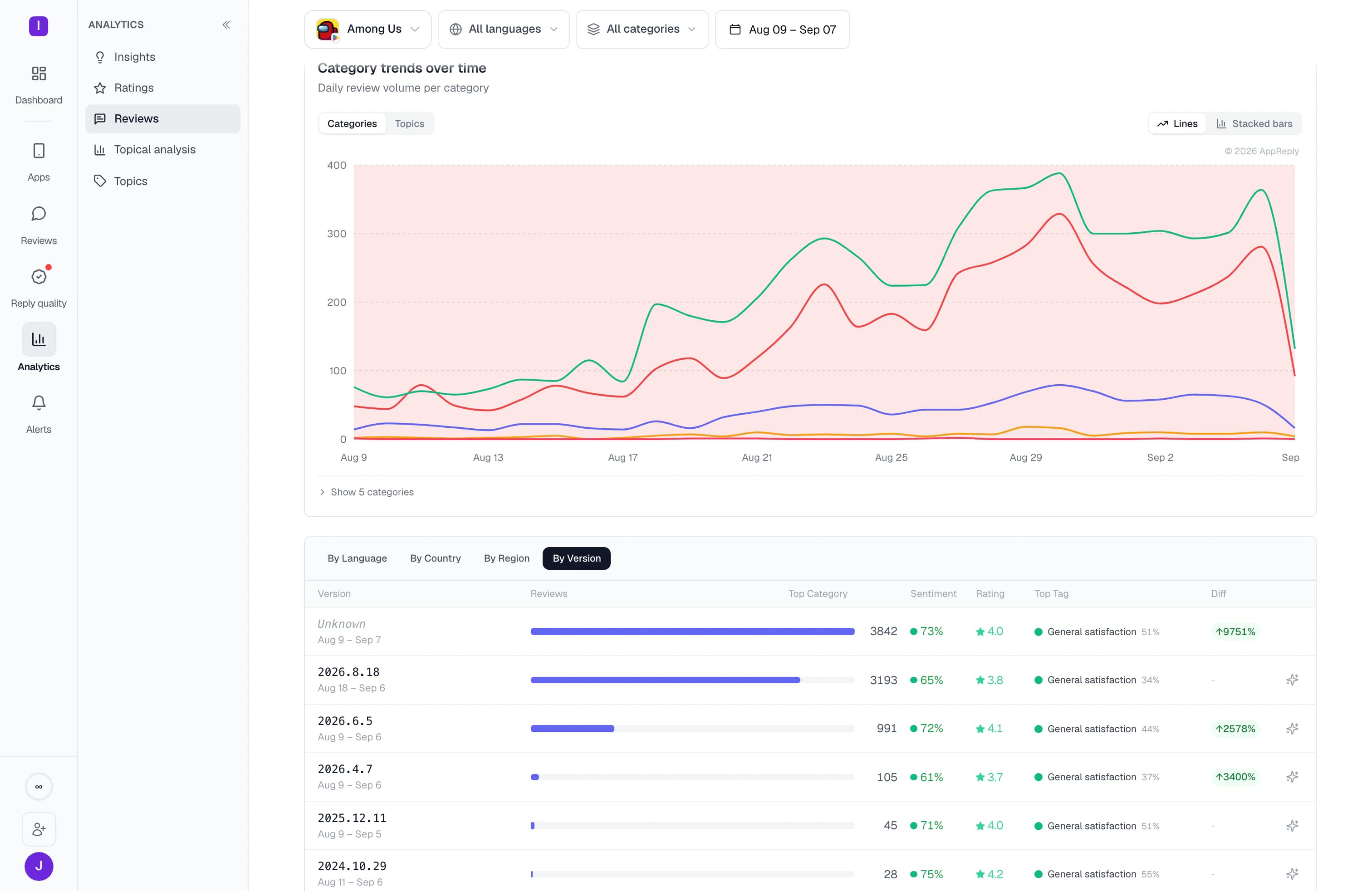
Compare feedback across two app versions. See whether crash complaints fell after a fix, or whether a new issue appeared with the latest release.
Choose the apps, dates, ratings, and languages you want to investigate. Summarize that selection or ask about an issue such as login failures.
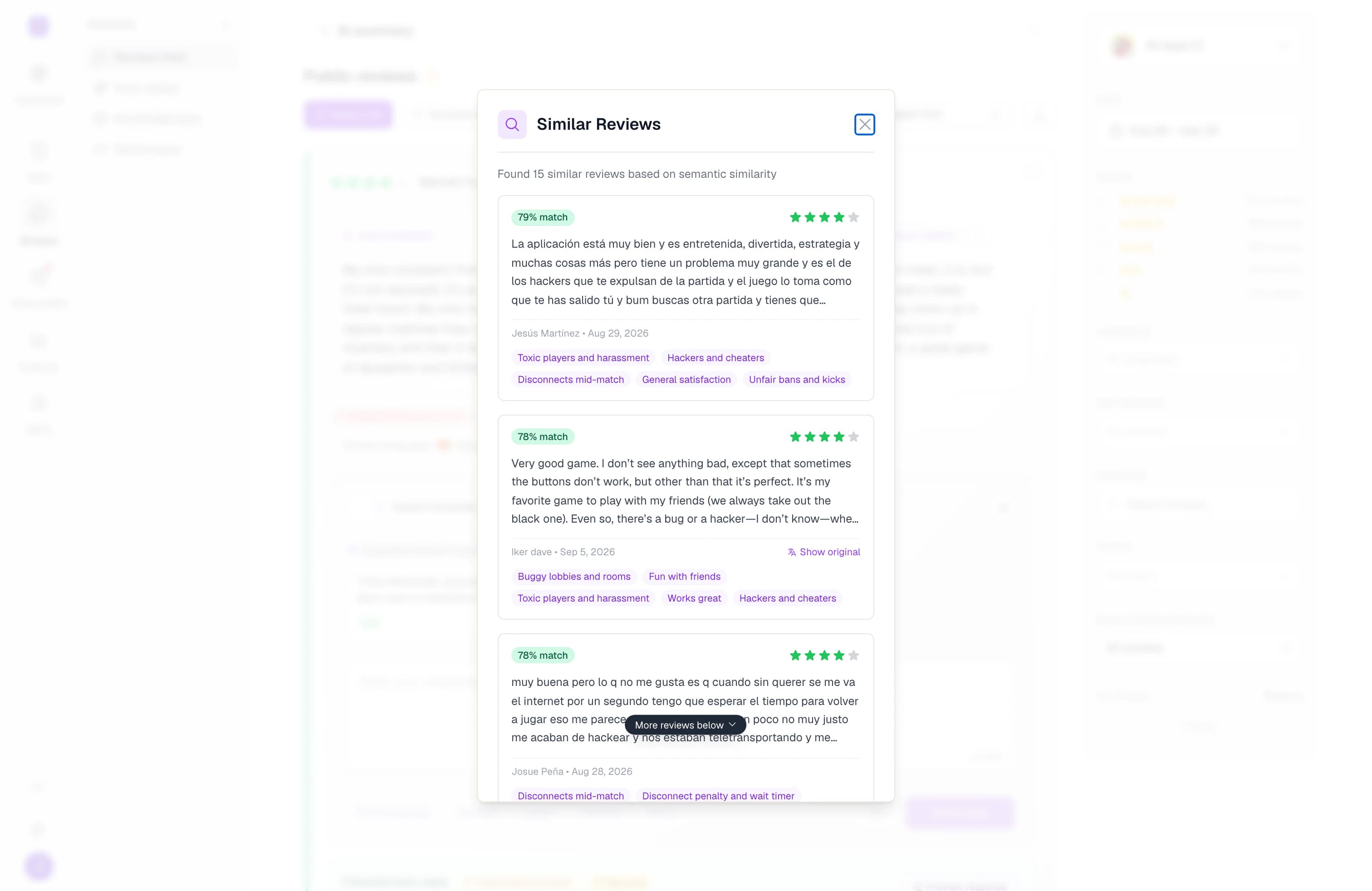
Start with one complaint and find reviews about the same issue, even when users describe it in different words. See whether others have run into the problem too.
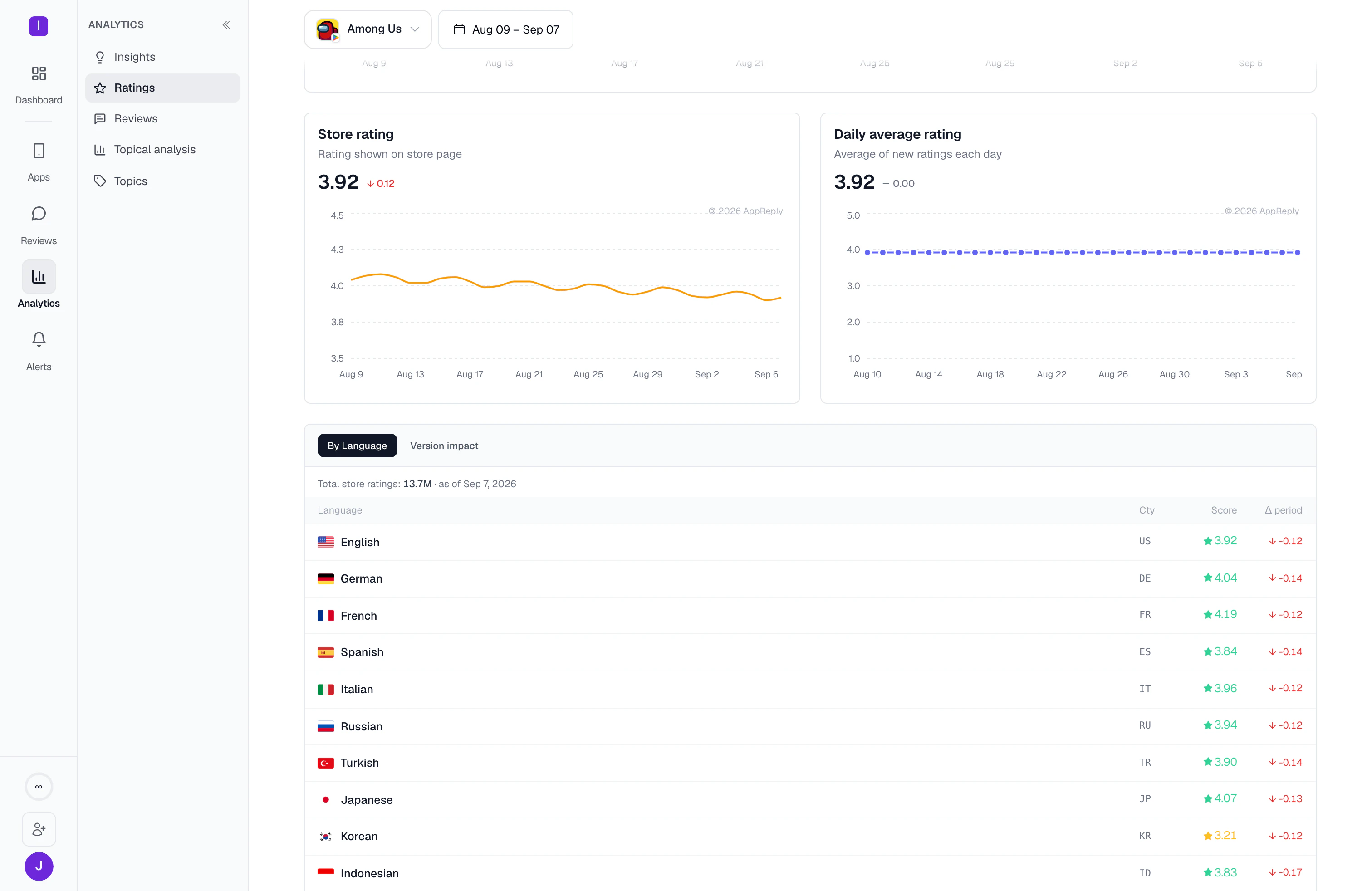
Break ratings and rating changes down by country and language. Find the market behind a drop that would be hard to spot in the overall average.
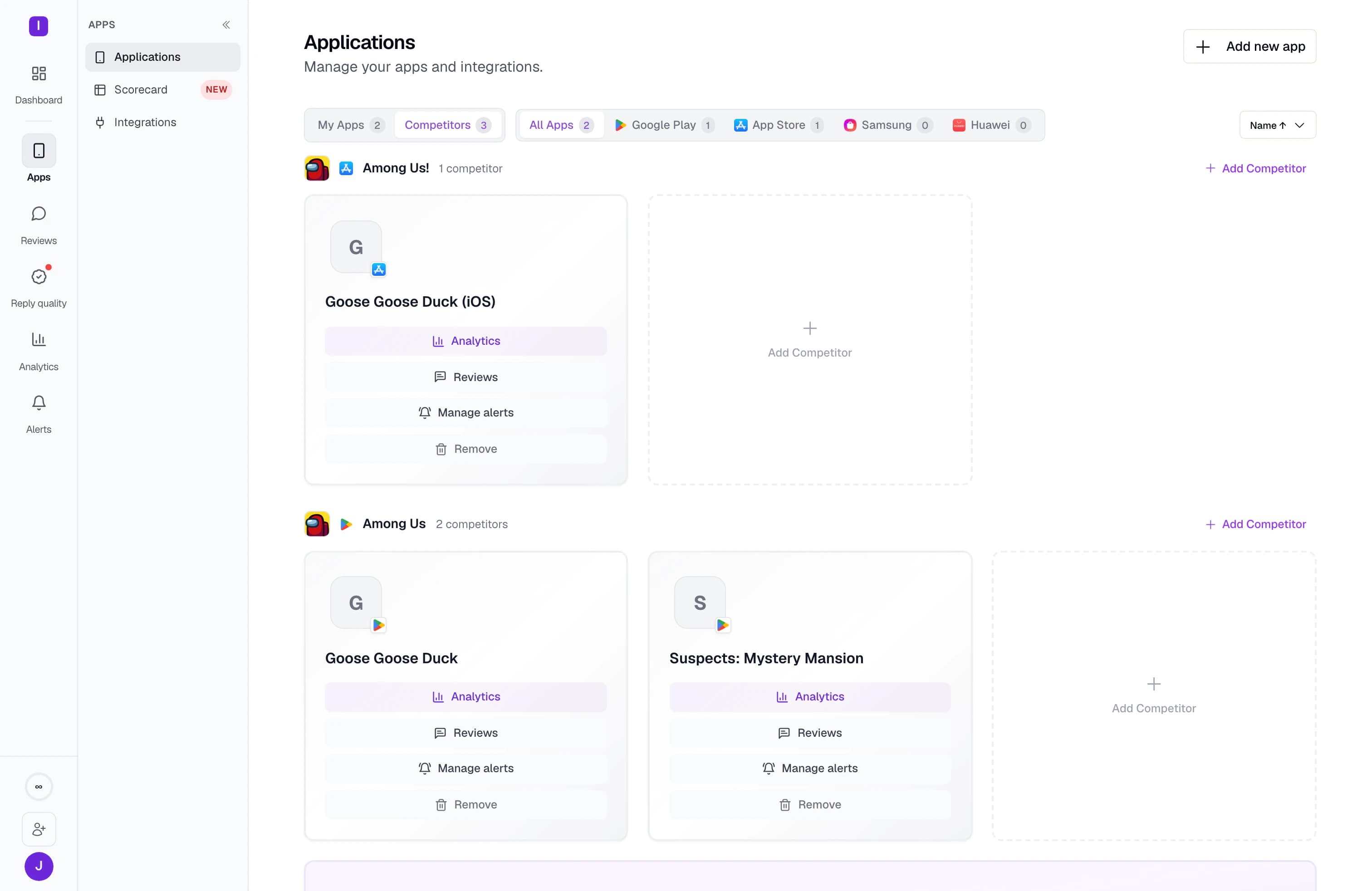
Add competing apps from Google Play and the App Store to explore their reviews with the same filters you use for your own. Competitor reviews trigger alerts only when a rule includes those apps.
Send daily, weekly, or monthly summaries to your team’s channels. Reports keep arriving on your schedule, with links to the original feedback.
Use the review history loaded for your app to explore feedback and check your first finding.
Full Analytics included on Pro
AppReply loads available review history for your app. You can start exploring that feedback while new reviews arrive.
Use the 15 built-in topics to see the most common complaints and positive feedback.
Create topics for your feature names and user journeys. Correct topic assignments when needed; those corrections stay in your account.
Compare topics across app versions, then open the reviews behind a change before you take it to the team.
Route the weekly summary to the channel that owns the product, so the analysis reaches people who are not opening a dashboard.
FAQ
Not by reading them. AppReply groups every review into topics such as crashes, payments, or login problems, scores whether the feedback is positive or negative, and tracks how each topic moves week to week. You read the shape of the feedback first, then open a topic to see the reviews it was built from before deciding anything.
Yes, and it stays attached to the topic rather than sitting on its own. Each topic carries the sentiment of the reviews inside it, its average rating, and its change against the period before, so you can tell a topic that is growing because users like it from one that is growing because it is broken.
Yes. Add competing apps from Google Play and the App Store, then explore their reviews with the same topics and filters you use for your own. Competitor reviews trigger alerts only when a rule explicitly includes those apps.
RADAR is the name of AppReply’s review analytics. It groups reviews by topic, shows whether feedback is positive or negative, and compares apps, releases, and markets. You can open a finding to read the reviews behind it.
Yes. Start with a set of common app-review topics, then add custom topics based on your own product language and review history.
No. Your topic corrections stay within your account. Customer data is not used to train shared AI models.
10-day Pro trial · No credit card