
Answer app reviews from Salesforce Cases.
Reviews from the App Store and Google Play arrive as Cases through Email-to-Case. Your agents reply from the Case, and AppReply posts the reply to the store.
Works on every plan · No credit card

Trusted by teams behind apps with 1.7B+ combined downloads








Only the reviews that need an agent become Cases.
A ticket rule emails bug reports from every store to your Email-to-Case address, and Salesforce opens a Case for each one. Praise stays in AppReply.
 App StoreiOS★★★★★Freezes on the sign-in screen.
 Google PlayAndroid★★★★★The tab bar keeps vanishing.
 Galaxy StoreAndroid★★★★★Dark mode resets on restart.
 AppGalleryAndroid★★★★★Bookmarks did not sync.
 RuStoreAndroid★★★★★Pages load blank after 8.2.
Bugs to Salesforce
- If
- 2 stars or fewerEnglishAppReply Browser
- Then
- Create a Salesforce case
 Salesforce
- NewApp Review: 1★ · AppReply Browser00001042 · App Store · iOS
- WorkingApp Review: 1★ · AppReply Browser00001043 · Google Play · Android
- NewApp Review: 2★ · AppReply Browser00001044 · Galaxy Store · Android
- ClosedApp Review: 1★ · AppReply Browser00001045 · AppGallery · Android
- NewApp Review: 2★ · AppReply Browser00001046 · RuStore · Android
Agent replies are posted to the store
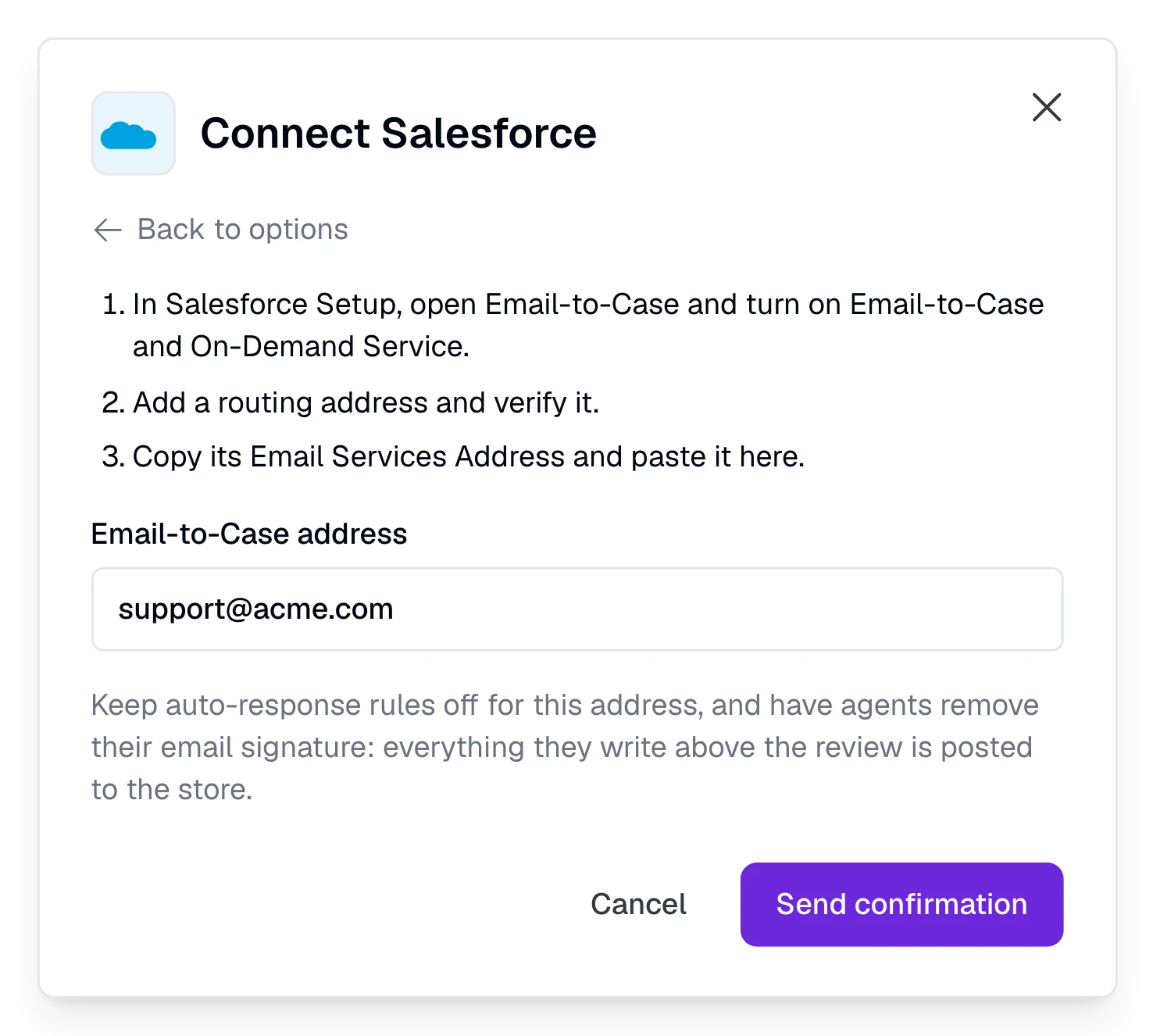
Paste one address. Then add ticket rules.
Turn on Email-to-Case
In Salesforce Setup, turn on Email-to-Case and On-Demand Service, then add a routing address for review Cases and verify it.
Paste the address in AppReply
Open Integrations, click Connect under Helpdesk connections and choose Salesforce. Paste the Email Services Address and click Send confirmation.
Accept in Salesforce
The confirmation email arrives as a Case. Open its link and press Accept. AppReply sends nothing else to the address until you do.
Start sending reviews
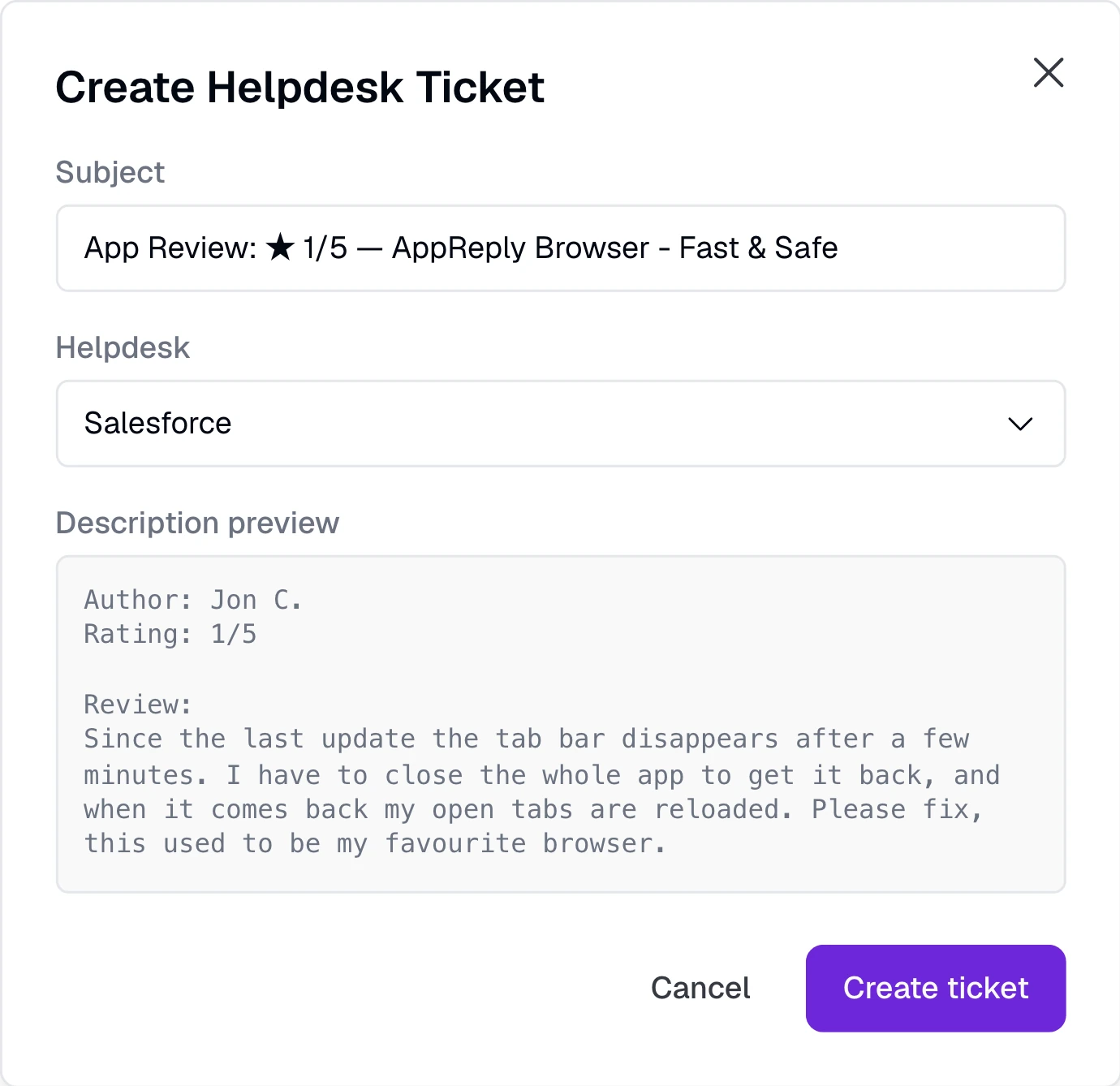
Use Create ticket on a review. On Pro, add a ticket rule for the reviews that match.
Nothing to install in Salesforce.
No package, connected app or API user. AppReply emails only the address you confirmed, and posts only replies to its own review emails.
Give each review that needs support its own Case.
Each review arrives as one email, and Salesforce turns it into a Case with the rating, app and store, the review text, the author, the date, the app version, country and language, and a link back to the review in AppReply. Choose Create ticket on any review, or on Pro let a ticket rule send reviews as they arrive, by stars, app, language, keywords or length.
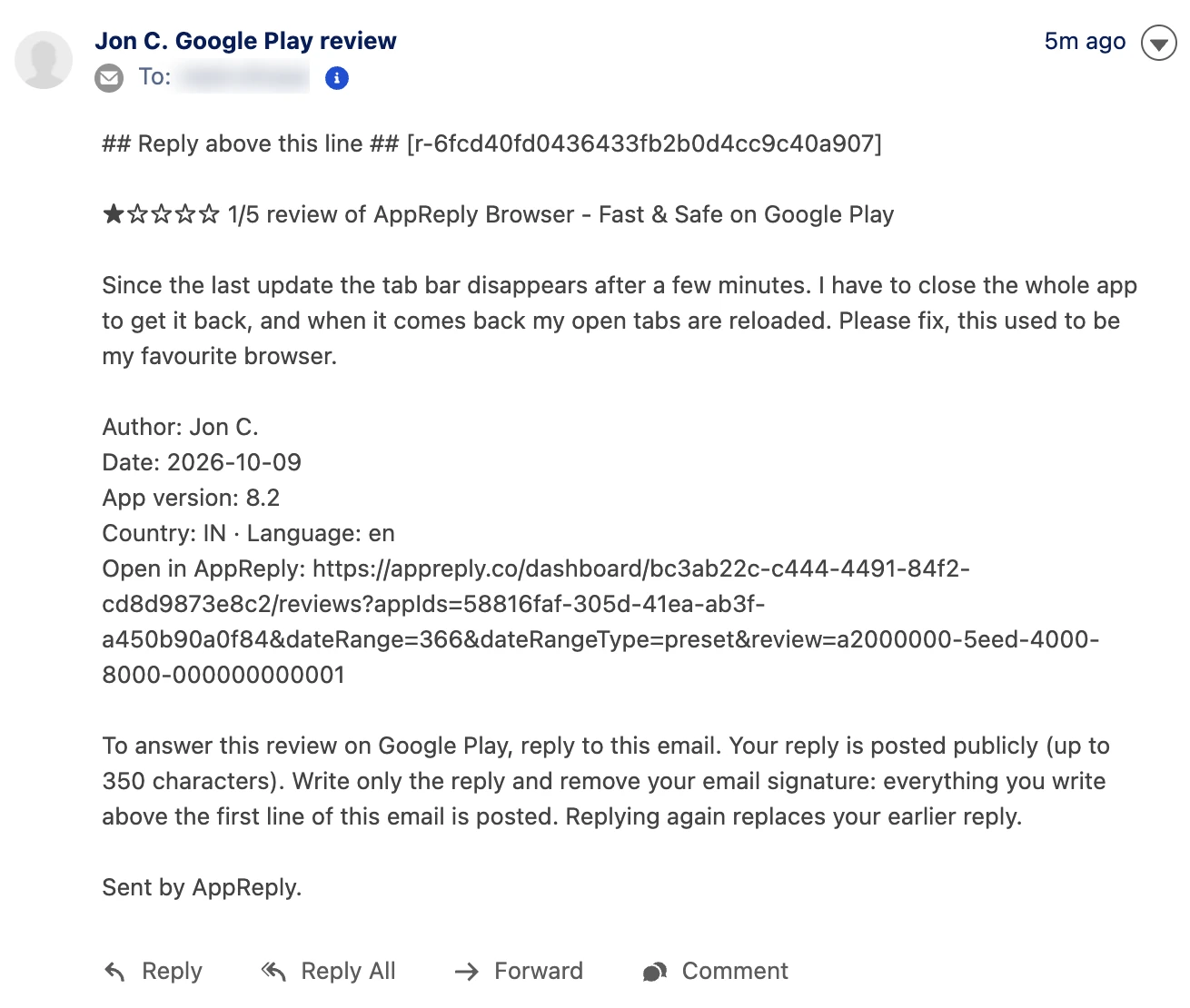
Reply from the Case, and the reviewer sees it in the store.
An agent presses Reply on the review email and writes above the quoted text. AppReply posts that reply to the App Store, Google Play or whichever store the review came from, the same way as a reply written in AppReply, with the agent named as the responder. Agents need no AppReply login. Replying again replaces the earlier reply where the store allows it.
Questions about Salesforce
Which Salesforce editions does it work with?
Any edition with Email-to-Case. AppReply needs no API access, no package and no field mapping.
Can App Store and Google Play reviews become Salesforce Cases?
Yes, and so can reviews from Galaxy Store, AppGallery and RuStore. Choose Create ticket on any review, or on Pro let a ticket rule do it. The email names the store the review came from.
How does an agent answer the reviewer?
They press Reply on the review email in the Case and write above the quoted email. Everything above it is posted publicly, so remove the email signature first. The review shows as queued in AppReply, then replied once the store accepts it.
How long can a reply be?
As long as the store allows: 350 characters on Google Play, 2,000 on the App Store, 700 on Galaxy Store, 800 on AppGallery and 500 on RuStore. Each review email states the limit for its store.
What if a reply cannot be posted?
The agent gets a short note on the same Case that says why: the reply is longer than the store allows, the plan has used its replies for the period, it has a character the store cannot take, it failed email authentication, the connection has an error, or the store refused it.
Can an auto-response rule post a reply by mistake?
No. AppReply ignores the replies Salesforce marks as automatic. A reply that arrives within two minutes of the review email is treated as automatic too, and the Case gets a note about it once. Keep auto-response rules off for the review address, or exclude these Cases.
What happens when a reviewer edits the review?
AppReply emails the edited review on the same thread, with [UPD] at the start of the subject. It lands on the same Case when Email-to-Case threads email by headers. Otherwise Salesforce opens another Case.
Does the Case status show in AppReply?
No. AppReply works with Salesforce by email only, so it does not read Case status. The review shows the reply instead, and its ticket in AppReply is marked resolved once a reply from the Case is queued.
Which plan includes the Salesforce integration?
You can connect Salesforce and send reviews with Create ticket on any plan. Ticket rules, which send reviews by themselves, need Pro. Try them with the 10-day Pro trial. Replies from a Case count toward your plan, like replies written in AppReply.


Answer your next hard review from Salesforce.
Connect Salesforce, send a review over with Create ticket, and let your agents reply from the Case.
Works on every plan · No credit card