
App review analysis with an AI agent: ask the question, check the answer
App review analysis used to mean reading, tagging and counting reviews by hand. With an AI agent you ask the question and get a chart back. This guide covers the four things a trustworthy answer shows, works through three common questions, and explains where replies come in.
Key takeaways
- Start with the question you actually have. "Which release changed our rating?" gets you further than a tag report.
- A trustworthy answer shows a chart over time, the sample it rests on and the reviews behind each number. It also warns you when there is too little data to call a trend.
- Fewer than 20 reviews in the window? RADAR gives you the counts and says that is too few for a trend.
- A rival's public reviews, split by country, show where their users are unhappy.
- Analysis and replies are separate jobs. RADAR answers questions. MAX, the reply agent, writes replies under your reply rules.
App review analysis means turning what people write in App Store and Google Play reviews into decisions: what broke, since when, for whom, and what to fix first. An AI agent changes where you start. You skip the tagging and the report. You ask "why did our rating drop after the last release?" and get a chart back, with the reviews behind it.
The hard part is knowing whether to trust that chart. This guide covers what a trustworthy answer shows, works through three common questions, and ends with where replies come in. The examples use RADAR, the AI agent for app reviews in AppReply. The checks apply to any AI tool you point at your reviews.
How app review analysis used to work
For most teams it was three manual steps. Someone read the new reviews, tagged each one with a topic, and counted the tags in a spreadsheet. The report arrived a week late, and it depended on who had done the tagging.
Review analytics took the tagging off people's hands. AppReply groups reviews into topics, tracks each topic over time and links every finding to the reviews behind it. That covers the questions you check every week.
The awkward questions are the ones that come up on a Tuesday afternoon. Did the last release cause this? Is the sync complaint growing, or was last week just loud? What do a rival's users in Germany complain about? You can open five dashboard pages and still not know. With an agent, you ask.
Why a sentiment score is not enough
Plenty of tools boil reviews down to a sentiment score. It tells you the mood shifted. It rarely tells you why.
A score that slides from 72 to 64 could be one crash in one country. It could be a price change. It could be a quiet week for happy reviewers. Useful analysis names the complaint, the period, the market and the build, so ask for those.
How analysis works when you ask an AI agent
You type the question the way you would ask a colleague. RADAR looks up the answer in your reviews, the topics AppReply found in them, your knowledge base and the public app stores. The reply opens with a one-line answer in bold. Up to three charts follow, then cards for the reviews it mentions.
RADAR opens as a side panel on every page of the AppReply dashboard, and it knows which page you're on. On the Ratings page, "what changed here?" means that page's apps and period. On the Reviews page it can set the filters for you, such as unreplied 1 and 2 star reviews from the last 30 days, and one click undoes them.
It covers your own apps on the App Store, Google Play, Galaxy Store, AppGallery and RuStore. It can also read the public reviews of any app on the App Store and Google Play.
Four things a trustworthy answer shows
Check an answer for all four before you act on it.
| What the answer shows | What it protects you from |
|---|---|
| A chart over time, first | A total that hides when the change started. Several apps get a line each, never one summed line. |
| The sample, named under the chart | A number with no denominator. RADAR names the apps, the dates, the filters and when the numbers were read. |
| The reviews behind every number | A summary you can't check. Ask "show me the reviews behind that" and it pulls them from the same data. |
| A warning when the data is thin | A "trend" built on twelve reviews. Under 20 reviews in the window, RADAR gives the counts and says it is too few. |
Look for three smaller details too. When only part of a window has been analyzed, the answer should say "180 of 240 reviews" and not present the part as the whole. Every chart should open as a table or download as a CSV. And the work should be visible: RADAR folds its steps under the reply as a short line, such as "3 lookups".
 The line under the title names the apps, the dates, the country, the language and when the numbers were read. If a number arrives without one, ask what it rests on.
Question 1: did our rating drop, and why?
Most teams start here. Put the app and the period in the question:
Did the average rating of Subway Surfers on Google Play drop week by week over the last month, and what do the low-star reviews blame?
Sometimes the honest answer is no. RADAR charted the average rating of written reviews week by week, found it moving between about 4.47 and 4.54, and said so. Then it answered the second half: across 702 reviews at 1 and 2 stars, progress that keeps resetting came first, ahead of too many ads.
 The rating line barely moves, so the answer turns to what the 702 low-star reviews blame.
When a real drop follows a release, ask for reviews per day by app version, with your releases marked. That shows whether a single build carries the rise in low ratings.
Ask two follow-ups every time. "Show me the reviews behind the drop" puts the words in front of you. "Is this the same complaint as last month?" separates a new bug from an old one that got louder. Already looking at the chart on the Ratings page? Click Point at content, pick the chart, and ask about it directly.
Once you know the cause, app store rating recovery covers what to do for each kind of drop.
Question 2: is this complaint growing?
One loud week can pass for a trend. Count it over time:
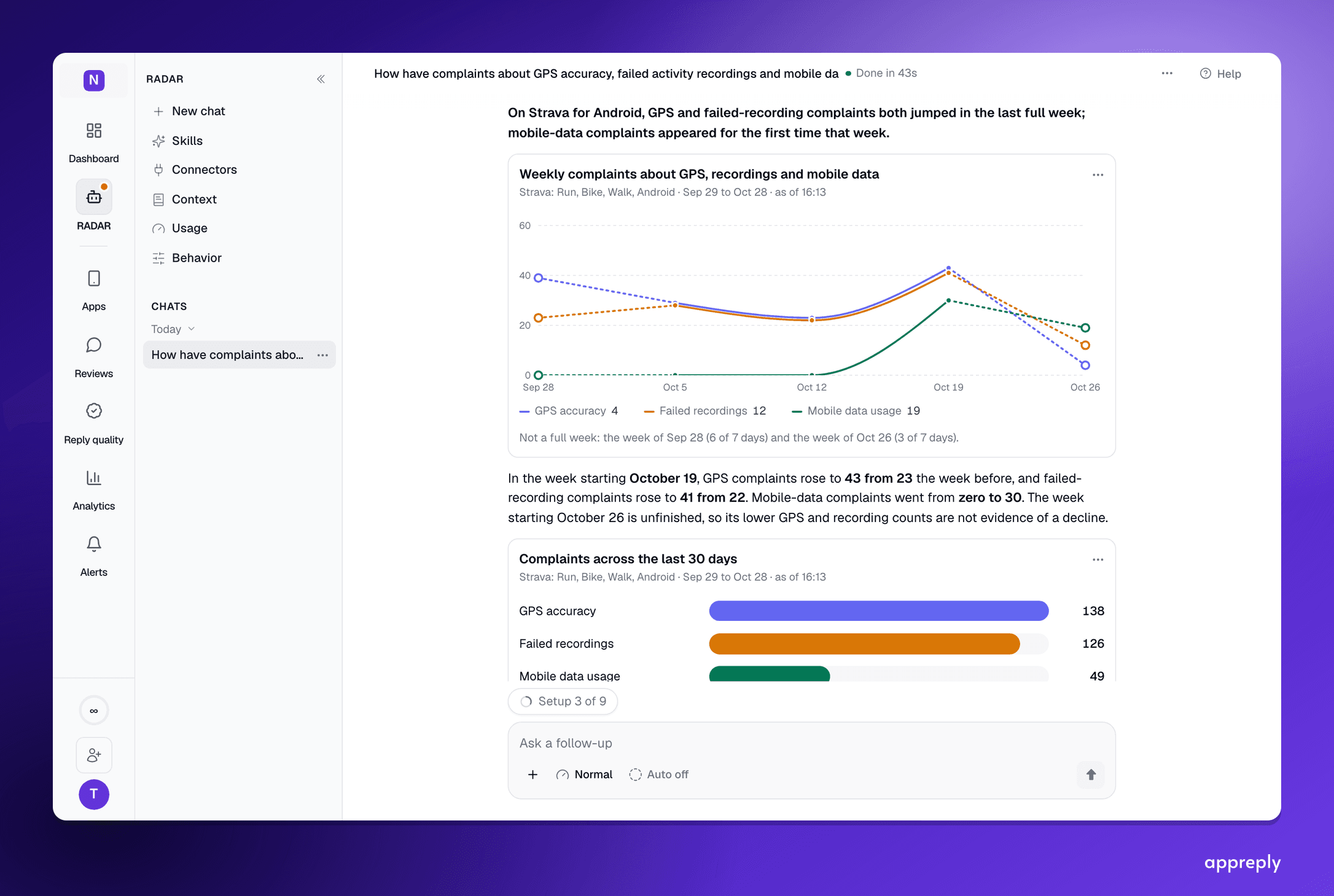
How have complaints about GPS accuracy, failed activity recordings and mobile data usage trended on Strava for Android, week by week?
You get one chart with a weekly line per complaint, like the cover of this post. There, mobile-data complaints went from zero to 30 in a single week, and RADAR marked the current week as unfinished instead of reading its lower counts as a recovery. It counts each complaint in every language your reviews arrive in, from the original text and its translation, so a GPS complaint in Portuguese counts the same as one in English.
Read the shape of the line. Four weeks of climbing is a trend. A spike that falls back the following week is usually one bad day. Before you act, open a few reviews from the peak week: a count built on the word "GPS" also picks up "GPS works fine since the update".
Question 3: what do competitors' users complain about, by country?
Your reviews show what your users dislike. A rival's public reviews show where their users are unhappy, and that is where you can win them over. Ask:
What do users of [a rival app] complain about on Google Play, by country, over the last eight weeks?
RADAR reads up to 6,000 public reviews in one lookup and groups the complaints by meaning across languages. Then it charts the share of 1 and 2 star reviews per country, week by week. To call something a trend, it compares the last four full weeks with the four before them. With fewer than eight full weeks of data, or fewer than 8 reviews in either half, it says so and gives you the counts.
That check matters most for big apps. A popular app's latest 6,000 reviews can span only a few days. That sounds like plenty of data, but it's very little time. RADAR then plots each country over its own weeks, one line per country, so you still see change over time.
When even that isn't enough, it says so. Below, Subway Surfers' newest public reviews in the US reached back only to October 26, against October 2 for Temple Run 2. RADAR compared the complaint themes and explained why it would not draw a 30-day share chart.
 When the two samples cover different dates, the answer says so before it compares anything.
With research connectors on, RADAR also reads what people say about an app on Reddit, X, Threads, TikTok and YouTube, on review sites such as Trustpilot and G2, across the web and in AI answers. Competitor research comes with Pro and Enterprise and needs competitor tracking turned on.
Where replies come in
Analysis finds the problem. A reply tells the people who reported it that someone listened. AppReply gives those jobs to two different agents.
MAX, the reply agent, writes replies from your help docs, approved replies and instructions. It follows your reply rules: some publish automatically, others wait for approval.
RADAR sticks to questions. When an answer turns up reviews that need a reply, it can draft up to 12 for you to approve, and nothing is sent until you do. For what to write, see how to respond to negative app reviews.
Can you analyze app reviews in Claude or ChatGPT?
Yes. AppReply's MCP server connects Claude, ChatGPT, Cursor and other AI agents to your reviews, review insights and knowledge base, and to public App Store and Google Play data. The setup guide in the AppReply docs has the steps.
Pasting a CSV export into a chat works for a one-off look. The four checks are then up to you: keep the dates, name the sample, and ask for the reviews behind every number.
Three questions to ask this week
You don't need a new process to try this. Ask these three and hold each answer to the four checks:
- What changed this period, and why?
- Which topics are growing, and which reviews are behind them?
- What do reviewers of our closest rival complain about?
If an answer shows its chart, names its sample, opens onto its reviews and admits when the data is thin, you can take it into the product meeting. RADAR comes with every paid plan and the 10-day trial. See how the AI agent for app reviews works.
Frequently asked questions
What is app review analysis?
How do you analyze app reviews with AI?
Can AI analyze app reviews accurately?
How do I analyze app store reviews by app version?
How do I find the top complaints driving low app store ratings?
How do I spot a spike in negative reviews after a release?
How do I find feature requests in app store reviews?
Is sentiment analysis enough for app reviews?
Can I analyze competitors' app reviews?
Can I analyze my app reviews in Claude or ChatGPT?
See every review. Know what changed. Reply with confidence.
Bring monitoring, full Analytics, MAX, and Reply Quality into one app review workflow.


More blog posts to read
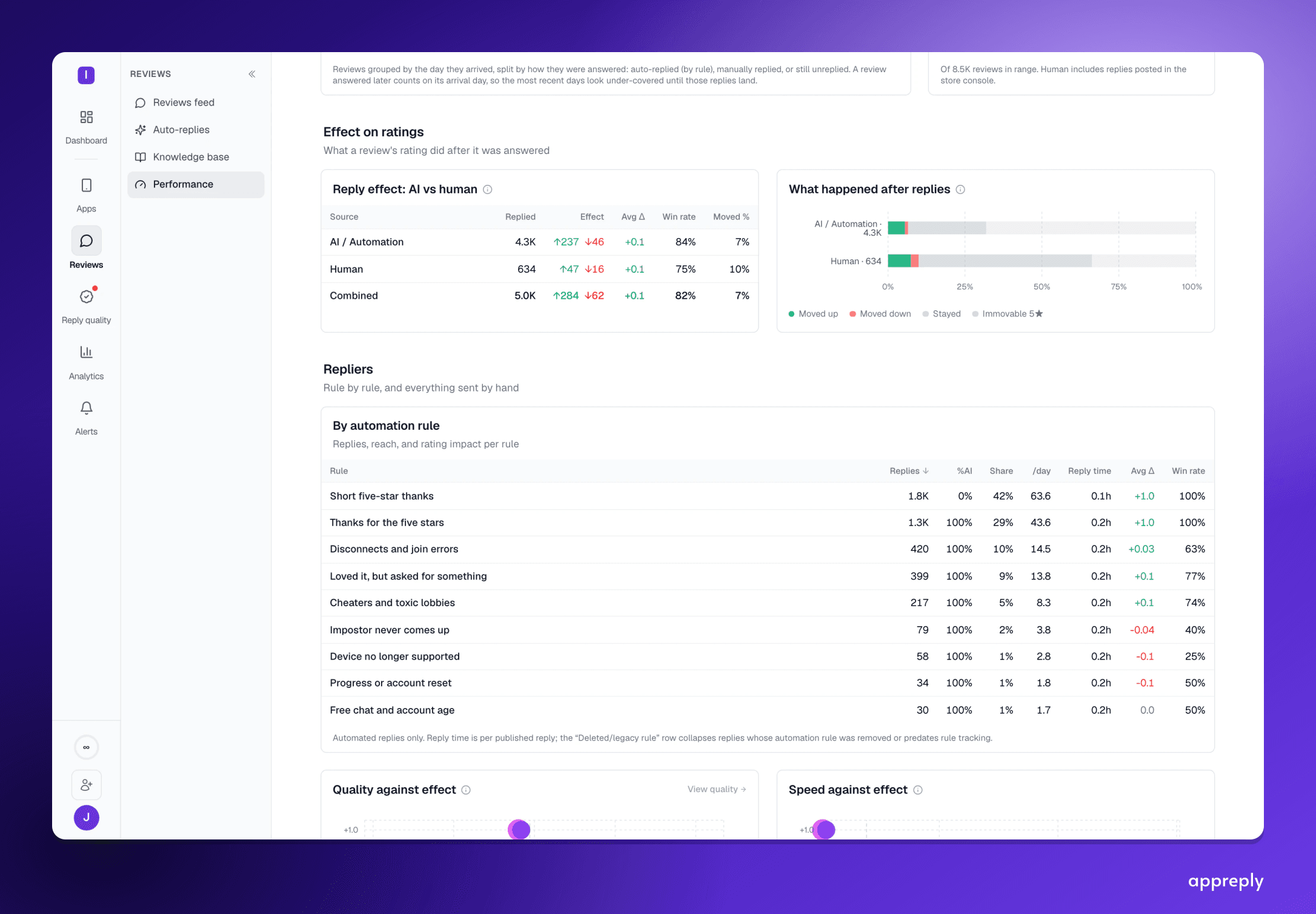
How to respond to negative app reviews: 12 graded examples
How to respond to negative app reviews: 12 paraphrased real replies, 4 graded pass or fail and 8 that got a rating raised.

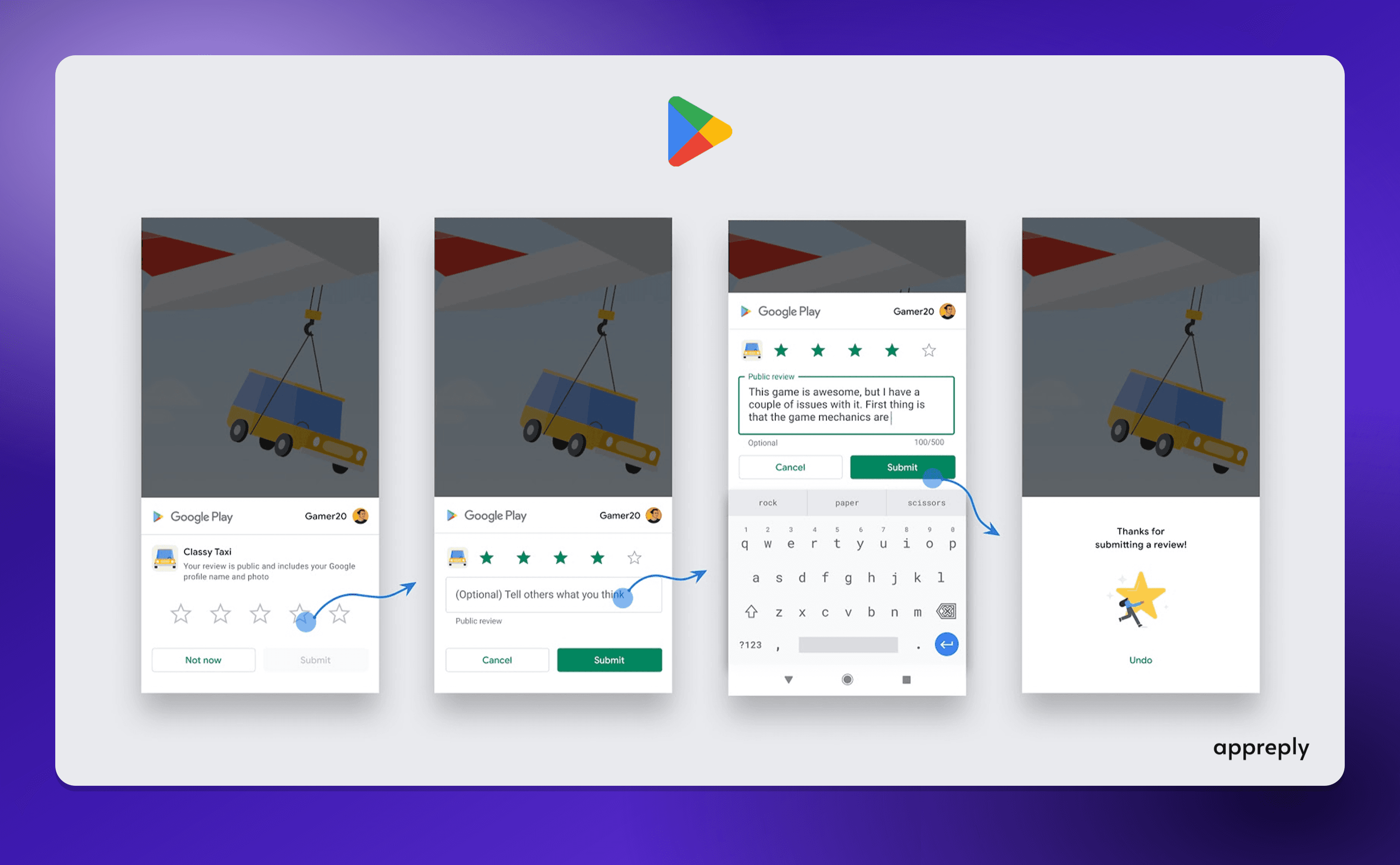
In-app review prompts for iOS and Android (2026)
When to show the native review prompt on iOS (requestReview, SKStoreReviewController) and Android (In-App Review API), with code, limits and gating rules.