Loading. Please wait...
A rating drop has five common causes, and replying without knowing which one you have wastes the days when your response matters most. This guide leads with diagnosis, uses our 2026 study of 100 top apps to show why replying more is not the same as recovering, covers what Apple's rating reset and Google's recency weighting actually do, and ends with how to measure recovery through reply effect rather than star-count arithmetic.
Replying more is not the same as recovering. In our 2026 study of 100 top apps, 42% of replies were word for word repeats, and even apps that answered almost every low star review still missed the point in about a quarter of them. A perfect reply rate built on templates reads as no answer at all.
The cause of the drop decides the fix. A release regression needs an engineering fix and a specific reply. Review bombing needs evidence and a report to the store. Pricing backlash needs time and communication. Confusing these wastes the days when your response has the most effect.
Apple gives you a rating reset. Google gives you recency weighting. Neither is a shortcut around fixing the underlying problem, and using either one without doing that first usually makes the story worse, not better.
Recovery is measured by reply effect on the reviews that could still move, not by the arithmetic of star averages. Track whether ratings actually shift after a reply, separately from whether the reply was good, and you get a diagnosis instead of a feeling.
Before you write a single reply, find out what actually happened. The cause decides the fix. Get it wrong and you send the team down the wrong path, while the reviews that matter most sit there unanswered. That's the single most expensive mistake in a recovery.
Release regression. A bug, a performance hit, or a broken feature shipped in a specific version. Reviews cluster around the same complaint, often naming the same screen or action, and the cluster starts on a specific day that lines up with a release.
Outage. Looks similar to a regression at first glance, but it hits every version at once rather than one, and it stops the moment the service is back, not the moment you ship a fix.
Pricing or paywall change. Complaints shift from bugs to money and fairness. These reviews run angrier and change more slowly, because the grievance is about a decision, not a defect.
Review bombing. A burst of near-identical, short reviews, often from accounts with little or no usage history, tied to something outside the app itself: a public controversy, a monetization decision, a community grievance. Games see this most, but any app that makes a visible, unpopular decision can get hit.
Accumulated neglect. No single event. Months of unanswered reviews and unfixed complaints add up until the average reflects a pattern instead of an incident. This is the hardest to recover from, because there's no one fix, only a sustained change in operating discipline.
Treating a review bomb like a product failure wastes engineering time on something engineering can't fix. Treating accumulated neglect like a one-time crisis gets you a short burst of effort that fades before the pattern actually changes.
Check a ninety day average and a three day spike almost disappears. That's exactly why a live incident looks calm on a dashboard you only check once a week. Diagnosis means narrowing the window you look at, not widening it.
Start by lining up the drop against your release timeline. Does it start on a specific version? That's a regression. Pull every review from that version and read what they describe. Does it hit every version at once, at the same time as a service incident in your logs? That's an outage, not a product bug, and no code change will move the reviews. Has the language shifted from bugs and crashes to price and fairness? That's a pricing reaction. Are the reviews short, similar in wording, and coming in a burst from accounts with no history? That's a bombing, not organic feedback.
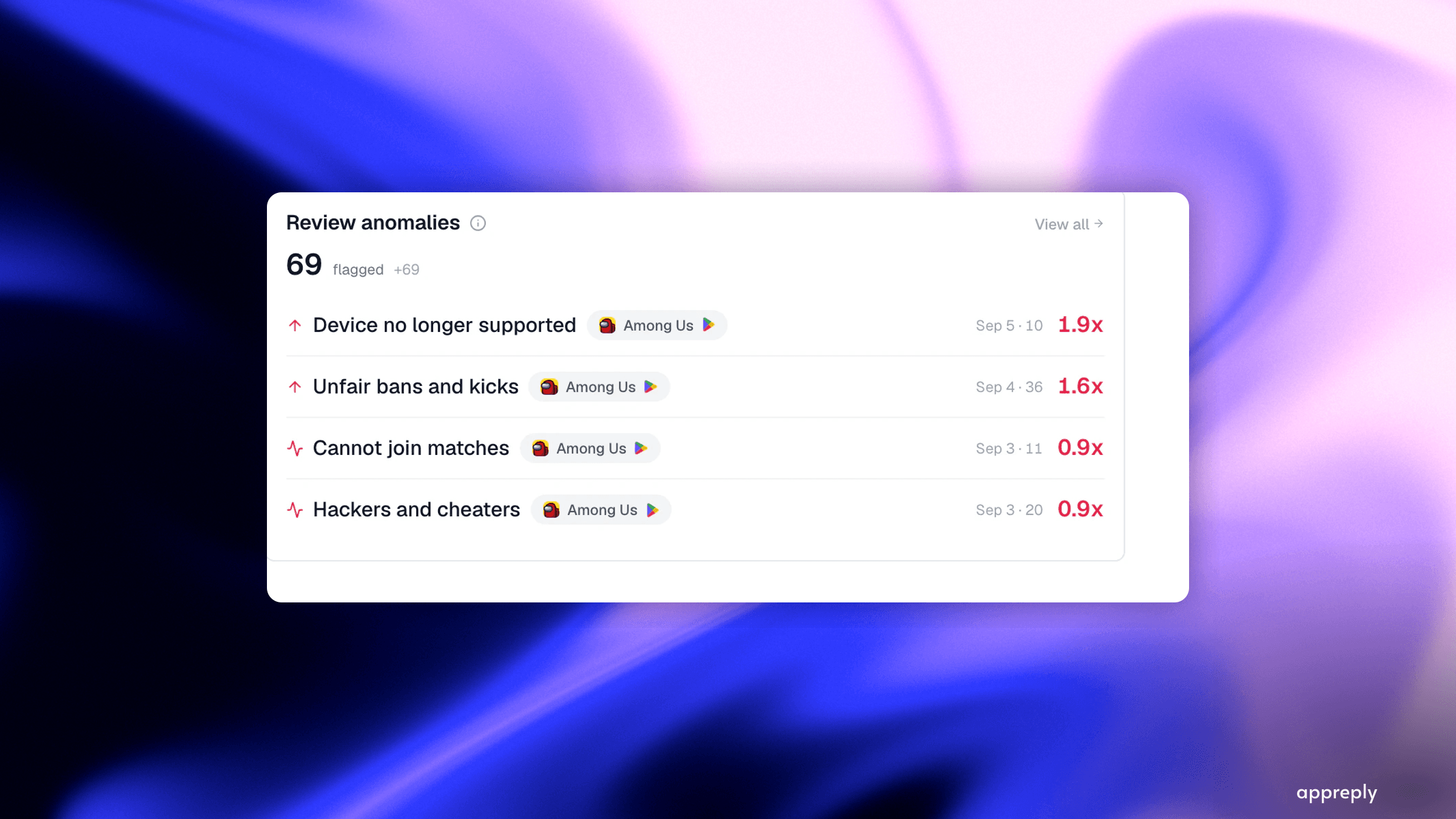
This is where alerting earns its place. Nobody can watch a dashboard closely enough to catch a three-hour spike before it becomes a three-day one. AppReply's alerts check for rating changes and review spikes as they happen, then send an assessment with the reviews behind it. The diagnosis above takes minutes instead of a manual pull through the console, and the alert tells you which cause you're looking at before you write anything back.
Alert rules narrowed by rating, topic and language, so a spike routes to the right person instead of a shared inbox.
The instinct after a bad drop is to answer everything, fast. That instinct produces coverage, and coverage is not the same thing as an answer that does anything.
Our 2026 study looked at 100 top apps on Google Play. Reply rate turned out to behave less like a dial than a switch: of 76 apps with real complaint volume, 24 answered none of their low-star reviews and 18 answered 90% or more. Almost nobody sat in between. So a team either built a way to answer reviews, or it didn't. But building it and doing it well turned out to be two different things. Across every reply in the study, 42.3% repeated another reply from the same app, word for word. One travel app posted the same line 1,604 times in 23 days. A kids' game posted "What can we do to get a higher rating from you?" 313 times, always under a low-star review.
Both of those apps had reply rates that would look excellent on a dashboard. Neither was actually answering anyone. And even when a reply wasn't a repeat, it still missed what the reviewer raised about a quarter of the time on one to three star reviews, more often on the hardest ones. A templated answer, or an answer to the wrong problem, gives a reviewer no more reason to reconsider their rating than no answer at all.
That's the whole difference between recovery and the appearance of activity. A rating recovers when a reviewer with a real complaint sees that it was heard, and ideally fixed. It doesn't recover because a reply count went up.
Once you know the cause and you're ready to reply, the writing follows the same rules as any other reply, just with higher stakes. Name the specific problem. Say what's true right now. Reference the version or date if there's a fix. Never paste the same sentence under three hundred different complaints.
We cover the full mechanics, worked examples by review type, and the exact steps in both consoles in how to reply to app store reviews. During a rating drop, make one change to that approach: reply to the people who already complained about the thing you just fixed before you reply to anyone else. That's the reply with a real shot at getting someone to reconsider what they wrote.
This is why developer responses on Google Play are a direct rating lever. When you post the first reply to a review, the reviewer receives a push notification and email. Roughly 70% of users who receive that notification will revise their review. Each revision has that outsized impact on your average. Importantly, only the first developer reply triggers a notification — subsequent replies to the same review are silent unless the user updates their review and you reply to the updated version. This means your initial response needs to be specific, accurate, and complete.
The two stores give developers different tools for the number itself, and neither is a substitute for the diagnosis above.
Apple lets you reset your star average when you submit a new version. The option appears during submission in App Store Connect. After the reset, your displayed average clears, then repopulates as new ratings for that version come in. Written reviews stay exactly where they were. Apple recommends using this sparingly, and for good reason: it only helps if the version you're resetting on actually fixed the root cause. Reset without fixing the real problem and you'll collect the same complaints again, this time with no old average to fall back on. It also won't touch review bombing, since the bomb will just continue against the new version.
Google Play has no reset option. Instead, in August 2019 Google switched from a lifetime average to one that weights recent reviews more heavily. Google hasn't published the exact formula, but the effect is real: an app that had a bad stretch years ago, and is now earning genuine positive reviews, sees its visible rating improve faster than it would under a pure lifetime average. This cuts both ways during a drop, too. A bombing or a regression can move the visible number faster on Google Play than the same event would on the App Store. But once a real recovery effort is working, it also shows up faster there.
Neither tool changes what actually happened. They just change how fast the number reflects it, once you've done the work.
Every rating-recovery guide, including earlier versions of this one, hands out a specific week count per scenario. Most of those numbers don't trace to anything, and treating them as guarantees sets a team up to quit right before the effort starts working. What actually holds up is the shape, not the number:
A regression with a fast, well-explained fix shows the earliest movement. The fix and the follow-up reply can both happen within days of diagnosis, and you're replying to the same people the bug actually affected.
Review bombing tends to settle in a similarly short window, once the store removes reviews that violate its policies and your own genuine reviewers dilute whatever noise is left. Store-side enforcement against fake reviews is real, not a formality. Apple's 2024 fraud prevention report put its enforcement at over 1.2 billion ratings and reviews processed, and more than 143 million fraudulent ones removed that year. That figure covers all fraud, not bombing specifically, but it's a reason to expect a report to actually get looked at.
Accumulated neglect is the slowest by a wide margin. There's no fix to ship, only a change in whether reviews get answered at all, week after week, until the average starts to reflect the new pattern instead of the old one.
Treat any specific week count you read, here or anywhere else, as a rough guess about the shape. Not a schedule you're behind on if you miss it.
In September 2021, Genshin Impact announced anniversary rewards that players thought were stingy, most of them locked behind raffles instead of just given out. Google Play's rating was widely reported at the time to have collapsed from 4.6 stars to somewhere near 1.9 within days. Coverage described a burst of near-identical reviews in the days that followed. It spilled past Genshin itself, too: players also left one-star reviews on unrelated apps, including Google Classroom, as a form of protest.
Two things happened in parallel, also as reported at the time. Google found patterns that looked like coordinated, policy-breaking activity and started removing reviews that fit it. Separately, the developer significantly increased the anniversary rewards, which addressed the actual grievance instead of just the reviews about it. Reporting described the rating stabilizing over the following weeks, driven by both the removals and the fact that people no longer had a reason to keep leaving a bad review.
The lesson isn't the specific number of stars lost. It's that the two responses worked together: report the pattern to the platform, and separately, fix whatever the reviewers are actually angry about. Enforcement without fixing the grievance just leaves the anger looking for a new outlet. Fixing the grievance without reporting the pattern leaves policy-breaking reviews sitting on your page indefinitely.
It's tempting to reduce recovery to arithmetic. A review that moves from one star to four removes more drag from your average than a new five-star review adds. That's true, and it's a decent argument for why chasing detractors beats chasing new praise. But it's the wrong way to measure whether recovery is actually working, because arithmetic doesn't know whether any given reply was good.
The measurement that does know is reply effect: whether the star rating actually moved on reviews that got a developer reply. Track it only on reviews below five stars, since a mostly five-star base flatters any average you compute. Google itself says a reply to a negative review raises it by 0.7 stars on average, and independent research puts the same lever at 4.4% of replied reviews getting raised, against 0.7% with no reply at all. The fuller citation is in how measuring reply quality actually works. Either way, the lever is the same: a reply that answers the complaint gives the reviewer a reason to revisit it. A reply that doesn't, doesn't.
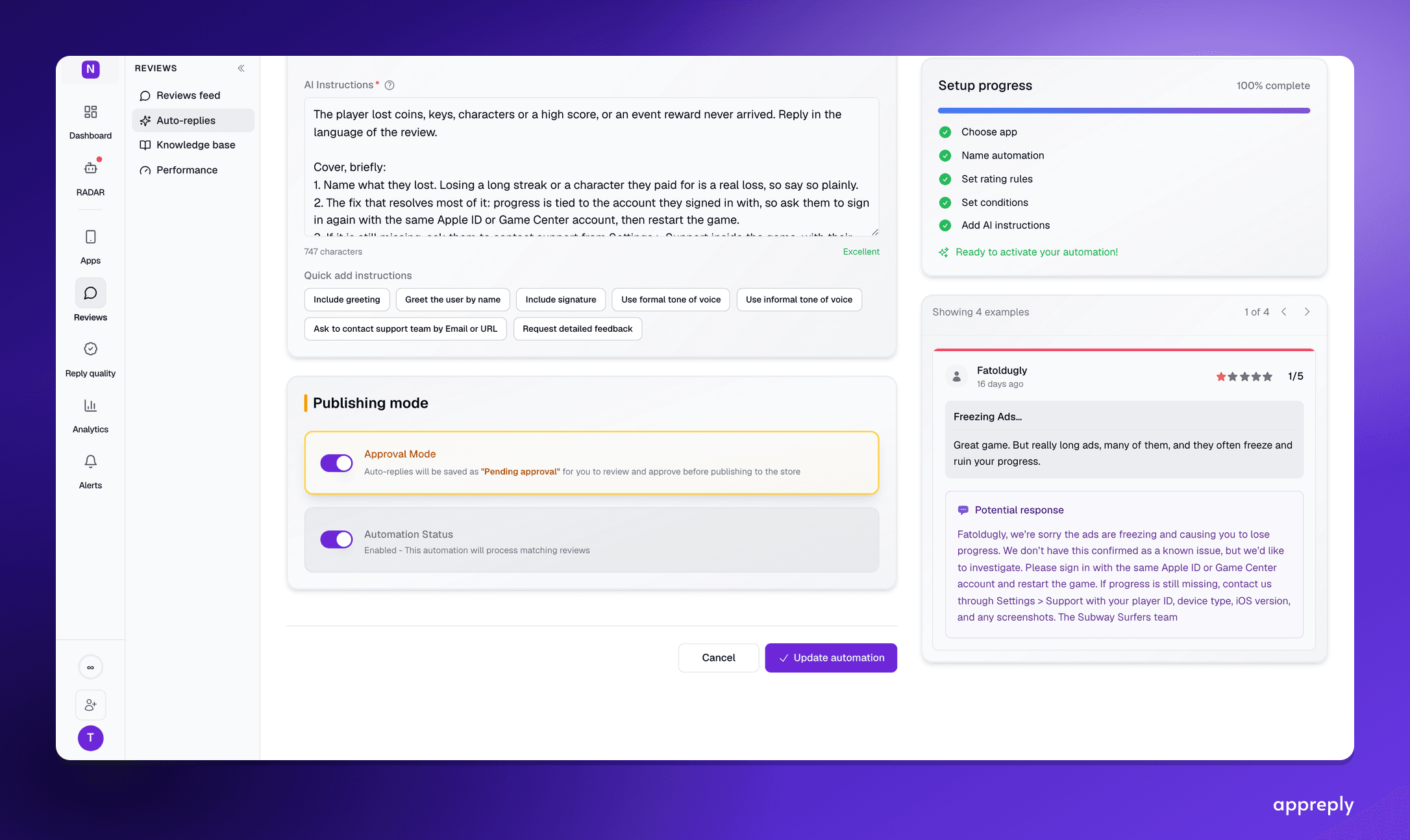
Reply effect this period versus last, split by AI-drafted and human replies.
Read reply effect next to reply quality, not instead of it. Quality up and ratings moving on the reviews you replied to means the work is paying off. Quality up and ratings flat means your quality checklist is probably grading the wrong things. Ratings moving while quality falls on paper means something is working that your written standard doesn't cover yet, and it's worth reading those replies directly instead of trusting the score. Reply Quality checks published replies against your own written standard after they go out, flags the ones with wrong facts or the wrong language, and tracks the trend. That way you're not relying on a spot check during the highest-stakes weeks of a recovery.
A dropped rating is a symptom. The reviews underneath it are the actual signal, and every day they sit unanswered is a day the average keeps reflecting a problem you may have already fixed. The fastest way back isn't the reset, the recency algorithm, or a higher reply rate on its own. It's diagnosing the cause correctly, writing the specific reply that gives someone a real reason to reconsider what they wrote, and measuring whether it worked.
AppReply watches your review stream for the spike or drop that signals something changed, drafts contextual replies for human approval, and checks what actually published against your own standard, so recovery is something you can see happening rather than something you're hoping is happening.
This is materially different from a lifetime average. On a lifetime system, an app with 5,000 reviews at a 3.5 average needs hundreds of 5-star reviews to budge the number. On a recency-weighted system, the same app can show meaningful improvement in weeks if the recent review stream is consistently positive.
The recency weighting creates a specific playbook:
Concentrate positive review generation in a tight window. Instead of spreading your review prompt optimization over months, compress the effort. Fix the issue, verify the fix, then run a focused 4-6 week campaign where you maximize the volume of satisfied users who rate the app. The algorithm rewards clusters of recent positive activity more than a slow trickle over time.
Respond to every recent negative review — and get it right the first time. On Google Play, only your first reply to a review triggers a push notification and email to the reviewer. Subsequent replies are silent. That first-reply notification is your best tool for generating review revisions — and revised reviews carry the same recency weight as new reviews. A user who updates their 1-star to a 4-star in response to your fix generates a fresh positive signal in the recency window. Because you get one notification per review cycle, your initial response must reference the fix and version number specifically, not just acknowledge the complaint.
Do not ignore old reviews. Respond to older negative reviews too, but understand the priority order: recent negatives first (highest recency weight and highest revision probability), then older negatives (lower recency weight but still worth the cumulative improvement). The recency algorithm is a prioritization tool, not an excuse to ignore history.
Track your recency trajectory separately. Your overall average may still look bad while your 30-day and 90-day averages are improving. Track both. The recency-weighted display will follow the recent trajectory, not the lifetime number — and knowing that the leading indicator is positive keeps the team motivated through the lag.
Google Play does not display a public rating until an app reaches approximately 500 ratings. For apps near this threshold, a small number of negative reviews can disproportionately impact the displayed score. If your app is below 500 total ratings, every single review matters more — and your recovery effort should be proportionally more intensive.
Regardless of what caused the drop, recovery follows the same four-phase structure. The phases are sequential — skipping ahead to phase three before completing phase one is the most common failure mode.
You cannot fix what you have not diagnosed. Before writing a single response, before resetting anything, before adjusting review prompts — figure out what happened.
Version analysis. Map your rating decline against your release timeline. If the inflection point aligns with a specific version, you have a product-failure scenario. Pull the reviews from that version and cluster them by complaint type. Are users reporting the same bug? A performance regression? A UI change that broke their workflow?
Keyword clustering. Group negative reviews by the specific words and phrases they use. "Crash" and "freeze" are different symptoms that may point to the same underlying issue — or different ones. "Subscription" and "payment" suggest a billing problem. "Update" and "new version" confirm a release-related issue. Tools can automate this, but even a manual read of the last 50 negative reviews will reveal the dominant themes.
Timeline analysis. When did the drop start? Was it sudden (hours — suggesting a review bomb or a catastrophic bug) or gradual (weeks — suggesting accumulated neglect or a slowly-surfacing regression)? The velocity of the decline tells you which recovery path applies.
External event check. Did anything happen outside your app? A viral social media post, a negative press mention, a competitor campaign, a platform policy change? External triggers require a different response than internal product failures.
Output of this phase: A written diagnosis that names the specific cause, identifies the affected user segment, and estimates the scope of impact. This document drives every subsequent decision.
Once you know the cause, the immediate priority is preventing the situation from getting worse.
If the cause is a bug: Ship a hotfix or rollback. Speed matters more than perfection here. A rollback that restores the previous working state is better than a delayed fix that addresses the root cause but ships three days later. Three days of unchecked negative review accumulation is extremely expensive to reverse.
If the cause is a review bomb: Begin building your evidence package immediately. Document timestamps of the review burst, look for text patterns (identical or near-identical reviews), check account creation dates, and note any correlation with external events. Submit this to Apple via reportaproblem.apple.com or to Google through the Play Console's review reporting tools. Simultaneously, respond to genuine-looking negative reviews while ignoring obvious bot reviews.
If the cause is accumulated neglect: There is no quick triage. The triage for neglect is committing to the process — assigning an owner, setting up monitoring, and establishing response SLAs. The bleeding stops when you start responding consistently, not when you ship a fix.
Respond to every 1- and 2-star review from the last 7 days. Regardless of cause, this is your first operational action. Acknowledge the specific complaint. Do not use generic templates that ignore the user's actual words. Reference the fix if one exists, or note the specific issue and what users can expect. On Google Play, this first reply is the one that triggers a push notification and email to the reviewer — and it is the only reply that will. Subsequent replies to the same review are silent unless the user updates their review first. Make this response count: be specific, reference the version number with the fix, and give the reviewer a reason to revisit their rating.
With the bleeding stopped, the active recovery begins. This phase has two parallel tracks.
Track A: Detractor re-engagement. This is where the notification rules shape your strategy. On Google Play, only the first developer reply to a review triggers a notification. A follow-up reply to the same review is silent — the reviewer will not see it unless they happen to revisit their review. The notification cycle resets only if the user updates their review and you reply to the updated version. This means your phase 2 response is your one shot at a notification-driven touchpoint. If you already responded in phase 2 with a generic acknowledgment and the fix was not yet live, that notification is spent. The follow-up reply you post now will not reach the reviewer. This is why phase 2 responses should be as complete and specific as possible — ideally referencing the fix version directly, such as: "The crash on the settings screen is resolved in version 3.2.1. If you have a moment, we'd genuinely appreciate another look." For reviewers you have already replied to, post the follow-up anyway — it is still visible on the public listing and signals responsiveness to prospective users reading the review thread. But do not count on it generating revisions the way a first reply does.
Track B: Promoter activation. Now — and only now — optimize your review prompt strategy. Time prompts to moments of demonstrated satisfaction: a completed task, a milestone achievement, a successful transaction. Use a pre-prompt gate: ask users how their experience is before triggering the native review dialog. Route positive signals to the review prompt. Route negative signals to an in-app feedback form. This prevents you from collecting new negative reviews from users who have not yet experienced the fix.
During recovery, you can modestly increase review prompt frequency — but respect platform limits. Apple allows a maximum of three prompts per user per 365-day period via SKStoreReviewController, and the system may suppress additional prompts at its discretion. On Google Play, the In-App Review API has its own quotas. Never incentivize reviews — the FTC's fake review rule carries penalties up to $51,744 per violation.
Scaling your recovery effort? AppReply drafts contextual responses that reference specific user complaints, routes them for human approval, and tracks which reviewers have been followed up with — so no one falls through the cracks. See how reply automation works.
Recovery without a prevention mechanism is temporary. This phase converts your crisis response into a permanent operational capability.
Set up real-time alerting. Configure alerts for: rating drops of 0.1 stars or more within 24 hours, negative review volume spikes above your baseline, and specific keywords that indicate recurring known issues. The goal is catching the next problem in hours, not days.
Establish response SLAs. All 1- and 2-star reviews get a response within 4 hours during business hours. All 3-star reviews within 24 hours. Five-star reviews get a thank-you within 48 hours. These SLAs are meaningless without someone accountable for hitting them.
Build the feedback loop to product. Reviews that mention the same bug or feature request more than five times in a week should automatically route to the engineering team's triage queue. The review stream is a real-time signal about product quality — treat it as input to sprint planning, not just a customer support obligation.
Monthly review health audit. Once a month, assess: Is the rating trajectory still positive? Are response SLAs being met? Are there new complaint clusters emerging? Has the review prompt conversion rate changed? This audit catches slow-developing problems before they become the next crisis.
The playbook in this article is the tactical execution. For the wider view of what the stores now read, and how to measure whether your replies are any good, see app reputation management.
The most damaging expectation in rating recovery is that the fix will produce immediate results. It will not. Here is what realistic recovery looks like for each scenario.
Week 1: Ship the hotfix. Respond to every negative review from the affected period. Rating decline should flatten by end of week.
Weeks 2-3: Follow up with reviewers after they have had time to experience the fix. Begin seeing the first review revisions. On Google Play, the recency-weighted average should show a slight uptick even if the lifetime average has not moved.
Weeks 4-6: Compound effect of revisions plus new positive reviews from the fixed version. Most apps see recovery to within 0.1-0.2 stars of their pre-drop average by week six if the fix was comprehensive and the follow-up was consistent. Some documented cases show faster recovery — one case study showed a jump from 3.1 to 4.4 in 8 weeks after fixing a broken login screen on a specific Android version.
Days 1-3: Document evidence and submit to the platform. Respond to all legitimate reviews. Publish a transparent statement addressing the underlying controversy.
Week 1-2: Platform reviews the evidence and begins removing reviews that violate policies. Google Play tends to act faster on clear bot patterns; Apple's timeline is less predictable. The visible rating stabilizes as removals take effect.
Weeks 2-4: Activate your genuine user base with review prompts. The combination of removed inauthentic reviews and new authentic reviews accelerates recovery. On Google Play, recency weighting further accelerates the visible improvement.
Without platform intervention, recovery from a severe review bomb can take 6-12 weeks of sustained organic review generation to dilute the damage.
This is the slowest recovery because there is no single fix — the improvement comes from consistent operational change over time.
Weeks 1-4: Establish the response operation. Respond to every new review and work backward through the backlog. Fix the top three complaint themes identified in the audit. Users who receive responses begin revising ratings.
Weeks 4-8: The compounding effect of consistent response activity becomes visible. Response-driven revisions plus improved product quality plus optimized review prompts begin moving the average. Google Play's recency weighting shows the trajectory change before the lifetime average catches up.
Weeks 8-12: The rating approaches a new equilibrium that reflects the current product quality and response operation. The 0.7-star average improvement documented by Google Play for apps that actively respond to reviews is achievable within this window — but only if the effort is sustained, not front-loaded and abandoned.
The Genshin Impact anniversary review bomb of September 2021 remains the most visible example of a catastrophic rating drop and the dynamics of recovery.
On September 28, 2021, Genshin Impact's Google Play rating collapsed from 4.6 stars to approximately 1.9 stars within hours. The trigger was miHoYo's (now HoYoverse) announcement of anniversary rewards that the player community considered inadequate — most rewards were locked behind raffles and contests rather than granted directly. The frustration was compounded by months of accumulated grievances: controversial character designs, perceived lack of communication from the developer, and moderation of community complaints on official forums and Discord that players viewed as suppression.
The review bomb demonstrated several patterns that are consistent across such events. The volume was extraordinary — hundreds of thousands of reviews in a 48-hour period. Many reviews contained similar or identical language. The campaign spread beyond Genshin Impact itself, with players leaving 1-star reviews on unrelated apps including Google Classroom. On the Apple App Store, the rating remained at 4.7 — the bomb was concentrated on Google Play, where the lower barrier to leaving reviews and the recency-weighted algorithm made the impact more visible.
Recovery involved multiple factors. Google identified patterns consistent with coordinated inauthentic activity and began removing reviews that violated Play Store policies — particularly those from accounts with no app usage history and reviews that appeared bot-generated. miHoYo responded by significantly increasing the anniversary rewards, which addressed the core grievance and reduced the motivation for ongoing negative reviews. The combination of policy enforcement and grievance resolution began stabilizing the rating within two weeks.
The Genshin Impact case illustrates three principles relevant to any recovery effort. First, the distinction between legitimate community frustration and policy-violating coordinated activity matters — the response to each is different. Second, addressing the underlying grievance is necessary even when platform enforcement handles the symptom. Third, the App Store's resistance to the bomb (maintaining 4.7) versus Google Play's vulnerability highlights how platform architecture affects crisis exposure.
Even if your app will never face a bomb at Genshin Impact's scale, the structural lessons apply. Document everything from the start — you will need the evidence for platform escalation. Address the root cause, not just the reviews. And understand that Google Play's recency weighting is a double-edged sword: it makes review bombs more immediately damaging but also makes recovery faster once the review stream normalizes.
Your review prompt strategy during recovery is different from steady-state operations. The stakes are higher and the margin for error is smaller.
Never trigger a review prompt without first gauging the user's current sentiment. A simple in-app question — "How's your experience with the app?" or a thumbs up/down — serves as a gate. Users who signal satisfaction proceed to the native review dialog. Users who signal frustration go to an in-app feedback form where their complaint reaches your support team without becoming a public review.
This gate is always important, but during recovery it is critical. A percentage of your users have not yet updated to the fixed version. Another percentage updated but have not yet encountered the scenario that was broken. Prompting these users risks collecting new negative reviews that compound the problem.
Prompt after task completion, not during task execution. Prompt after a successful purchase, not before checkout. Prompt after a milestone or achievement, not during onboarding. The psychological state at the moment of the prompt is the single biggest driver of whether the user rates positively.
During recovery, consider adding new prompt triggers around features that are working well — not just the feature that was fixed. If your app has a core workflow that consistently delights users, that is where your prompts should fire most frequently.
Apple caps SKStoreReviewController at three prompts per user per 365-day period. The system may suppress prompts beyond that, and there is no way to confirm whether the dialog actually appeared. On Google Play, the In-App Review API has its own quota system.
Respect a minimum 90-day cooldown between prompts per user. During recovery, you can modestly reduce this — perhaps to 60 days — but pushing below that risks annoyance. A user who receives too-frequent review prompts during a period when the app was recently broken will associate the prompts with desperation, not confidence.
For a deeper dive into the full review management lifecycle, see App Store Reviews 101.
Both Apple and Google have mechanisms for developers to escalate review-related issues, but the processes are different and the expectations for evidence vary.
Apple's primary channel for reporting problematic reviews is through App Store Connect and reportaproblem.apple.com. When reporting, include:
Apple processed over 1.2 billion ratings and reviews and removed more than 143 million fraudulent ratings and reviews from the App Store in recent years. They take coordinated manipulation seriously, but the timeline for action is not always predictable. Expect 24-48 hours minimum for initial review of your report, with removals happening in batches rather than individually.
Google Play's reporting tools are accessible through the Play Console. You can flag individual reviews that violate policies, and Google's automated systems also detect patterns independently.
For coordinated attacks, build a comprehensive evidence package:
Google Play's response to the Genshin Impact review bomb — removing reviews identified as policy-violating and working with the developer — demonstrates that the platform does intervene in documented cases of coordinated inauthentic activity. The more complete your evidence package, the faster the process moves.
Neither platform will remove reviews simply because they are negative. A user who had a genuinely bad experience and wrote a 1-star review describing it is exercising a legitimate function of the review system. Escalation is for policy violations and coordinated manipulation — not for unfavorable but honest feedback. The path to addressing honest negative reviews is through product improvement and developer responses, not platform intervention.
Recovery timelines depend on the cause. A bad update with a fast hotfix typically recovers in 4-6 weeks. Review bombing with platform intervention can stabilize in 2-4 weeks. Accumulated neglect — months of unanswered reviews and unfixed bugs — takes 8-12 weeks of sustained effort. The key variable is consistency of response, not intensity of any single push.
Yes. Apple lets you reset your average star rating when you submit a new app version through App Store Connect. The reset is global — it affects all territories simultaneously. Written reviews remain visible after the reset; only the numerical average resets. Use it sparingly and only after the root cause of the drop is genuinely fixed in the new version.
No. Google Play has no manual reset option. Instead, Google uses a recency-weighted algorithm that gives more influence to recent reviews than older ones. This means a sustained push of positive reviews after fixing an issue will move your visible score faster than on a lifetime-average system — but there is no shortcut to erase history.
Start by documenting evidence of coordination: timestamps, text similarities, account creation dates, burst patterns. Report the reviews to Apple or Google with this evidence package. Simultaneously, publish a transparent statement addressing the underlying controversy. Then activate your genuine user base with review prompts timed to positive in-app moments to dilute the inauthentic signal with authentic positive reviews.
Ratings lag behind fixes because users who already left negative reviews do not automatically update them. You need to actively respond to every negative review with a specific message referencing the fix and the version number. On Google Play, the first developer reply to a review triggers a push notification and email to the reviewer — and only the first reply does. Subsequent replies are silent unless the user updates their review. That first-reply notification is what drives the 70% revision rate behind actual recovery, which is why getting your initial response right matters more than following up later.
Approximately, yes. When a user changes a 1-star review to 4 stars, you remove 1 point of downward drag and add 4 points of upward lift — a net swing of 3 points in the numerator. Getting the same net effect from new 5-star reviews alone requires roughly 10 new ratings, depending on your total review count. This is why follow-up with existing detractors is the highest-leverage recovery activity.
Yes, but only to users who are demonstrably satisfied. Use a pre-prompt satisfaction gate — ask users how their experience is going before triggering the store review dialog. Route happy users to the review prompt and unhappy users to an in-app feedback form. Never prompt indiscriminately during a crisis; you risk collecting more negative reviews from frustrated users who have not yet experienced the fix.
Every day your rating sits below its potential is a day you are losing installs, paying more for acquisition, and falling further behind competitors in search visibility. The relationship between rating and conversion is not linear — the jump from 3.5 to 4.0 produces a disproportionate improvement in install rates, and apps below 4.0 face meaningful penalties in both stores' algorithms.
The playbook in this article is not theory. It is the sequence that works: audit the cause, triage the immediate damage, recover through detractor re-engagement and promoter activation, then sustain with the operational infrastructure that prevents relapse. The platforms give you the tools — Apple's rating reset, Google's recency weighting, the 70% revision rate on developer responses — but the tools only work when applied in the right order at the right time.
The most expensive thing you can do right now is wait.
AppReply was built for exactly this scenario. It monitors your review stream in real time, drafts contextual responses for human approval, tracks which reviewers need follow-up, and alerts you to rating anomalies before they become crises.
Bring monitoring, full Analytics, MAX, and Reply Quality into one app review workflow.

How to reply to app store reviews on iOS and Google Play in 2026: what to write, the steps in both consoles, real replies by review type, and what 100 top apps actually send back.

How to automatically reply to App Store and Google Play reviews without breaking brand rules. The setup that gets AI replies for mobile apps and games close to 100% quality: approved examples, current docs, narrow rules, a scorecard checked before publishing, and flags you read.