
AI replies to App Store reviews: what an agent can publish on iOS, and what waits for you
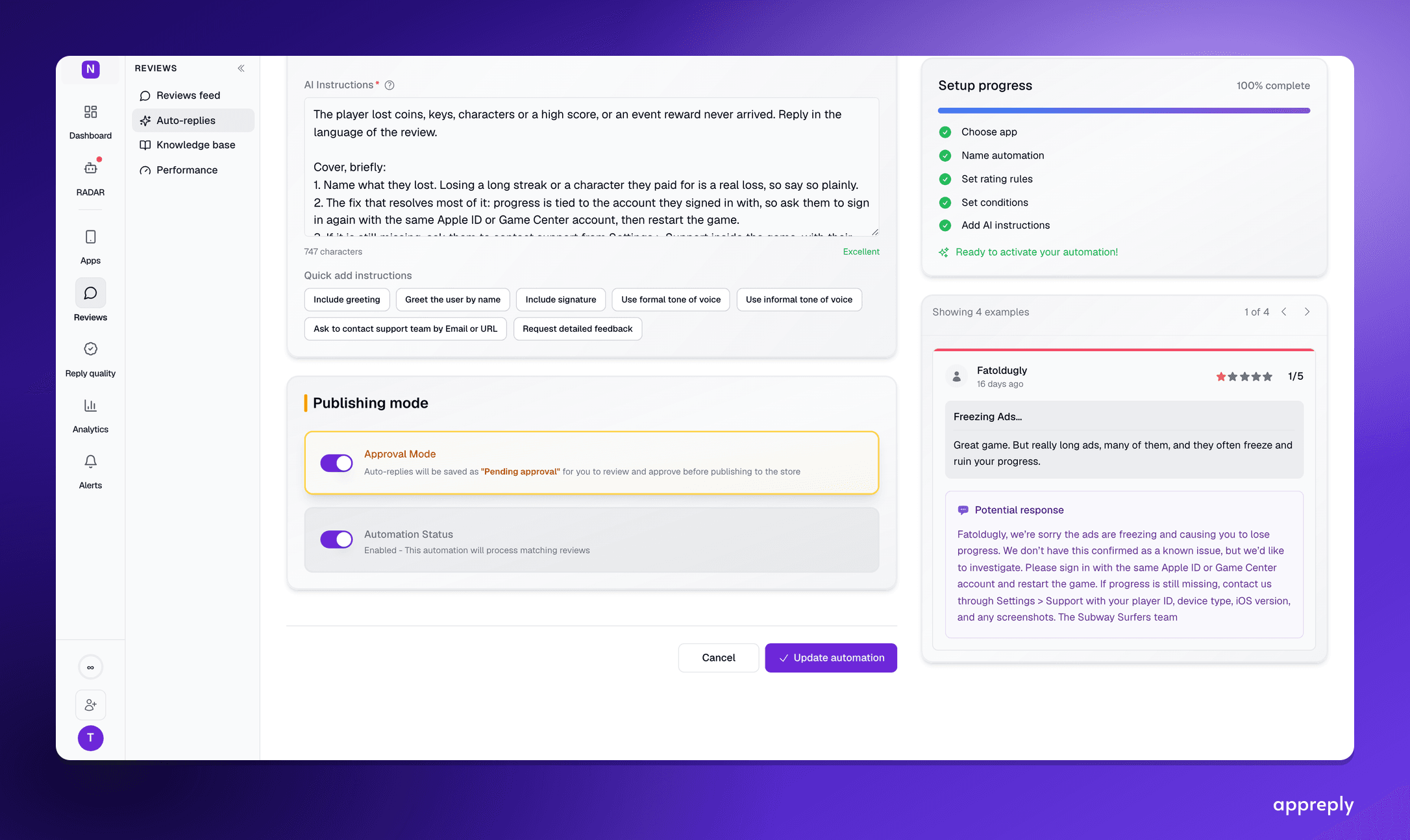
Apple notifies the reviewer every time you reply to an App Store review, and each review gets one reply. So on iOS, the decision that matters is which replies an AI agent may publish on its own. This guide covers Apple's rules, which reviews to answer automatically and which to hold for approval, and what to ask an AI agent about your iOS reviews.
Key takeaways
- One reply per review, and Apple notifies the reviewer. On iOS, a wrong first reply is hard to take back.
- You decide per reply rule: publish automatically, or wait for approval.
- Start automatic replies where a mistake costs little. Hold billing, unfixed bugs and promises for a person.
- Every reply RADAR drafts waits for you. It only publishes when you approve it or press Send.
- iOS ratings are per country, and Apple doesn't send the app version with a review. Ask about one market and one build at a time.
Apple notifies the reviewer every time you reply to an App Store review, and each review gets one reply. So on iOS, the decision that matters is which replies an AI agent may publish on its own, and which wait for someone on your team.
In AppReply, two agents share the work. MAX, the reply agent, writes replies under your reply rules. RADAR, the AI agent for app reviews, answers questions about your iOS reviews and can draft replies that wait for you. This guide covers Apple's rules, which replies to automate first, and what to ask about your iOS reviews.
Two agents, two jobs
| What it does | Who decides what publishes | |
|---|---|---|
| AppReply MAX, the reply agent | Writes replies from your help docs, approved replies and instructions when a review matches a reply rule | You, per rule: some rules publish automatically, some wait for approval |
| RADAR, the AI agent | Answers questions about your reviews, ratings and competitors with charts and the reviews behind them, sets filters, and drafts replies | You, every time: its drafts wait until you approve them or press Send |
Keeping the jobs apart means the publishing decisions live in one place, your reply rules. The agent you chat with never publishes on its own.
Apple's rules for replying to App Store reviews
Apple lets a developer reply in App Store Connect or through its API, where the reply is called a developer response. Any tool that replies on iOS, AI or not, works inside these rules:
- One reply per review. You can edit or delete it later, and only the latest version shows.
- Up to 24 hours to appear. Until then it shows as pending in App Store Connect.
- The reviewer is notified. In Apple's ratings and reviews guidance: "When you respond, the reviewer is notified and has the option to update their review."
- Three roles can reply: Account Holder, Admin and Customer Support.
- No published length limit. Developers report about 5,970 characters. AppReply keeps App Store replies to 2,000 characters or fewer.
Apple also describes a good reply, and it reads like a brief for an AI: "Keep your responses respectful and don't include personal information, marketing language, or spam." It asks you to personalize replies rather than paste the same text under similar reviews. Offensive or spam reviews go to Report a Concern, not a reply, and download or billing problems go to Apple Support. Write all of that into your reply rules.
The step-by-step in App Store Connect, with examples for eight kinds of review, is in how to reply to App Store reviews.
 Every reply an agent writes ends up in this App Store Connect form, as the one reply that review can carry.
How MAX writes replies to your App Store reviews
MAX doesn't start from a blank page. When a review matches one of your reply rules, it finds your past replies to similar reviews and the parts of your help docs that fit, and drafts from those. The same lookup runs when you click Generate reply on a single review. The MAX docs go into the details.
A reply rule decides which reviews MAX answers. You can match on rating, language, keyword, topic, country, platform, review length or featured status, and one rule can cover your iOS and Android listings together. Before a rule goes live, you preview it against recent reviews and read what it would have said.
With Reply Quality on, each draft is checked against your team's scorecard before it publishes. A draft that fails goes back for a rewrite with the reason. If the rewrite still misses, it publishes with a flag for your team. AI auto-replies for app reviews covers the scorecard and a two-week rollout.
To publish on the App Store, AppReply needs an App Store Connect API key with the Customer Support role. Reading public reviews needs no key. Once the key is connected, AppReply imports your recent replies, so MAX has your own answers to learn from on day one. The App Store page lists what works with and without a key.
Managing reviews manually across apps and platforms breaks down fast. AppReply handles triage, routing, and responses, so you can focus on product.
Try AppReply freeWhich App Store replies to publish automatically
Because the reviewer is notified and gets one reply, start where a mistake costs little. Widen a rule once its drafts stop needing edits.
| Review | Start with | Why |
|---|---|---|
| 4 and 5 stars, thanks or praise | Publish automatically | Low risk and high volume |
| Any rating, in a language your team doesn't read | Wait for approval at first | Preview a week of drafts, then switch the rule to publish automatically |
| Feature requests | Publish automatically, with care | Fine as long as the rule never promises a date |
| A bug you've already fixed | Publish automatically | Name the version with the fix, from your help docs |
| A bug you haven't fixed yet | Wait for approval | A person should decide what to promise |
| Billing, refunds, downloads | Wait for approval | Apple sends these to Apple Support, and your reply should too |
| Offensive or spam | Don't reply | Use Report a Concern in App Store Connect |
Ask RADAR about your iOS reviews
RADAR is the agent you talk to. Ask in your own words, and it looks up the answer in your reviews, your ratings and the public stores:
- "Why did our iOS rating drop this month?"
- "How have crash complaints trended on the App Store over 12 weeks?"
- "Show unreplied 1 and 2 star reviews from the last 30 days."
A question about a period gets a chart over that period first, then the breakdown. Each chart names its sample under the title, and the reviews behind each number are a click away. App review analysis with an AI agent works through three of these questions in full.
RADAR can act on what it finds, too. Ask it to filter the reviews feed and the feed changes, with Undo. Ask it to draft replies to the reviews on the page, and it puts up to 12 drafts into their reply forms, marked "Drafted by RADAR, not sent". Nothing is sent until you approve the drafts or press Send yourself.
 Without an App Store Connect key, RADAR's drafts stay in the chat as text to copy. With a key, they go into the reply forms and wait for you.
iOS details that change the answer
Three things about App Store reviews change what a good answer looks like.
Ratings and reviews are per country. Apple shows ratings per country or region, and each review belongs to one storefront. A drop in one market can vanish in a global average. AppReply tracks the countries you choose over time, so you can filter by country and ask RADAR about one market at a time.
Apple doesn't send the app version with a review. AppReply works it out by checking Apple's lists for your 8 newest versions when it fetches reviews. A review written on an older build stays under Unknown. An answer about which release caused a drop never guesses at an old build.
Apple writes its own AI summary of your reviews. On iOS 18.4 and later, your product page can show a short summary that Apple generates from your reviews and refreshes regularly, per App Store Connect Help. You can't edit it. A complaint you fix stops feeding it as newer reviews come in.
You can ask the same questions about apps you don't own. Name any public app on the App Store and RADAR reads its reviews country by country, with competitor tracking turned on. The competitors-by-country question in the analysis guide shows how that answer looks.
Prefer to ask from Claude, ChatGPT or Cursor? AppReply's MCP server brings your App Store reviews there, and the MCP guide has the setup.
Where a person stays in the loop
A typical week on iOS looks like this. MAX answers the reviews your rules cover and holds the rest for approval. Reply Quality checks every draft against your scorecard and flags the misses.
Then your rating dips after a release. You ask RADAR what changed. It answers with a chart over time, the build behind the rise in low ratings and the reviews that explain it. You ask for the unreplied ones, and it filters the feed. You ask it to draft replies. You read the drafts, fix one, and send.
People stay in charge at three points:
- Writing the rules. You choose which reviews MAX may answer automatically, after previewing what it would say.
- Approving what waits. Rules set to approval, and every RADAR draft, publish only when someone sends them.
- Reading the flags. Reply Quality queues the replies that failed your scorecard, with the reason.
Have App Store reviews sitting unanswered under your app right now? Start with one rule and keep approval on. After a week of drafts, let it publish automatically for the reviews you no longer edit. Set up App Store replies, or see how RADAR answers your questions.
Frequently asked questions
Can AI reply to App Store reviews?
What is the difference between AppReply MAX and RADAR?
Does Apple notify the reviewer when an AI reply is published?
How many times can I reply to one App Store review?
How long does an App Store reply take to appear?
Which App Store reviews should get an automatic reply?
Does the agent know which app version an App Store review is about?
See every review. Know what changed. Reply with confidence.
Bring monitoring, full Analytics, MAX, and Reply Quality into one app review workflow.


More blog posts to read
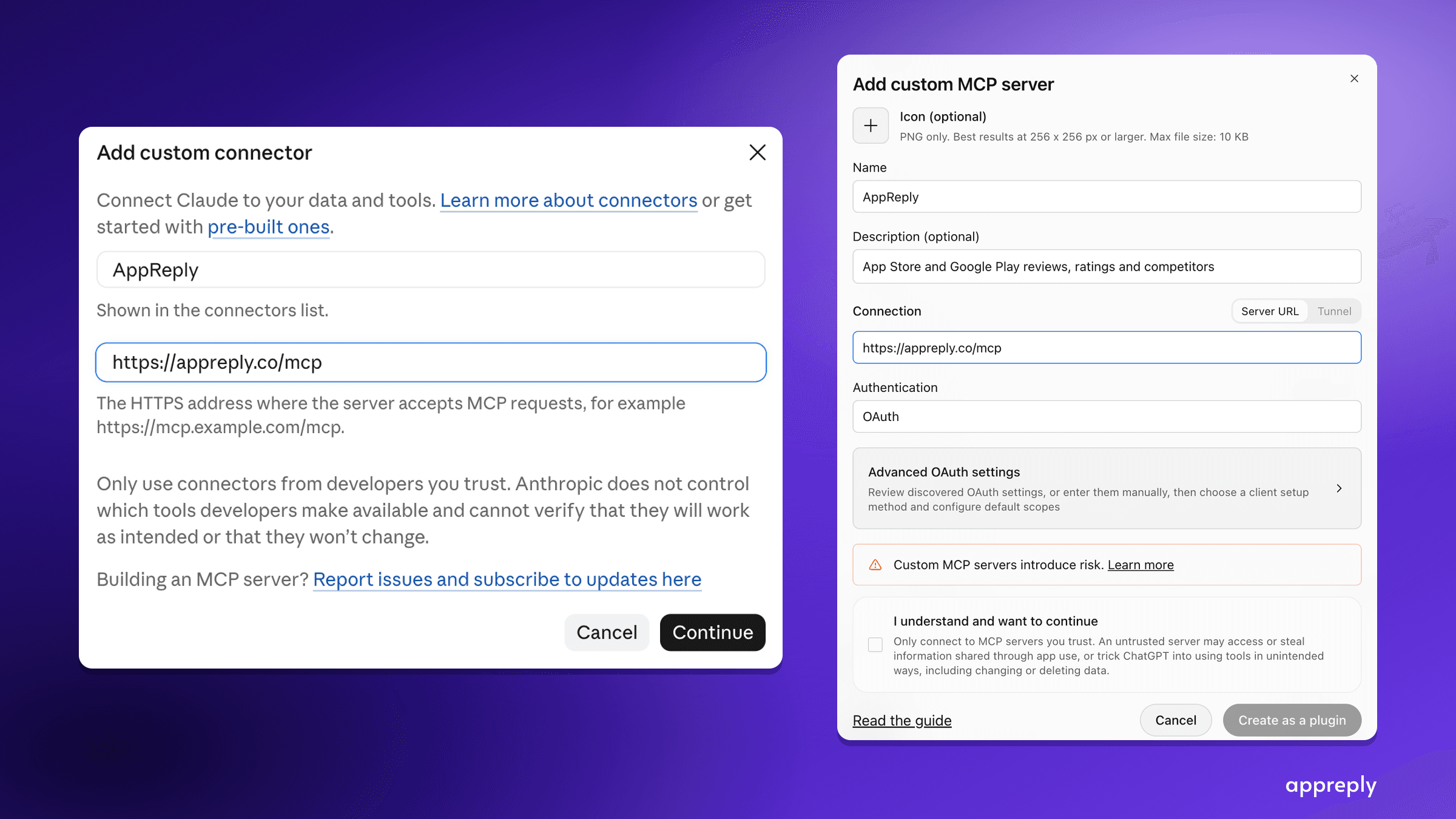
App Store and Google Play MCP server: analyze app reviews in Claude, ChatGPT or Cursor
Connect Claude, ChatGPT or Cursor to AppReply's MCP server at appreply.co/mcp. Ask about your app reviews, insights and knowledge base, or research any app on the App Store and Google Play. Setup, the 16 tools, limits and first questions.

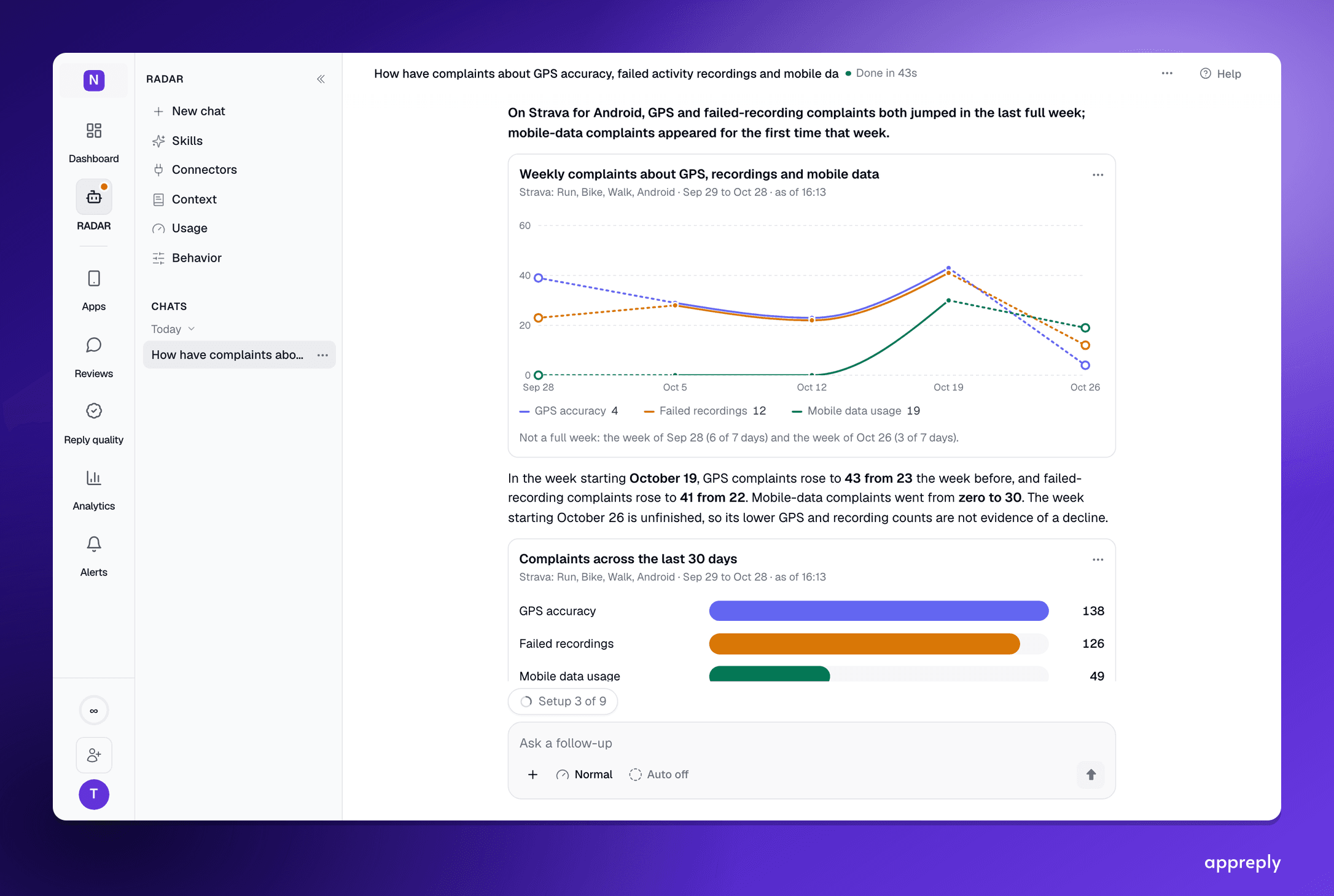
App review analysis with an AI agent: ask the question, check the answer
How to analyze App Store and Google Play reviews by asking an AI agent: the four things a trustworthy answer shows, three worked questions, and how to check the result before you act on it.