
Announcing AppReply 1.0: Built for high volume app publishers

Today we're releasing AppReply 1.0, our biggest update so far. It's built for teams managing app store reviews at real scale with features like approval workflows, multi-app automation, and deep review history.
Growing an app is exhilarating. Scaling the feedback from that growth? That’s usually where the headache begins.
When you have thousands of reviews pouring in across multiple apps, regions, and platforms, the old way of managing them breaks down. You stop getting valuable insights and start drowning in noise. Your team shifts from strategic improvements to frantically trying to clear the inbox.
Today, we’re releasing AppReply 1.0. This is our biggest update ever, and it marks a pivot in how teams handle feedback at scale. We rebuilt AppReply to move you from reactive "babysitting" of store pages to proactive, strategic app store review management.
This is our biggest update so far, and it's built for teams managing app store reviews at real scale. Whether you have multiple apps, multiple regions, or thousands of reviews, AppReply 1.0 is designed to help you manage it all without babysitting store pages.
Here's what's new in this release.
Featured Reviews
When potential users land on your app's store page, the first reviews they see are not random. Google Play and the Apple App Store highlight a small number of reviews at the top, and those get far more attention than everything else.
AppReply now detects featured reviews automatically and surfaces them directly in your Reviews feed. Our new detection engine monitors your store pages 24/7, matching visible reviews with your API data to flag them instantly. You can also filter for them manually using the new "Featured" filter, so you always know exactly what users are seeing first.
 Featured Reviews Feed
Replying to featured reviews increases conversion rates to install and improves your app's brand perception. Since these reviews are the "face" of your app, prioritizing them is the highest-ROI activity for your support team.
Approval Mode for Auto-Replies
Not every team wants replies to go out automatically.
You can now require approval before replies are published. When you enable Approval Mode in your automation settings, AI-generated replies are saved as "Pending approval" instead of being sent immediately.
These pending replies appear in your Reviews feed with a distinct status. You can review them, make edits if necessary, and approve them in one click.
 Approval Mode Settings
This keeps quality high without slowing your workflow, giving you the speed of AI with the safety of human oversight.
Auto-Replies Targeting Featured Reviews
Once featured reviews are visible, you can act on them immediately.
Automations can now target featured reviews specifically. We've added a new "Review is featured" condition to the automation builder. For example, you can create a rule to automatically respond to any featured review below four stars within minutes.
 Automation Targeting Featured Reviews
That response is visible to every potential customer browsing your app.
Tip: Upload your product knowledge base (glossary / FAQs) for smarter responses to featured reviews.
Translate Auto-Replies in One Click
When reviews come in different languages, replying with confidence gets harder. You want to understand what the AI auto-reply wrote, especially when approval is required.
With one click, you can now instantly translate auto-generated replies into English (or your dashboard language) for review. This visual translation helps you verify the tone and content of the response without needing external tools.
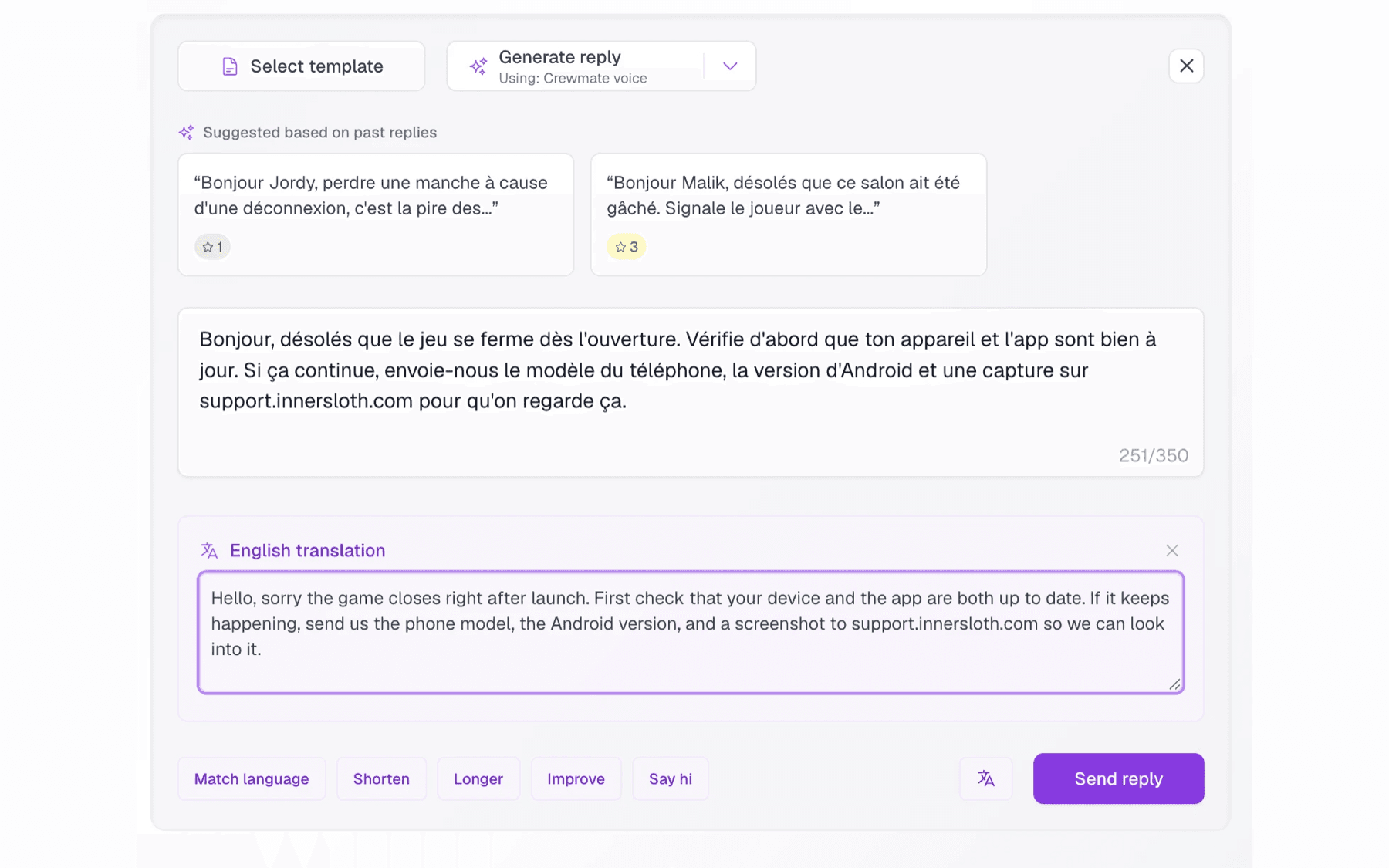 A drafted reply waiting on approval with the dashboard-language translation shown beside the original text
No copy-paste, no switching tabs, no guessing. Just click to translate, verify, and approve.
A Complete History for Every Review
Reviews change, but context is often lost. Users frequently update their rating after a helpful response or a bug fix.
AppReply now tracks every update to a review, including rating changes and text edits. Each review includes a clear timeline showing exactly what changed and when. We visualize rating changes with green (up) and red (down) indicators so you can see the impact of your support efforts at a glance.
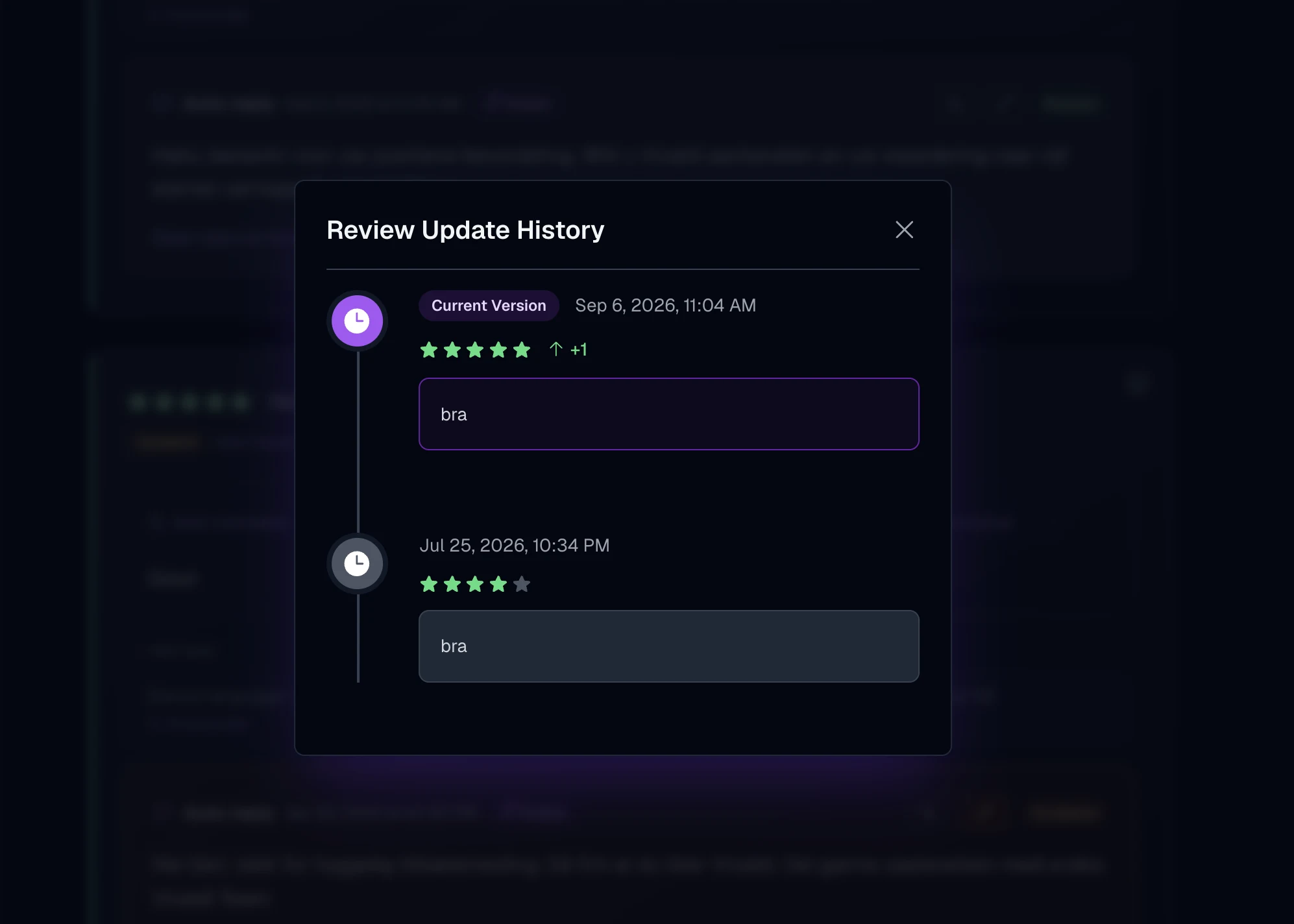 A review's update history: the current five-star version marked as a one-star increase, above the four-star version it replaced, each dated.
This gives you a full audit trail and makes it much easier to understand whether a response helped, or whether a user came back after an update.
One Automation Rule Across Multiple Apps
If you manage more than one app, this removes a lot of repetition.
A single automation rule can now apply to multiple apps, even across platforms (iOS and Android). In the automation builder, you can now select multiple applications for a single rule. This keeps response logic consistent and makes large portfolios much easier to manage.
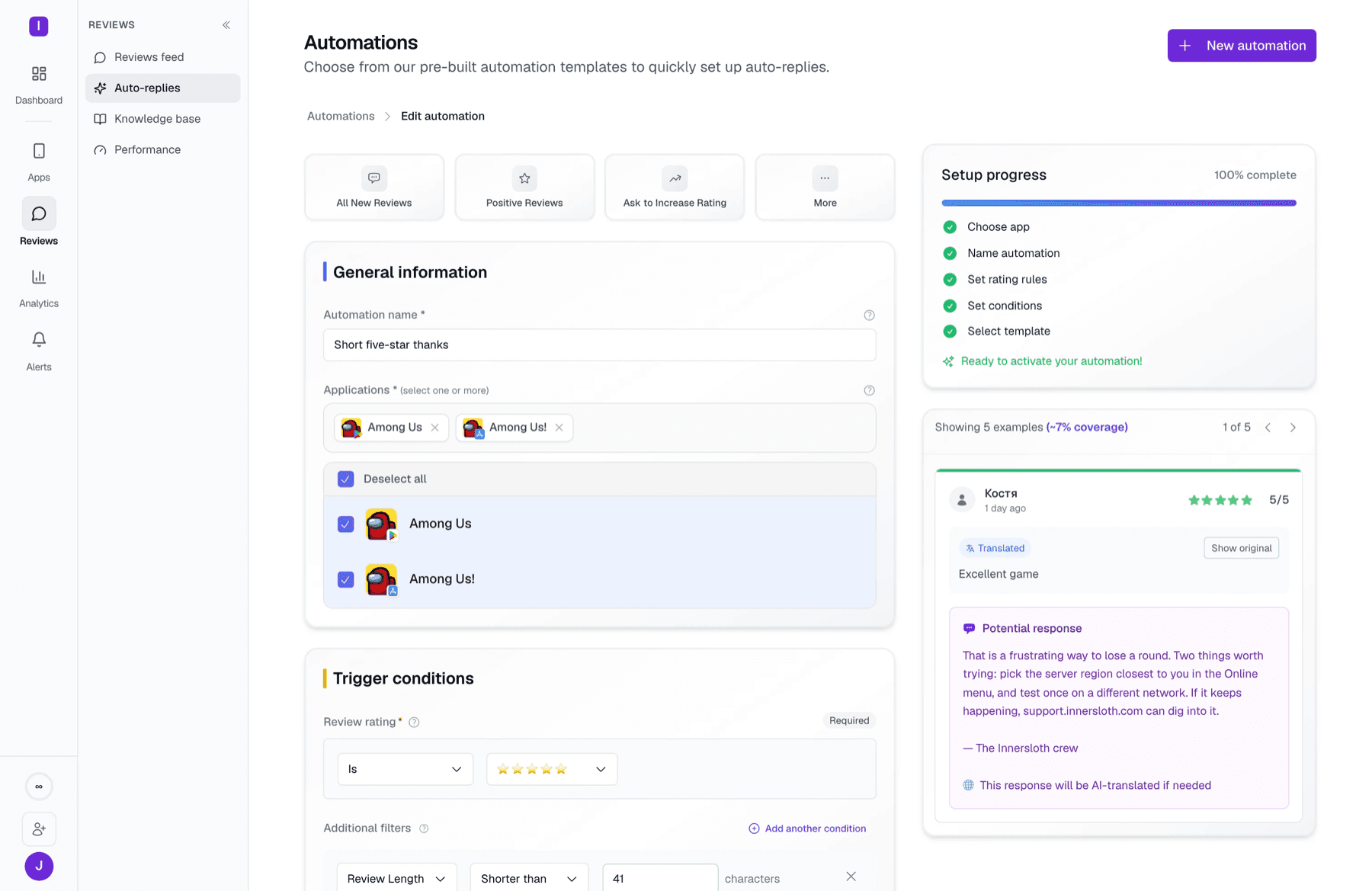 One reply rule with both the Google Play and App Store listings selected, its trigger and conditions beside a preview of a review it would answer
Set it once, and let it run quietly in the background for your entire portfolio.
Faster Loading, Smarter Replies
We also rebuilt major parts of the system under the hood.
- Faster Feeds: We've optimized our database queries and caching strategies, making review feeds load much faster even when you have thousands of reviews.
- Smarter AI: Replies are smarter for complex feedback. We've upgraded our knowledge base processing to use AppReply MAX (embeddings) and GPT-5.2, ensuring responses are accurate and context-aware.
- Reliability: Historical reviews are complete and reliable, and overall stability has improved.
The result is simple: everything feels faster, more reliable, and easier to trust.
Try AppReply 1.0
This release reflects how teams actually use AppReply today: high volume, multiple apps, and real responsibility.
As always, we'd love to hear what you think!
See every review. Know what changed. Reply with confidence.
Bring monitoring, full Analytics, MAX, and Reply Quality into one app review workflow.


More blog posts to read
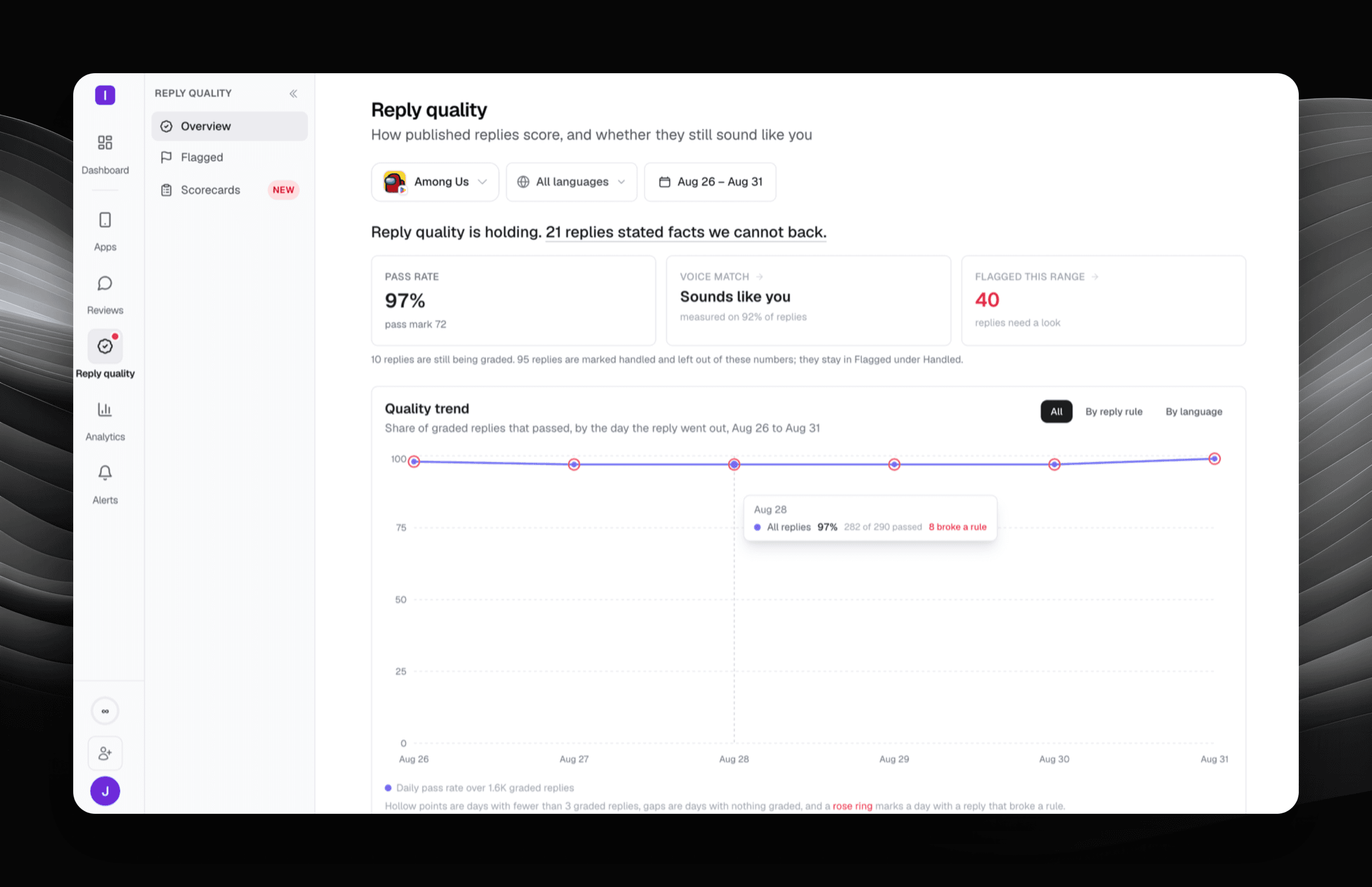
Reply Quality: your reply rate is not a quality score
Reply Quality grades every published app store reply against a scorecard you write, and quotes the exact words that broke a rule.


New in AppReply: Automate replies to featured reviews, plus faster AI on GPT-5.6
Apply your existing auto-reply rules to featured reviews with one toggle on Google Play and the App Store, and get faster, higher-quality AI replies after our upgrade to GPT-5.6.