Loading. Please wait...

Performance dashboards show whether your replies actually move your rating, AI reply disclosure lets you add a custom note to AI auto-posted replies in any language, and stronger reliability keeps replies flowing when reviews spike past 1,000 a day.
Great review responses get harder at exactly the moment they matter most: right after a launch, a pricing change, or a live ops event, when reviews spike and your team has the least time to keep up.
Three questions come up over and over from app and game teams working through those moments. Is this actually working? Can I control what goes out? Will it hold up under load? This release answers all three.
Reply volume is easy to count. Reply impact is the hard part, and it is the number that actually matters. The new Performance dashboards, part of review analytics, are built around it.
AppReply Performance dashboard showing reply effect for AI vs human, automation score, and review coverage
The headline is Reply effect: AI vs human. For reviews that received a reply, it puts the average rating change after an AI reply next to the average change after a human one. It focuses on reviews that can actually move, so a wall of reviews that were already five stars doesn't quietly flatter the number.
Around that headline, the dashboard gives you:
You can also compare AI agents against your human team in a dedicated tab: who is replying, how much, and to what effect.
 The Humans tab, comparing reply volume and effect across your team
The team view is admin-only, so individual numbers stay with the people who manage the team. Performance analytics is available on Pro.
Some teams want to be upfront that a reply was drafted with AI. Others would rather keep it invisible. Both are valid, and now it is your call, in your own words.
AI reply disclosure appends a short custom phrase to your AI auto-posted replies. You choose the wording. Set one default for every language, or add per-language overrides so the note appears in the reviewer's own language rather than a machine-translated version of yours.
 AI reply disclosure settings with a default phrase and per-language overrides
A few details worth knowing:
You will find it on the Voice & style tab under Knowledge base, and it applies organization-wide.
AppReply is built to keep the same review workflow moving as volume grows. This release put a lot of work into reliability under load.
Launches, feature drops, pricing changes, and live events can bring thousands of new reviews in a short window. AppReply now keeps replies flowing at 1,000+ reviews a day with consistent throughput through those peaks.
Your team can keep the same monitoring and response workflow through a quiet week, a launch, or a high-volume live event.
Performance dashboards are available on Pro today, under Review management in the sidebar. AI reply disclosure lives on the Voice & style tab under Knowledge base. The reliability work is already live on every account, with nothing to turn on.
That is the release: proof it is working, control over what goes out, and reliability when it counts. For the craft of the replies themselves rather than their effect, see Reply Quality.
Bring monitoring, full Analytics, MAX, and Reply Quality into one app review workflow.
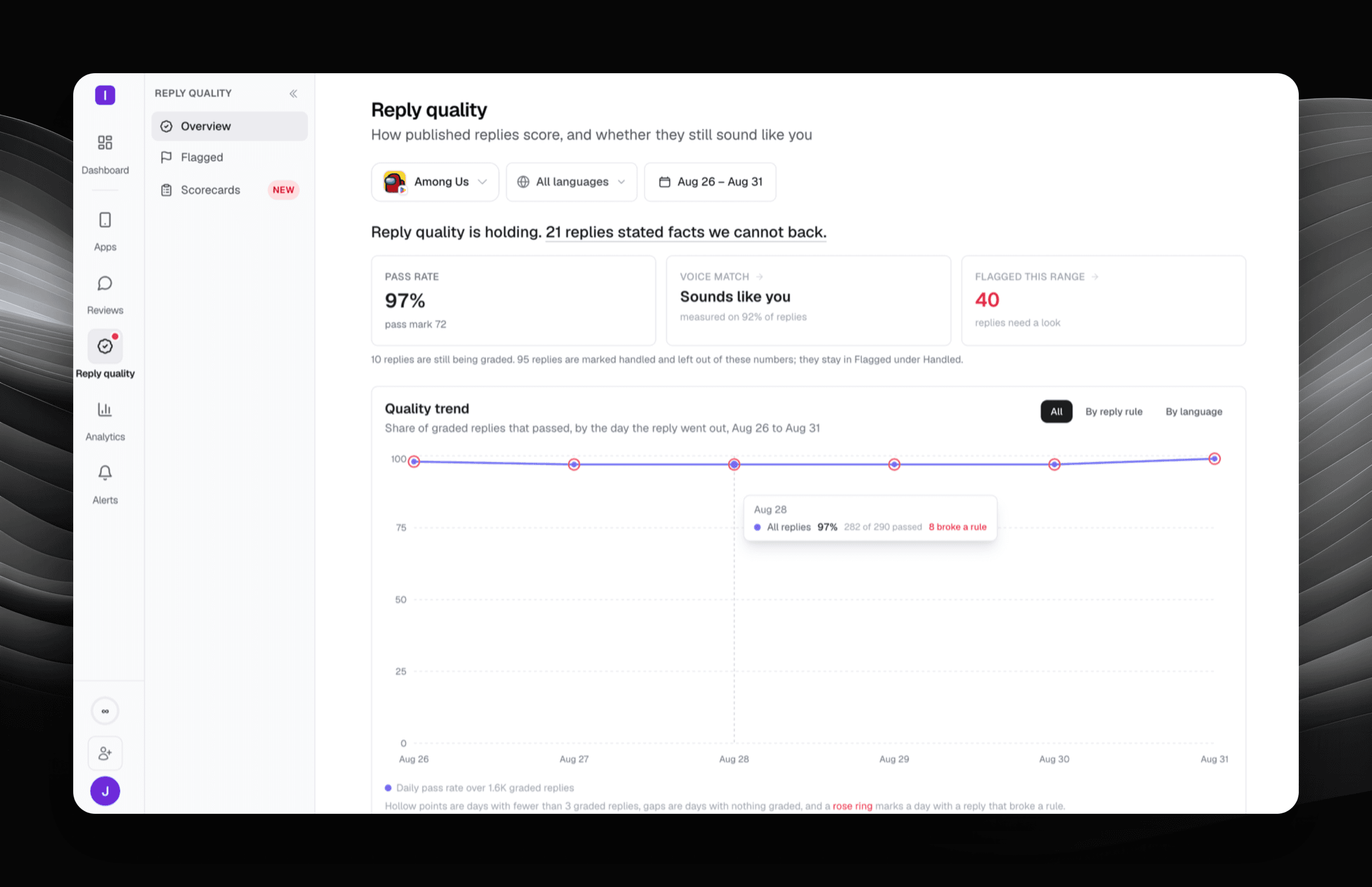
Reply Quality grades every published app store reply against a scorecard you write, and quotes the exact words that broke a rule.


Apply your existing auto-reply rules to featured reviews with one toggle on Google Play and the App Store, and get faster, higher-quality AI replies after our upgrade to GPT-5.6.